
Smart Home Manager
Advertisement
Screenshots
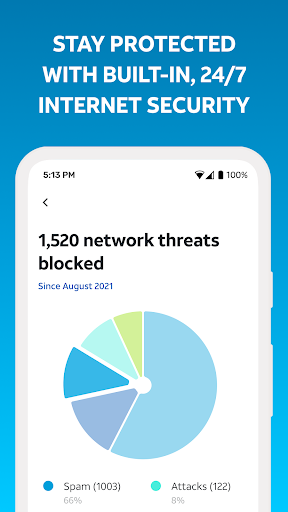
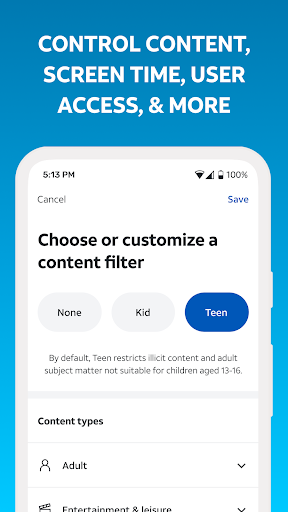
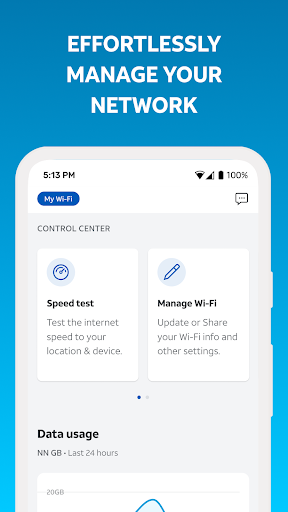
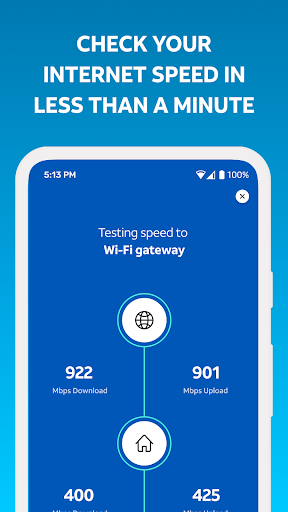
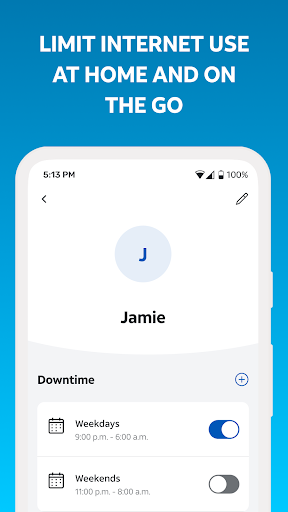
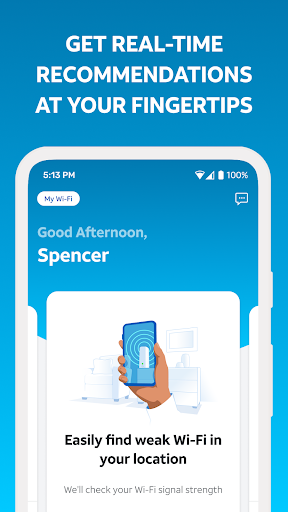
Advertisement
About Smart Home Manager
Smart Home Manager is a super easy-to-operate mobile application designed to help you easily control and monitor smart devices at home. As a comprehensive application solution, it brings a smooth experience, making it simple and cumbersome to manage various connected home appliances. Supporting Android devices, this practical application makes your smart home within reach at any time, and the operation becomes particularly smooth.
Overview
core functions
- This app has a particularly intuitive control panel that allows users to monitor and operate all smart home devices at any time on one interface, making it particularly convenient and smooth.
- The real-time synchronization function allows the status of all devices to be updated instantly. It's like seamless switching to use. There is no stagnation and the experience is great.
- You can also customize reminder notices to let you know the security situation at home or the dynamics of your device at any time, so you can feel more at ease.
- Supporting a variety of different brands and types of smart devices really makes it super versatile and particularly flexible to use.
- It also supports offline mode, so you can manage settings even if you don't have an online connection, so you don't have to worry about not being able to adjust your device.
- Advanced automation functions can help you schedule and run automatically, making daily life more convenient and feeling very intimate.
- The interface design is simple and easy to operate. Anyone can get started quickly, whether they are novices or masters, they feel good.
Who is suitable for?
This mobile app is especially suitable for homeowners and technology enthusiasts who want to use reliable software to manage their smart devices. Most users are over 25 years old and pursue a convenient and automated lifestyle.
Whether you're adjusting lights, controlling a thermostat or monitoring a security camera, this app can help you simplify your daily operations. When you are busy or your family wants to make your home smarter and more worry-free, especially on Android or Apple devices. Find a trustworthy launcher App and your efficiency will be greatly improved!
Why choose this app
The reason why this application is outstanding is that it is rich in features and user-centered in design, making it particularly smooth to use. It is also compatible with various smart devices and is suitable for modern home users.
If you want an easy-to-use and reliable tool to easily solve smart home management problems, this Android app is definitely a good choice. It focuses on simplicity, security, and real-time control, and is definitely more attractive than other launchers and smart home management tools!
Top Recommended Alternative
Pros & Cons
Pros
- Super user friendly interface
- Support various smart devices
- Automation can be customized
- Remote control is convenient
- frequently updated
Cons
- Occasionally, the connection will be disconnected or stuck
- Limited voice assistant support
- Learning complex functions takes time
- Cell phones are a little fast.
- Offline functions are not comprehensive
Advertisement
Download Smart Home Manager


FAQ
Is Smart Home Manager safe when used on my device?+
Of course, Smart Home Manager is designed to put user safety first. This app is often subject to security testing to ensure the security of your data and privacy. It is a trustworthy choice to help you get all smart devices.
It uses the latest security protocols to ensure that your information is safe and worry-free. Whether you are using Android or iOS devices, you can use them with confidence. You are really a solid partner.
How can I install Smart Home Manager on my Android device?+
It's actually quite easy to install. Go to the Google Play Store and find it. Like other popular launchers or efficiency tools, just click on the installation and download it automatically.
After installation, its interface is quite intuitive and guides you step by step to set up. Whether it's adjusting smart lights, air conditioners or surveillance cameras, you can do it, and the experience is quite smooth.
What are the main functions of Smart Home Manager?+
This mobile app provides many features that make it super easy for you to manage your smart home. With real-time control equipment, automated operations, and status monitoring, the user experience is extremely complete.
Because it is an application-based solution, it supports multiple platforms and multiple devices, and the interface is super friendly. Anyone can adjust it at hand. It is quite convenient to create your own smart home space.
Can I use Smart Home Manager as a starter on my Android phone?+
Although this app is mainly for home automation, it can also be used with the Android launcher to quickly open your smart device, which is convenient and convenient! However, it won't completely replace your launcher app.
It can be seamlessly integrated with your existing launcher for quick access, so that you don't have to pile too many icons on the front page. It saves space and is practical, and it is a very thoughtful design.
Is Smart Home Manager compatible with all smart devices?+
The supported devices are quite wide, including not only lights, thermostats, cameras, but also many other smart hardware. Its apps can be compatible with some mainstream brands, and basically all your smart devices can be managed on one platform, which is much more convenient.
This application-based solution also helps you unify the control of different devices on one interface, which is easy to use and makes the overall management of your smart home easier.
Is there a difference between the Android version and the iOS version of Smart Home Manager?+
The core functions of the two versions are similar, both are easy to use and intuitive, but the interface design may be slightly different from the style of the system. Basically the same function, there is no difference.
Which one you choose and how to use depends mainly on your device. Make sure you use the corresponding version and enjoy this app that makes smart home more convenient.
Is Smart Home Manager updated frequently?+
The development team often pushes updates, adds new features, improves security, and improves the user experience. This will also ensure that it is compatible with the latest smart hardware and operating systems, making it a good helper for the veteran.
It's still quite cool to use it every day. The performance is stable and reliable. If you want reliable smart home management, the one with frequent updates is absolutely amazing.
Can I customize notifications and reminders with Smart Home Manager?+
Of course! It provides rich notification and reminder functions, allowing you to know the status changes of your device as soon as possible. You can set reminder content according to your personal preferences, obtain information accurately and in a timely manner, and the experience will be overwhelming!
Whether it is a security risk or a device failure, it can remind you and allow you to control the situation at home at any time. It is very convenient to use it every day. This app is really good!
Customer Reviews
Users generally praise Smart Home Manager for its ease of use, intuitive navigation, and seamless experience, particularly in network configuration and parental controls. Key strengths include simple setup, reliable WiFi connectivity, and useful features like internet backup and device management. However, opinions diverge significantly on stability and reliability: while some find the app smooth and efficient, others report frequent freezing, slow loading, and forced reinstallation. Login issues are a common complaint—many users experience repeated logouts, failure to recognize saved credentials, and redirect loops. Feature effectiveness is also mixed: some enjoy flawless functionality, while others find device pausing and filters unresponsive. Customer support receives heavy criticism for being outsourced and unhelpful. Overall, the app offers a good foundation but suffers from inconsistent performance and persistent bugs.
Write a Review
Share your experience with Smart Home Manager. Submissions are reviewed before publishing.
You Might Also Like
More apps you may want to try next.




