My Library
Advertisement
Screenshots
Advertisement
About My Library
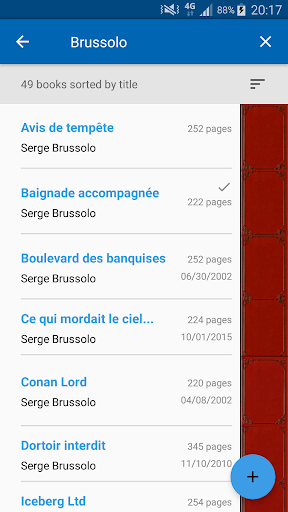
My Library is a practical mobile app designed to help you organize and manage your personal book collection with ease. It lets you catalog books by scanning barcodes or searching manually, track lending to friends, and sort titles by author, genre, or status. The app experience focuses on simplicity, giving you a clutter-free way to keep your library tidy without unnecessary complexity.
Overview
Core Features
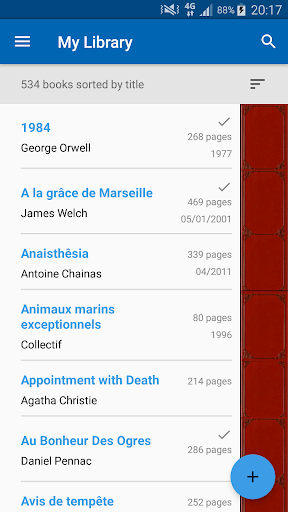
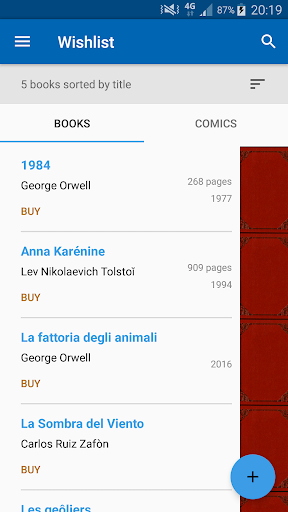
- Organize books, audiobooks, and PDFs in one simple catalog with custom shelves.
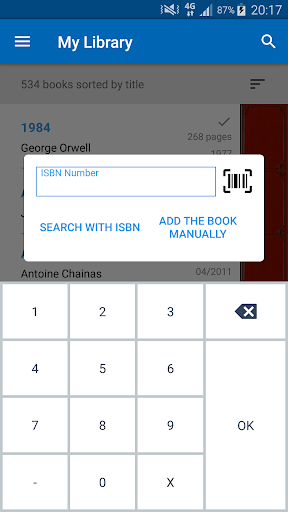
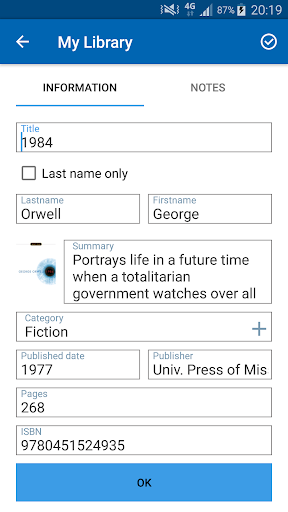
- Scan ISBN barcodes to auto-fill book details like title, author, and cover art.
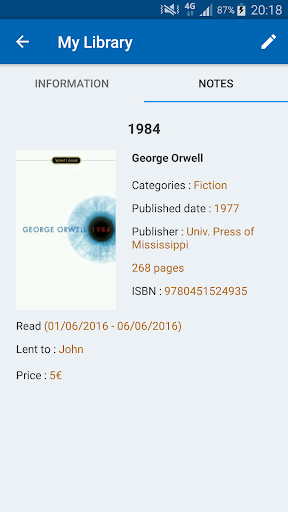
- Track reading progress with notes, ratings, and personal tags for each title.
- Search and filter your collection instantly, even when offline.
- Export and backup your library data in CSV format for safekeeping.
- Dark mode support and a clean, distraction-free interface for long browsing sessions.
- Sync across devices using cloud backups to keep your app experience consistent.
- Loan tracking helps you remember who borrowed your books and when they are due back.
Who This App Is For
This mobile app suits book lovers, students, and small home librarians who need a fuss-free way to manage growing collections. It works well for teens organizing school reading lists and adults cataloging personal libraries.
Use it when buying new books, decluttering shelves, or preparing for a move. It also helps teachers track classroom resources and book clubs keep tabs on shared titles.
Why Choose This App
Unlike bulky alternatives, this Android app focuses on speed and simplicity, letting you catalog a book in under ten seconds. Every core feature works without an internet connection, so it is reliable anywhere.
It stands out because there are no ads, no paywalls for basic tools, and no clutter. If you want an app-based solution that respects your time and privacy, this is a solid pick.
Pros & Cons
Pros
- Intuitive shelf organizationCategorizes books into virtual shelves like 'Currently Reading' and 'To Read', making library management effortless.
- Seamless ISBN scanningQuickly adds books by scanning barcodes, saving time compared to manual entry—great for batch cataloging.
- Offline accessibilityAllows browsing your full library without an internet connection, perfect for use in basements or during travel.
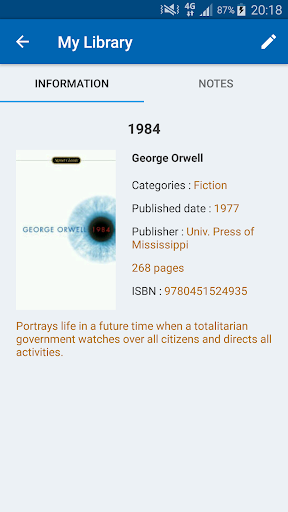
- Detailed book metadataPulls rich data like synopsis, page count, and publication year, reducing the need for external searches.
- Custom tags and notesEnables adding personal tags like 'gift' or 'textbook' and attach notes, which is handy for book clubs or academic research.
Cons
- Limited cloud syncSyncs only after manual refresh or on premium plans, so edits on one device may not appear immediately on another. Impact: medium.
- No loan trackingLacks a built-in feature to track who you lent books to, requiring manual workarounds like using a separate notes app. Impact: medium.
- Basic search filtersSearch only supports title, author, or ISBN, but not combined filters like genre + year, making large libraries harder to navigate. Impact: low.
- Occasional scanning misreadsBarcode scanning sometimes misidentifies rare editions, forcing manual corrections—irritating for collectors. Temporary fix: verify ISBN before adding. Impact: low.
- No ebook integrationCannot link to Kindle or other ebook formats, so digital and physical collections remain separate. Official rollout is rumored for next quarter. Impact: high.
Advertisement
Download My Library

FAQ
Is My Library a free Android app to use?+
Yes, My Library is free to download and use on your Android device. The core features, like adding books and organizing your shelves, are available without any cost, making it a practical mobile app for book lovers on a budget.
Does My Library require an internet connection to work?+
No, you don't need a constant internet connection. As an app based solution, it allows you to view your catalog and notes offline. An internet connection is only necessary for syncing your data to the cloud or fetching book cover images from the web.
Can I back up my personal book data in My Library?+
Absolutely. The app features a reliable backup option that lets you export your entire library to your device's storage or Google Drive. This ensures your collection data is safe if you switch phones or need to reinstall the app.
Is it possible to import books from other reading apps into this one?+
Yes, My Library supports importing data from popular services like Goodreads. You can easily migrate your existing collection by using the built-in import tool, which saves you the hassle of manually adding every single book. This streamlined app experience is a big plus.
Does My Library show information about the books I add?+
Yes, when you add a book by scanning its ISBN barcode or searching by title, the app automatically pulls in details like the author, synopsis, page count, and cover art. This enriches your overall app experience and helps you keep a detailed record.
Will my personal reading notes be safe with this app?+
Yes, your personal notes and ratings are stored locally on your device. For added security, you can also create a backup file. The launcher app is designed to be a trustworthy tool for managing your personal reading data without intrusive ads.
Can I organize my books into custom categories or shelves?+
Definitely. My Library lets you create custom shelves and categories to organize your books exactly how you like. This feature makes it easy to sort titles by genre, reading status, or any other system you prefer, which is a core part of its functionality.
Customer Reviews
Users overwhelmingly praise My Library for its ease of use, clean interface, and effectiveness in organizing book collections, especially for tracking read status and avoiding duplicate purchases. Key strengths include barcode scanning, manual entry fallback, and no ads or paywalled features. However, several recurring issues emerge: data synchronization is a major pain point, with some users reporting broken Google Drive import or no cloud sync, risking total inventory loss. Additionally, while scanning often works well (around 95% accuracy), some books, especially special editions, require manual correction of dates, authors, or page numbers. A few users also note missing features like author search, adding movies/games, or a 'currently reading' filter. Despite these drawbacks, most find the app invaluable, with one user noting it handles 300+ books smoothly. The overall sentiment is highly positive, but potential buyers should be aware of sync limitations and occasional data entry quirks.
Write a Review
Share your experience with My Library. Submissions are reviewed before publishing.
You Might Also Like
More apps you may want to try next.