Vmake Labs: UGC Video Editor
Advertisement
Screenshots
Advertisement
About Vmake Labs: UGC Video Editor
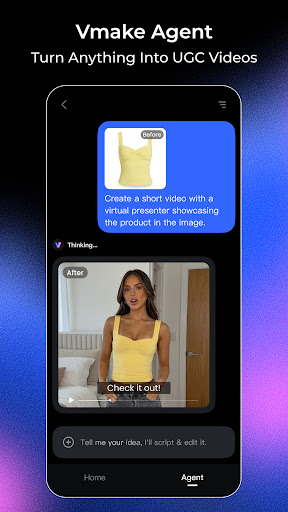
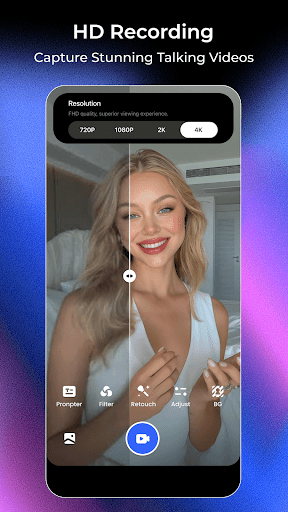
Vmake: AI Talking Video Editor is such a multi-functional mobile app that helps you easily handle various interesting videos. As an innovative Android application, it combines powerful editing functions with artificial intelligence, allowing users to easily create personalized video content. Whether you want to increase your social media influence or make professional-level videos, it can bring an intuitive and handy experience that makes it easy for everyone to start video editing. It's really thoughtful!
Overview
core functions
- There is an AI-driven talking video editor in this app, which is quite interesting and can make attractive videos with almost no effort.
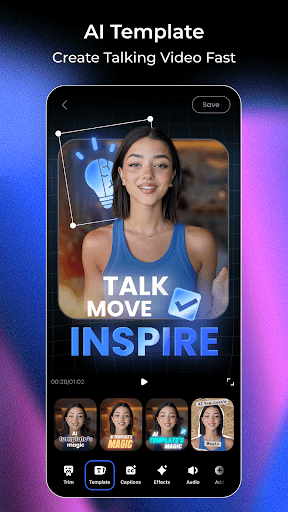
- You can also customize those video templates, allowing you to quickly create professional-looking content in the application, which is super convenient!
- Supports real-time editing, previewing while modifying, and adjustments are smooth, making the entire creative process less cumbersome.
- It can also be used offline mode, so you don't have to worry about not having a network. It is flexible and convenient, and you can do it anytime, anywhere.
- It has advanced Text To Speech functions to make the video more lively and reflect its personality.
- It can be integrated with various media tools to make the entire creative experience richer and more comprehensive.
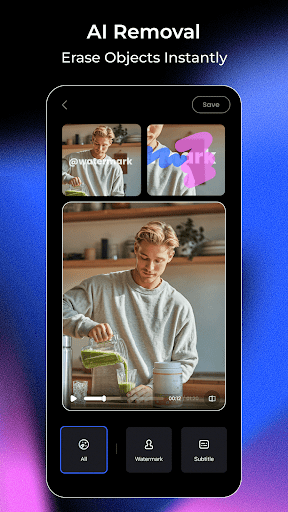
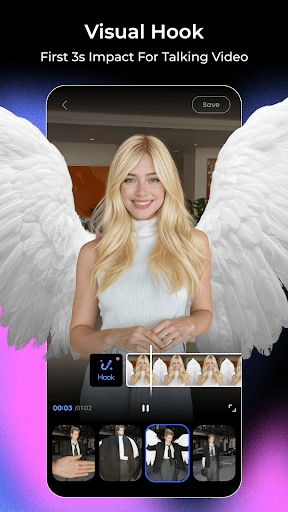
- Automatically removing the background and adding special effects can easily make the video better, saving peace and effort.
Who is this app suitable for?
This mobile app is very suitable for friends who like to socialize and create content, as well as small businesses who want to easily create attractive videos. It can be used by people of all ages and is easy to operate. The editing experience specially designed for Android users is particularly intimate.
Whether you use it for marketing, personal projects, or purely entertainment, this app will meet your needs. It is especially suitable for creators who want to create professional-level videos with simple operations. It helps you turn your ideas into finished products. It is very convenient, very considerate, and especially suitable for fast-paced life and creative performance.
Why choose this app?
The reason why this Android app is outstanding is mainly because it has a smart AI function and a particularly friendly interface, which makes the experience feel smooth. Those complex editing tasks become simple in front of it, saving time and trouble, which is really cost-effective.
Combining powerful functions and a reliable operating platform, Vmake provides a trustworthy content creation space that meets the dual pursuit of quality and convenience of modern users. For those who want to find an efficient, versatile and easy-to-operate mobile video editing tool, it is simply the best choice!
Top Recommended Alternative

Pros & Cons
Pros
- Super user friendly interfaceThe design is so intuitive that even a novice can easily navigate and edit without any effort.
- AI-driven automationOnce powerful AI algorithms were launched, video editing and sound matching became particularly worry-free and labor-saving, saving a lot of time.
- High-quality templates and special effectsThere are all kinds of professional templates and special effects, and you can easily polish the video well.
- Rendering speed is fastThe rendering speed is particularly fast, and the waiting time is greatly reduced. The user experience upup!
- multi-language supportIt supports several languages and can be used by friends around the world. It's really convenient.
Cons
- Limited customization optionsSome advanced editing functions are not available, which may limit creativity, but future upgrades are expected to improve. nbsp; Moderate impact.
- Occasionally AI will misjudgeAI sometimes misinterprets words or expressions, resulting in some inaccuracies. However, it can be adjusted manually, and there are still ways to do so. nbsp; Moderate impact.
- High equipment requirementsIt may require some configuration to run, and low-end devices will stall when running, but it is expected that an optimized version will come out.& nbsp; The impact is high.
- Learning advanced functions takes timeSome advanced features are not easy to get started. Official tutorials and guides will be a lot of help, so it doesn't matter if you take your time. nbsp; Low impact.
- Limited export formatsCurrently, there are not many export formats supported, which are a little limited, and more formats may be expanded in the future.&& nbsp; Low impact.
Advertisement
Download Vmake Labs: UGC Video Editor

FAQ
How do I log into Vmake: AI Talking Video Editor?+
To log in to Vmake: AI Talking Video Editor, you must first register an account in the app using your email or social media account. Once you register successfully, logging in becomes fast and easy.
Thismobile application interface is smooth and easy to use, ensuring that you can easily handle all functions. Moreover, the security measures they use are appropriate and the data is very secure.
Is Vmake: AI Talking Video Editor safe to use on Android?+
Of course, Vmake is a very reliable Android application that pays special attention to user security and data protection. It is available on the official Google Play store to ensure the security and reliability of applications.
Usingthis software to make content is both convenient and reassuring. It is protected by the developer, and the security and updates are well done and trustworthy.
What features does Vmake: AI Talking Video Editor offer?+
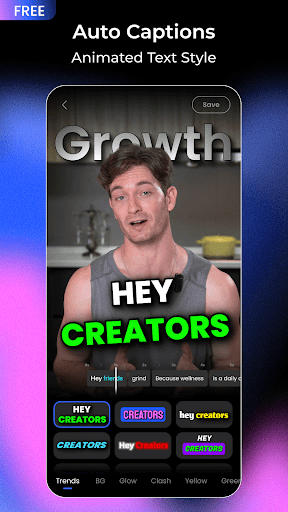
This software is quite rich in functions, such as AI intelligent dubbing video production, voice narration, editing tools, etc., making video editing particularly simple. The interface is designed so intuitive that you can get started whether you are a novice or an old driver.
Asa launcher in the photography category, this Vmake combines advanced editing functions and ease of use. It is popular among mobile phone users who like efficient editing. It is a good choice.
Can I use Vmake: AI Talking Video Editor on both Android and iOS?+
At present, Vmake is only available in the Google Play store for Android, and the experience is quite reliable. Developers may launch an iOS version in the future, but currently only supports Android devices.
Ifyou're looking for a video editing app for Android, Vmake is a feature-rich and creative helper, especially for friends who like to take photos and video.
Does Vmake: AI Talking Video Editor support offline editing?+
Yes, one of the best things about this software is that it can edit offline and you can complete your work without having to connect to the Internet at all. This is simply too convenient for users who go out frequently and need quick editing.
Theoffline function means that content creators can edit videos anytime and anywhere, regardless of network restrictions, making them very flexible and practical.
How user-friendly is Vmake: AI Talking Video Editor?+
This software takes user experience into consideration, and the interface is super clean and intuitive. Whether you are a novice or a veteran, you can easily get started. Its functional design makes complex editing tasks simple and is a convenient initiator for content creation.
Easyto operate, fast to learn, and can quickly produce wonderful videos. A trustworthy application solution helps you easily produce high-quality content.
Is there customer support available if I have issues with Vmake?+
Of course there is. The developer provides reliable customer support and can contact you at any time if you have any questions. You can seek help through official channels available within the app or on the app store.
Thissupport ensures the user experience and gives friends who use Vmake for video editing more confidence and peace of mind.
Are updates regularly released for Vmake: AI Talking Video Editor?+
Yes, developers often push updates to improve features, fix bugs, and improve overall performance. Only by keeping updated can you experience the latest tools and optimizations and play more comfortably.
Continuouslyimproving the software based on user feedback reflects their dedication to this application and makes it always a good helper trusted by people who produce creative content.
Customer Reviews
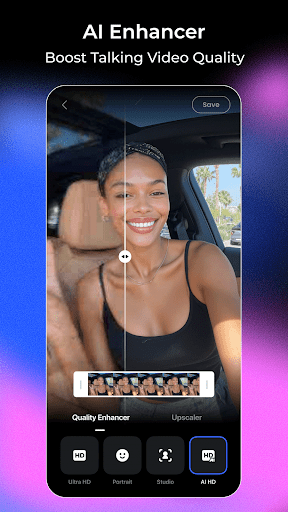
Users generally praise Vmake Labs: UGC Video Editor for its intuitive interface, smooth performance, and powerful editing tools—especially for removing subtitles, watermarks, and logos, as well as enhancing video quality. Many appreciate that it offers robust features at no cost, making it ideal for beginners and professionals alike. However, opinions are split on the pricing model: while some users commend the app for being completely free and generous, others point out that essential functions require a subscription or additional credits, even after paying for premium access. Some also report that certain features are locked behind a paywall without a preview option, and there is no 'watch ads' alternative to unlock them. Performance-wise, most users find it fast and reliable, but a few encounter slowdowns or network-related issues, such as the enhancer getting stuck at 79%. Overall, the app is highly regarded for its functionality and ease of use, though the monetization approach has drawn mixed reactions.
Write a Review
Share your experience with Vmake Labs: UGC Video Editor. Submissions are reviewed before publishing.
You Might Also Like
More apps you may want to try next.