

PhotoDirector: AI Photo Editor
Advertisement
Screenshots
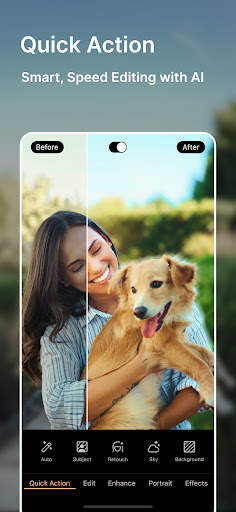
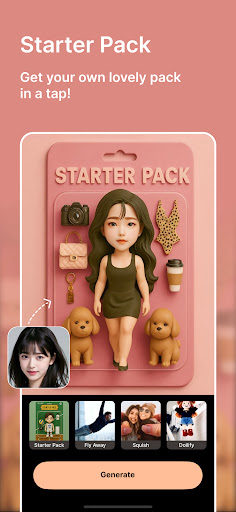
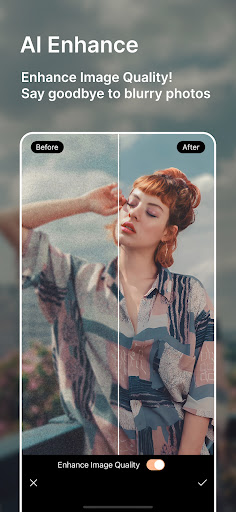
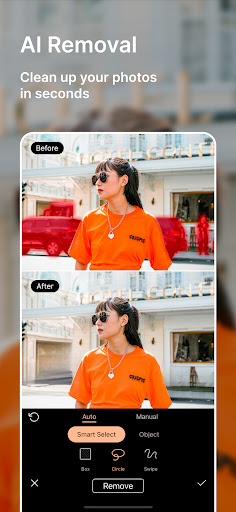
Advertisement
About PhotoDirector: AI Photo Editor
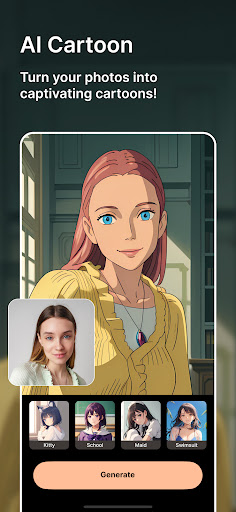
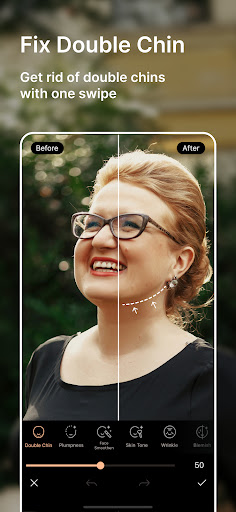
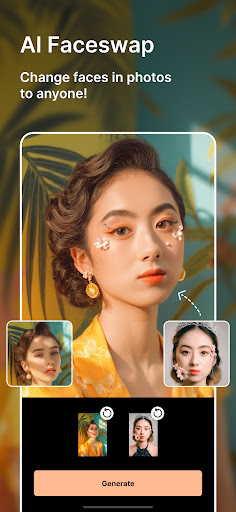
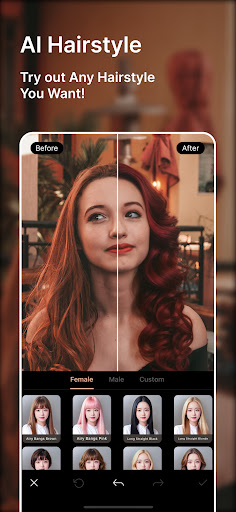
PhotoDirector: AI photo editor is really a very practical mobile application. It really doesn't take too much effort to edit and optimize photos. Whether you are casual or a photography fan, this Android app can bring you a lot of novel features, such as those retouching tools that rely on AI technology, which are both simple and interesting to make. The interface is particularly intuitive, smooth to use, and completely trustworthy. It meets all your photo editing needs. It feels like a reliable application.
Overview
core functions
- This application interface is super intuitive and easy to use, allowing users to easily call up various filters and effects to make photos more interesting.
- It is also equipped with some AI smart tools to automatically help you improve the quality of your photos, such as removing the background, zooming in on details, and brightening and dimming. It is so considerate.
- It has a real-time preview function, so you can see the changes immediately while editing, and save or share them directly after modification, which is particularly convenient.
- Support offline operation, you don't have to worry about being unable to edit without the Internet, and you can get photos anytime, anywhere.
- Cut, rotate, and use detail adjustments to create a professional-level effect. The operation is very meticulous and you can adjust it any way you want.
- It also comes with an album organizing function, which makes it easy to manage and find the photos you edited, and everything is in good order.
- Built-in rich templates and creative tools allow users to quickly create amazing visual effects, full of inspiration.
Who is suitable for?
This mobile app is especially suitable for ordinary users who love to take photos, share content, or just want to easily beautify photos. Whether you use Android or iPhone, you can find a convenient editing experience that is particularly smooth.
Whether it's changing holiday photos, creating some social media content, or simply exploring photo beautification, the software has a wide variety of tools that are suitable for both beginners and veteran users. A friend who wants to produce professional-level results at any time is definitely a good helper.
Why choose this app?
This Android app stands out mainly because it combines powerful functions with a simple and clear operating interface, making it a great experience. It is a one-stop photo editing artifact that combines AI intelligence to allow you to save time and be creative.
Especially designed to meet user needs, it has reliable performance and rich tools, and can solve many common photo editing problems. It has a good reputation and is fully functional, making it the best choice for those who want a trustworthy, versatile photo editing and launcher tool.
Top Recommended Alternative

Pros & Cons
Pros
- Powerful AI-enhanced editing tool
- The interface is intuitive and easy to use
- Rich creative filters and special effects
- High-definition professional photo output
- Regularly push new and optimize updates
Cons
- Occasionally AI recognition errors occur
- Too much power consumption and space consumption
- Free features are limited
- The threshold for high-level functional learning is a bit high
- Stuck when dealing with complex effects
Advertisement
Download PhotoDirector: AI Photo Editor


FAQ
Is the PhotoDirector app safe to use on my device?+
How do I install PhotoDirector on my Android device?+
What are the main app features of PhotoDirector?+
Can I use PhotoDirector without an internet connection?+
Is PhotoDirector compatible with all devices?+
Does PhotoDirector offer any tutorials or support?+
Is PhotoDirector a launcher app or primarily an editing app?+
Can I upgrade to a premium version of PhotoDirector?+
Customer Reviews
Users widely praise PhotoDirector for its creative editing possibilities, user-friendly interface, and effective AI tools that deliver impressive results. Many appreciate its ease of use, extensive features, and suitability for both professional and fun editing. However, opinions are divided on the subscription model: while some find it worth the cost and enjoy continuous improvements, others criticize the aggressive paywall, noting that many features—including previously free ones—are locked behind a premium subscription, making the free version nearly unusable. The AI performance also receives mixed feedback: it often produces stunning enhancements and sky replacements, but some users report poor results with sky swaps and inconsistent recognition of shapes. App stability is a concern: recent updates have caused AI generation to fail completely for some, while others experience network errors. Overall, the app offers powerful tools but faces criticism over monetization and reliability.
Write a Review
Share your experience with PhotoDirector: AI Photo Editor. Submissions are reviewed before publishing.
You Might Also Like
More apps you may want to try next.


