Pixel Studio: pixel art editor

Pixel Studio: pixel art editor

Advertisement

Screenshots
8 images
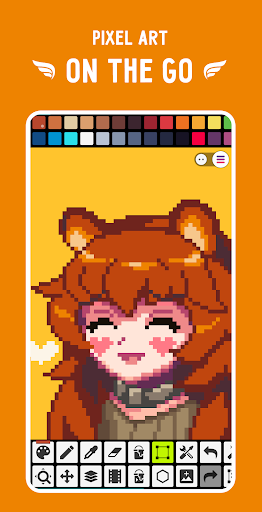
Pixel Studio: pixel art editor screenshot 1Pixel Studio: pixel art editor screenshot 2Pixel Studio: pixel art editor screenshot 3Pixel Studio: pixel art editor screenshot 4Pixel Studio: pixel art editor screenshot 5Pixel Studio: pixel art editor screenshot 6Pixel Studio: pixel art editor screenshot 7Pixel Studio: pixel art editor screenshot 8

Advertisement

About Pixel Studio: pixel art editor

Pixel Studio: This pixel painting editor is really a powerful mobile app that can be used to create beautiful pixel art. Whether you are a novice or a veteran, it is easy to use. The interface is intuitive and the tools are rich. It helps you turn those pixel ideas into reality. It feels very smooth to use. It's a good choice for people who like digital art.

Overview

core functions

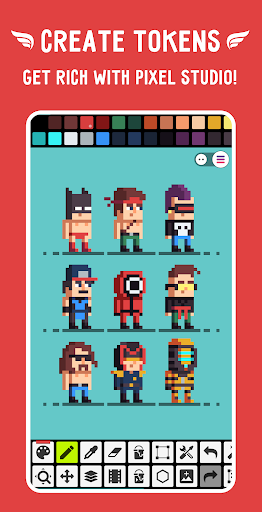
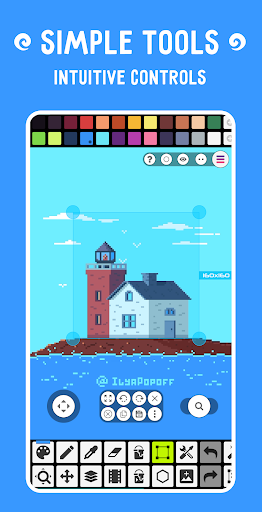
  • This application has a simple and clear pixel drawing editor with ultra-convenient drawing tools that can draw very detailed pixel designs, which is quite considerate.
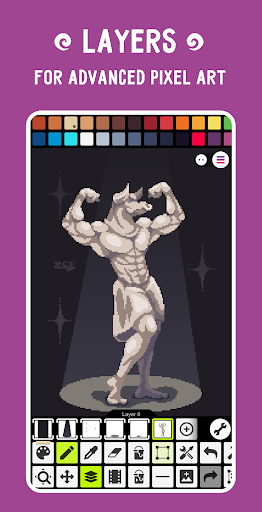
  • It also supports layers and undo/redo, so you don't have to worry about making mistakes when editing. It is especially suitable for artists of all levels. It's really thoughtful and practical.
  • The real-time preview mode allows you to see the effect of your work immediately, which greatly enhances the entire experience of using it. It feels as interesting as on-site creation.
  • Supports exporting multiple formats and is highly compatible. It can be easily handled whether it is a variety of projects or platforms.
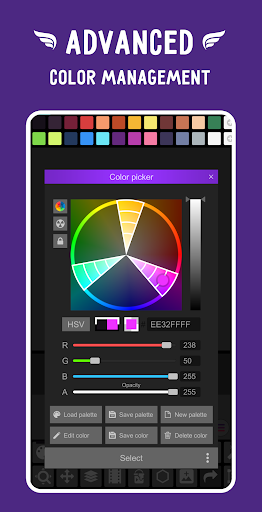
  • There is a rich library of customizable palettes and brushes to stimulate your creativity and make me want to try it!
  • Moreover, there is an offline mode, and work is not restricted by the Internet. It is definitely a reliable artifact of pixel art creation.

Who is this app suitable for?

This mobile app is especially suitable for newcomers who want to become pixel artists, amateurs who like to be creative, and designers who are looking for easy-to-use graphic design tools on Android.

Whether you are playing game character materials, icons, or personal creative projects, this app will help you easily make delicate works, improve your experience, and don't have to worry about your technical level.

Why choose this app?

This Android app stands out with its powerful functions and smooth interface. Everyone can easily enjoy the fun of creating pixel paintings and is particularly friendly.

It is specially designed to solve common editing problems, and its experience transcends many similar software. It has reliable tools and smooth operation. It is a reliable mobile companion for pixel artists.

Top Recommended Alternative

Pros & Cons

Pros

  • Intuitive pixel grid interface
  • Rich color palette options
  • Support multi-layer design and create complex works without any problem
  • Multi-format export options
  • Real-time preview and undo capabilities

Cons

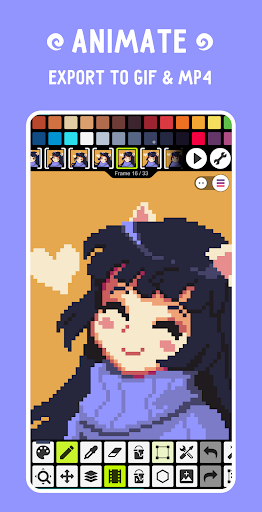
  • Animation functions are limited
  • Less change in brush size
  • No Android version yet
  • Export resolution options are not rich enough
  • Not enough tutorial resources

Advertisement

Download Pixel Studio: pixel art editor

You are going to be redirected to the official website to finish the download when you click these buttons above.

FAQ

Is Pixel Studio: pixel art editor safe to use on my Android device?+
Of course, Pixel Studio is a reliable and safe application in the Google Play Store. It has been reviewed to ensure that you can use it with confidence and that there will be no problems with your device. Don't forget that downloading things must be from regular channels, otherwise safety will be difficult to ensure!
How do I install Pixel Studio on my Android device?+
Installing this Pixel Studio is actually quite simple. You can see it in the "Art and Design" category in the Google Play store. Click the "Install" button to automatically download and install it in a few minutes, and then you can use it to do pixel painting. It's super convenient!
What are the main features of Pixel Studio?+
This Pixel Studio is quite functional and is specially prepared for friends who like pixel painting. There are a variety of brushes to adjust, layers, animations and the like are supported, and the operating interface is also very friendly. Whether you are a novice or a veteran, you can use it smoothly and create it super cool!
Can I use Pixel Studio offline and does it support different versions?+
Of course, once Pixel Studio is installed, it will work smoothly without networking in the future. It will also be updated regularly to support various Android versions to ensure compatibility and smoothness. Turning off the Internet won't stop you from drawing, which is great!
Does Pixel Studio offer any tutorials or support for beginners?+
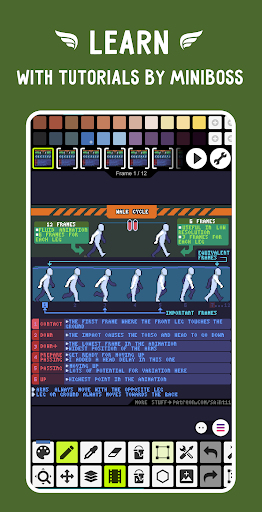
Some, some, it has built-in tutorials and guides, so it is not difficult for beginners to get started at all. The interface is super intuitive and you can easily understand it even if you have no experience. It is very simple to get started. It is super enjoyable to try it out, and the fun of drawing pixels can be experienced immediately!
Is Pixel Studio suitable as an app based solution for professional artists?+
Although it was originally prepared for enthusiasts and casual players, the functionality of this Pixel Studio is quite comprehensive and can also be used by professional pixel artists. Details design, animation, layers and so on are all supported. After reaching a certain level, you can use it to create. It is very stylish!
How does Pixel Studio compare as a launcher app for pixel art editing?+
This Pixel Studio is more like a dedicated pixel painting editor, not used as a desktop launcher. It focuses on creation, interface and functions are very cool, mainly to help you draw pixels, not to open other types of applications.
Can I trust Pixel Studio with my personal data?+
Of course, Pixel Studio pays attention to your privacy. As a regular application on Google Play, it collects some basic information to ensure normal use, and there is not so much data. Remember to check your authority and whatnot. It's the most important thing to have a sense of security!

Customer Reviews

AI
AI Generated Summary
Based on real user feedback
★ 4.3

Users widely praise Pixel Studio for its intuitive controls, rich features, and ad-free experience, making it an excellent choice for beginners and game developers alike. Many highlight its versatility for creating pixel art, mods, Minecraft textures, cross-stitch patterns, and sprites, with positive notes on language support and offline use. However, some users report missing or broken features: while the app is simple for basic tasks, resizing has been completely removed and saving outside the app degrades quality; frame management for GIFs is tedious without numbering or list view. Others mention a lack of a pixel ruler, step-by-step tutorials, and custom animation options, while a few experience login-related artwork corruption or difficulty with complex projects. Despite these issues, the overall sentiment remains strongly positive.

Mohammed Salih · 6/17/2026
★ 4
The product performs well, but it would greatly benefit from a step-by-step tutorial to help users understand its features.
J. N. · 6/16/2026
★ 5
Simple and easy to use – that's all you need.
Kevin Pinto rebelo · 6/15/2026
★ 5
It's the best pixel editor so far, but I wish you could create characters with custom animations. For example, a test button could trigger a walking animation when you move right. That would be amazing.
thats maik · 6/15/2026
★ 5
Great! It does what it's supposed to and has all the functions you need for pixel art :)
Ed Murphy · 6/14/2026
★ 5
This is an excellent way to practice and improve my drawing skills.

Write a Review

Share your experience with Pixel Studio: pixel art editor. Submissions are reviewed before publishing.

Rating *
5 / 5
0 / 2000

You Might Also Like

More apps you may want to try next.