
Open Camera
Advertisement
Screenshots
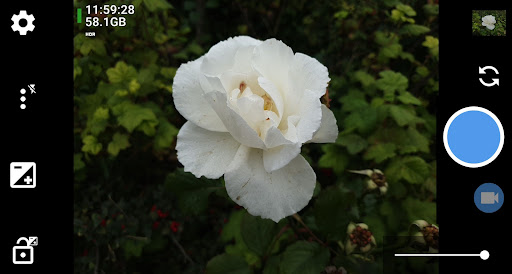
Advertisement
About Open Camera
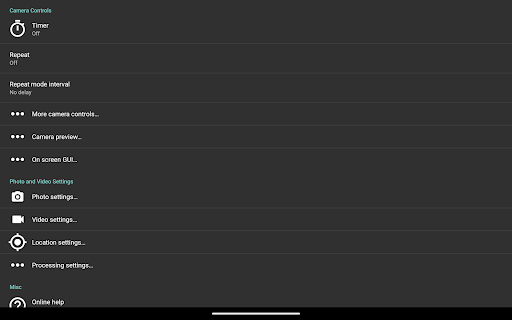
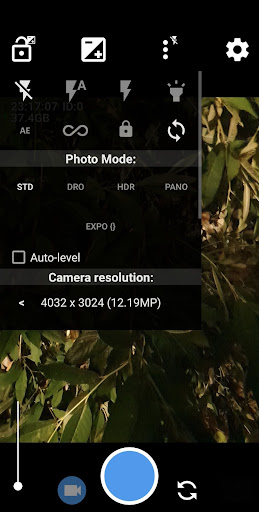
Open Camera is an Android app that is really popular with everyone. Both photography enthusiasts and ordinary users can use it very happily. Its interface looks simple, but its functions are very powerful, and it can handle professional-level camera controls. It is also easy to operate, and various functions can also help you improve your mobile phone photography experience a lot. Whether you're taking ordinary moments casually or playing with some more complex technology, this app can give you a good solution to meet all your photo needs.
Overview
core features
- There is a whole set of really good photo taking functions, which can be adjusted manually and anything like exposure. It is very suitable for people who want to take good photos.
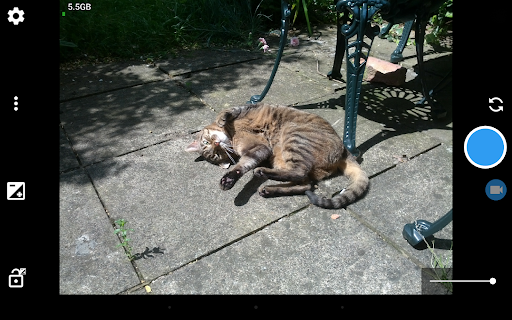
- Support real-time viewing, the preview is clear, it is very comfortable to use, and you can feel more relaxed when taking pictures.
- There is a full-screen mode and grid lines to help you better compose and frame, so you don't have to worry about taking photos.
- It can also be used offline and you can take photos and edit without having to connect to the Internet. It is especially suitable for going to remote or places with no signal.
- There are many advanced functions, such as focus locking, ISO adjustment, and timing shooting, which are all very convenient and are basically a universal photo assistant.
- The interface is simple and easy to use. Whether you are a novice or a veteran, you can find the right way to operate it.
Who is this app suitable for?
This mobile app is especially suitable for all types of photography enthusiasts. No matter how good you are, they want to control more details of taking photos. Whether you are a novice Xiaobai or a veteran photographer, it can help you take exciting photos.
Especially for those users who need a camera that can make mobile photography cooler and more convenient, whether it is taking daily photos, taking small photos, or taking landscapes and people, with diverse scenes, it is a good choice.
Why choose this app?
The highlight of this Android app is that it is rich in features, almost comparable to the effects of professional devices, and it is easy to operate without worrying about complexity.
Unlike many other applications, it has no advertising interference, is available immediately, and is equipped with advanced camera controls to make your photos more reliable. If you want to have fun and take pictures beautifully, this app is a trustworthy helper.
Top Recommended Alternative

Pros & Cons
Pros
- user-friendly interface
- Comprehensive manual controls
- High-quality pictures support RAW format
- Hardware control integration
- Free open source, no advertising
Cons
- Limited video editing capabilities
- Long-term use will consume a lot of batteries
- Some devices do not have built-in HDR mode
- Autofocus is not stable in low light environments
- Built-in tutorials without advanced features
Advertisement
Download Open Camera

FAQ
Is it easy to install and set up on my Android device with the camera app Open Camera?+
Are the functions of Open Camera suitable for professional photography?+
Is it safe to use Open Camera on my device?+
Does Open Camera support a variety of different hardware and devices?+
What changes will the update bring? Can it make Open Camera better?+
Can I customize the interface and controls of Open Camera?+
Can Open Camera be used as a quick-start tool?+
If you want to find a powerful shooting solution that can be used in the app, is Open Camera a good choice?+
Customer Reviews
Open Camera is widely praised for its extensive manual controls (ISO, exposure, focus, white balance lock) and adjustable resolution, making it ideal for photographers who want true camera control on Android. It effectively resolves issues in stock camera apps, especially on custom ROMs, and offers a clean, functional GUI. However, feedback is mixed on certain aspects. While the customization options are powerful, some users find the settings overwhelming and note that certain UI elements remain untranslated (e.g., German). In terms of photo/video quality, many users report that HDR mode outperforms Pixel HDR+ and noise reduction can be disabled, yet others complain about inferior autofocus/lighting compared to native camera, lack of HEIF support, and video capped at 30fps (no higher frame rate). Some users appreciate the ability to generate fixed-length silent videos, but video with audio can become choppy. Usability issues include mirrored front camera video with no fix, inability to switch to front camera on some devices, forced date/time watermarks, and location permission pop-ups that delay shots. Compatibility problems (e.g., Redmi 8a) and a controversial update that removed features also draw criticism. Overall, Open Camera is a powerful, open-source alternative for advanced users, but falls short for those expecting polished default behavior or high-end capabilities.
Write a Review
Share your experience with Open Camera. Submissions are reviewed before publishing.
You Might Also Like
More apps you may want to try next.



