

Notepad, Notebook, Notes app
Advertisement
Screenshots
Advertisement
About Notepad, Notebook, Notes app
Overview
core feature
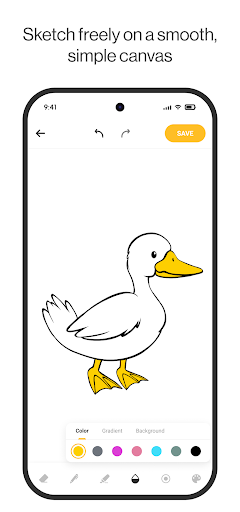
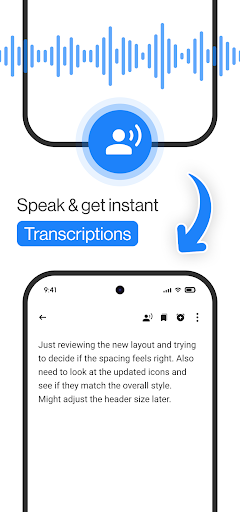
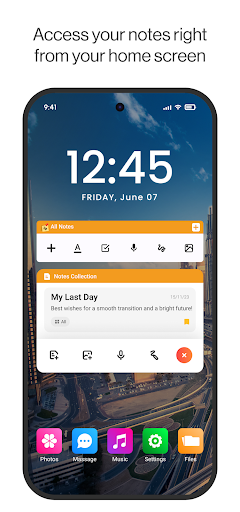
- This APP interface is clean, tidy and super friendly. It's really easy to use. It's not too fast to write a note or something.
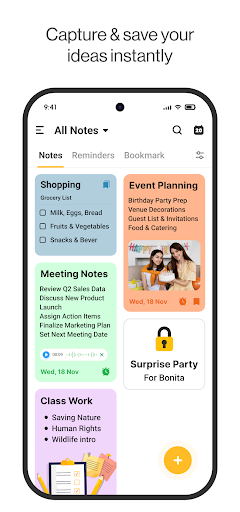
- There are many ways to organize your notes, such as folders, tags, and color distinctions, to keep your notes orderly and feel a lot better.
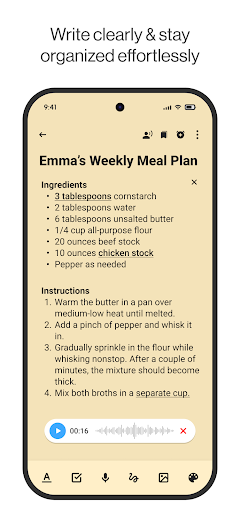
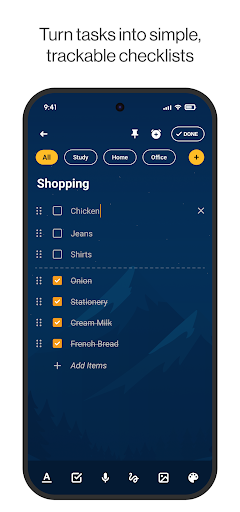
- Rich text editing functions, bold, italics, bullet points, and checklists, help you make your notes clearer and more organized.
- Offline mode can open editing notes anytime, anywhere, do not worry about no network, especially convenient.
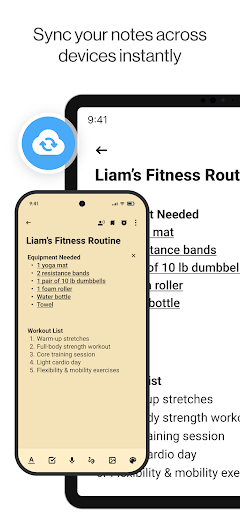
- Real-time synchronization, no matter whether it works on Android or other platforms, notes are automatically updated to ensure that you can get the latest content at any time.
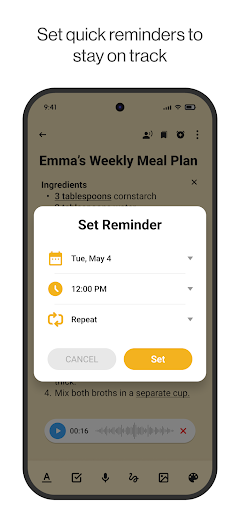
- Reminders and notifications help you stay organized so you don't miss every important task or deadline.
- Dark mode support, eyes are not tired, long-term use down also comfortable a lot, the overall experience is better.
- The search function and filtering conditions help you quickly find specific notes or keywords, which is particularly convenient and convenient.
Who is this app suitable for?
This mobile app is particularly suitable for students, professionals, or anyone who needs a simple and efficient note-taking tool. With this well-organized application, it is very convenient to record and organize as long as you want. It is just like a considerate little assistant. If you like a neat App experience that is away from clutter, then this solution is perfect.
Whether you're taking care of personal tasks, reviewing exams, or brainstorming, this Android app allows you to stay productive and keep all your notes together. The interface is intuitive and suitable for users of all ages, especially those who want a reliable daily and work partner.
Why choose this app
The experience brought by this APP is super smooth, especially in terms of user convenience and comprehensive functions. Offline access and real-time synchronization allow various users to find the right usage for them, which is flexible and convenient.
Solve various troubles in note-keeping and provide a smart and simple operating platform. I really think this Android application is a great choice in the pursuit of efficient and reliable productivity tools. Your work and study will become easier and smoother.
Top Recommended Alternative

Pros & Cons
Pros
- Simple and intuitive user interface
- Lightweight and fast performance
- Cross-platform synchronization
- Basic typography options
- Access notes offline
Cons
- Limited advanced editing capabilities
- No cloud backup, only local storage
- Too few management tools
- No collaboration capabilities
- The search function is relatively basic
Advertisement
Download Notepad, Notebook, Notes app

FAQ
Is this Notepad app safe to use on my Android device?+
Well, this notepad, notebook, and notes were very concerned about the safety of users when they were developed. They have gone through strict security testing to ensure that your data remains private and safe while using this mobile application.
As an Android application, it abides by regular security rules and basically does not have to worry about any security issues. You can use it to remember things with confidence and courage, whether it is personal or work, no problem at all.
How can I install this Notepad app on my device?+
This app can be found in mainstream app stores and is not difficult to install. Just search the store for "Notepad" or "Notepad" and follow the prompts step by step.
The interface is particularly friendly and it's easy to get started. Whether it is used on a mobile phone or a tablet, it is quite easy to use. It is also a good starter for quickly opening notes. It is very convenient to do things.
What are the main functions of this efficient tool?+
It is quite functional, with simple note-taking and organizing tools, and you can also make some personalized settings yourself to help you improve your efficiency. Support rich text formats, manage folders, and quickly search for content.
This app is especially suitable for those who often need to memorize things. It is lightweight and will not slow down your device at all. It can be used smoothly and has a great experience.
Can I sync my notes across devices?+
Of course, many versions support synchronization, allowing you to see your notes on different devices. Remember to check the application introduction to confirm whether there is a cloud synchronization feature.
This is especially suitable for you when you use different devices at work and life and want to keep your notes consistent. Synchronization allows you to easily find and edit notes anytime, anywhere, and the experience is super smooth.
Is this app available on iOS, or is it only suitable for Android?+
Currently, this Notepad is mainly available on Google Play and is tailor-made for Android devices. The official iOS version has not yet been released.
If you want to find a reliable note-taking application with your iPhone, you can also consider other options. But to be honest, this app is still quite practical for Android users. It is simple to operate, easy to use, and a very reliable launcher application.
Customer Reviews
Users generally appreciate the intuitive and straightforward interface, making the app easy to use for quick note-taking and reminders. The app is praised for its helpful notifications and ability to boost productivity, with many finding it suitable for capturing important details. However, the overwhelming presence of intrusive ads is a major concern. While some users find the core functionality excellent and user-friendly, others strongly criticize the frequent pop-up ads that disrupt workflow and degrade the experience. The app's utility is acknowledged, but the ad frequency is considered excessive and unprofessional, leading some to uninstall. Overall, it offers solid features but is heavily marred by advertisement issues.
Write a Review
Share your experience with Notepad, Notebook, Notes app. Submissions are reviewed before publishing.
You Might Also Like
More apps you may want to try next.




