

Microsoft OneNote: Save Notes
Advertisement
Screenshots
Advertisement
About Microsoft OneNote: Save Notes
Overview
core functions
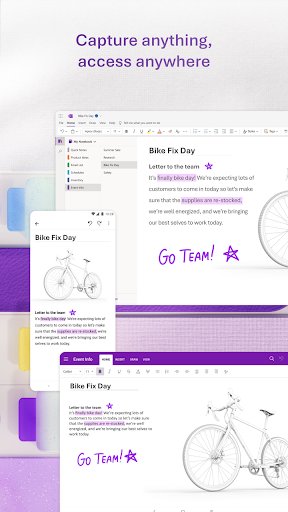
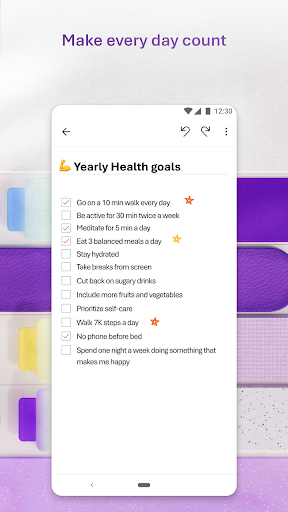
- This app can take notes seamlessly and supports rich text typesetting, inserting pictures and recording, which is quite convenient.
- Sync to various devices in real time to ensure that your notes are always up to date, which also makes it smoother to use.
- You can also access saved notes in offline mode. You are not afraid of having no Internet access, and you are reliable anytime, anywhere.
- Supports Android and other platforms, turning it into a multi-purpose productivity tool and a good helper.
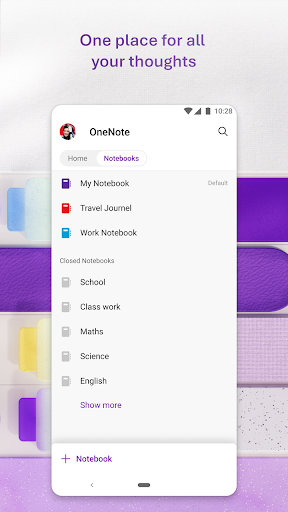
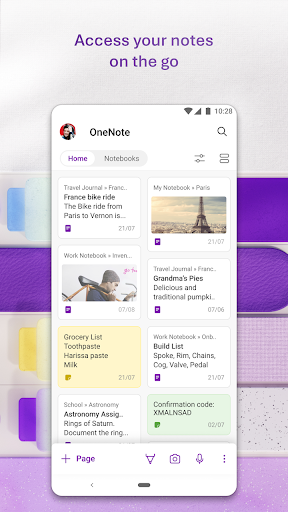
- Use notebooks, tags and search functions to help you sort your notes and find things very quickly.
- It can also be easily shared, making it more convenient to cooperate with colleagues or friends, and improving efficiency a lot.
Who is this app suitable for?
This mobile app is particularly suitable for students, office workers, or anyone who needs to organize ideas and information digitally. The interface is simple and intuitive, suitable for all ages, and anyone who wants to use an easy-to-use note management tool can like it.
Whether you are a busy leader or a hard-working student who helps you take care of meetings and course notes, this Android app can help you save trouble. It is especially suitable for people who want to find someone who is easy to use and can see their thoughts anytime, anywhere.
Why choose this app?
It is not only powerful, but also particularly user-friendly. It is quite excellent compared with other productivity tools. The synchronization and offline functions are both very reliable and bring a great experience. Users around the world say good.
The design is designed to be efficient and practical, which can help you maintain order and improve the efficiency of work and study. Solving the worries of taking notes, especially for those who need flexible starters or digital note-taking, is a great choice.
Top Recommended Alternative
Pros & Cons
Pros
- Seamless cross-platform synchronization
- Intuitive and easy-to-use interface
- Rich typography and multimedia support
- Help you organize it in order through notebooks, chapters, and pages
- Integration with Microsoft 365 services
Cons
- Free features are less than the desktop version
- Occasionally synchronization delays or inconsistencies occur
- Lack of advanced page layout tools
- Limited handwritten annotation tools
- Some feature updates may be slower
Advertisement
Download Microsoft OneNote: Save Notes

FAQ
Microsoft OneNote: Is saving notes safe to use on my device?+
Of course, Microsoft's OneNote: Saving notes is a very reliable application. As the developer, Microsoft, has quite guaranteed security standards. It will protect your data with encryption, and will also push updates regularly to bring security to a higher level.
Asa pure application solution, it follows strict security procedures and is quite reliable and suitable for taking notes and organizing data, whether on Android devices or other platforms. Remember to keep applying the latest version so you can enjoy the latest security fixes.
How do I sign in or sign up for Microsoft OneNote: an account where I save notes?+
If you want to start using it, you need to have a Microsoft account. If you don't have it, it's not difficult to register one for free. Just open the app directly, follow the prompts, and use your email or mobile number to log in or register.
Afterlogging in, it can also help you sync notes to various devices, and the experience is just smooth. This way, whether you are on an Android phone or another platform, you can quickly get your notes anytime and anywhere, which is super convenient!
Can I use Microsoft OneNote offline: Can I save notes?+
Of course! OneNote allows you to view and edit notes offline on Android devices. As soon as you connect again, it will automatically sync all your changes.
Thisoffline experience is really intimate, especially when you are away from home and without Internet access. It's great to be able to do this. Its offline function is a very cool feature in note-taking applications, making it an ultra-practical application solution.
Microsoft OneNote: Does saving notes support multi-device synchronization?+
Supported! One of the biggest advantages of this mobile app is that it can sync seamlessly between different devices. Whether you use a mobile phone, tablet or computer, your notes will remain consistent and the experience will be smooth.
Althoughit is mainly optimized for Android, it also works well with other platforms and is super flexible to get notes. This multi-device support is simply tailor-made for users who need reliable tools. It is quite reliable.
Microsoft OneNote: What are the main features of saving notes?+
It has quite rich functions, including handwriting, inserting pictures, recording, etc., and being able to organize notes into different notebooks. It's very easy to use. The interface is also very smooth, the user experience is good, and it is very convenient to remember ideas and things.
Cloudintegration and search features are also its highlights, allowing you to quickly find the content you need at any time. Whether you use it as a launcher or a dedicated productivity tool, it can help you organize everything in an orderly manner.
Microsoft OneNote: Is saving notes suitable for business?+
Absolutely! Many business people rely on this app to organize meetings, projects and ideas. It supports team collaboration, especially after integrating with Microsoft 365.
Asa safe and reliable application, it protects your sensitive information and gives you more peace of mind when using it for work. This is a very good choice for users who need to find a reliable application to handle their work on Android or other platforms.
How can I ensure that my notes are backed up securely?+
Microsoft's OneNote automatically syncs your content to your Microsoft account, which means you don't have to worry about losing data. As long as your account has strong security settings, such as two-factor verification, your information can be basically protected well.
Thefeature of cloud storage makes it a very reliable application. No matter which device you use it on, you can access your notes anytime and anywhere, which is safe and convenient.
If you encounter application problems, is there customer service support?+
Of course, Microsoft provides comprehensive support, with online forums, help centers, and direct access to their customer service. App updates are also frequent, constantly improving functionality and security.
Theyare responsible for the security and quality of the app, which is especially important for users who rely on the app to manage their work and notes.
Customer Reviews
Users generally praise Microsoft OneNote as an effective and convenient digital notebook for both professional and personal tasks, highlighting its smooth performance, lag-free note-taking, and seamless cross-device synchronization. It is valued for quickly getting tasks done, managing medication schedules, and storing notes securely. However, several key dimensions draw mixed feedback. Regarding "sync reliability", many users enjoy instant access to up-to-date notes across devices, while others report frequent sync failures, sudden loss of notes, and the app not appearing on the website. For "stability and bugs", some find the app responsive and excellent; yet others experience repeated reloading, inability to open the app, or server login errors after updates. The "editing restriction" issue has divided users: some appreciate the read-only limitation for certain accounts, but many find it frustrating that after years of use, they can no longer edit notes without risking data loss. Additionally, "AI features" are currently unavailable, and the requirement for an online account is seen as unnecessary by some. The app remains free and useful, but persistent sync and stability problems have led a few users to switch to alternatives like Joplin.
Write a Review
Share your experience with Microsoft OneNote: Save Notes. Submissions are reviewed before publishing.
You Might Also Like
More apps you may want to try next.




