Microsoft OneDrive
Advertisement
Screenshots
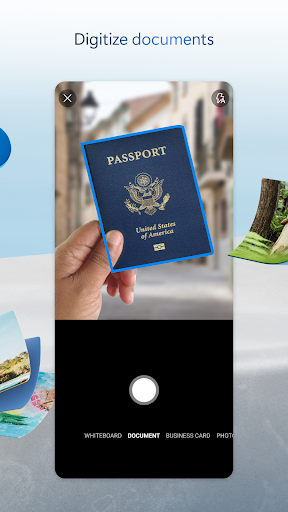

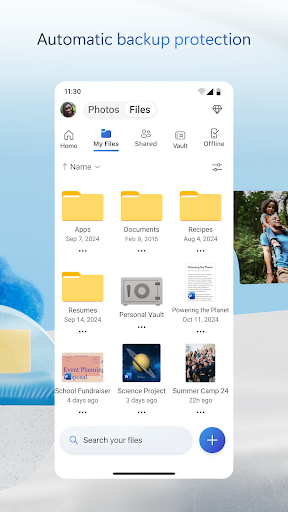
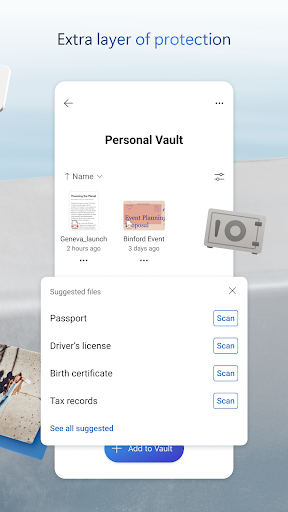
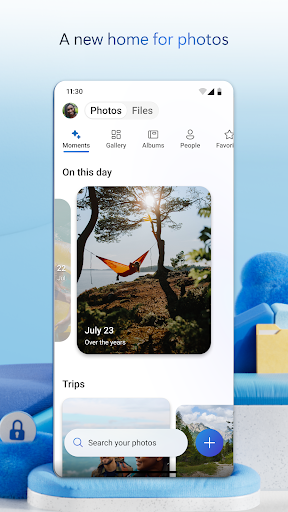
Advertisement
About Microsoft OneDrive
Microsoft OneDrive can be regarded as a very reliable and productive mobile phone application. Users can store, sync, and share files as they please, and can easily do it across devices. As a file management artifact developed specifically for Android, it is quite powerful and can greatly improve your experience when using your mobile phone or tablet. The interface is also simple and intuitive, and it is easy and convenient to use. It is really a reliable application that can be used by both individuals and work!
Overview
Core Features
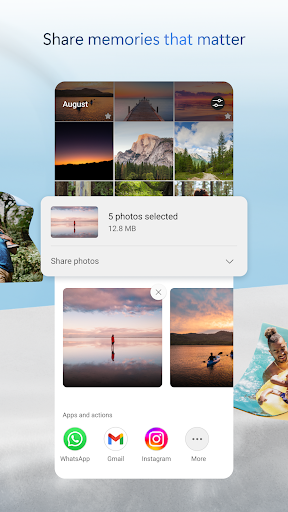
- This app allows you to seamlessly sync between different devices in real time and keep files up to date. It's amazing!
- It provides encrypted and secure storage to protect your sensitive data at all times, giving people peace of mind and reassurance.
- Support offline mode, so you can open and edit files without using the network, and then synchronize after the network is restored. It's quite convenient.
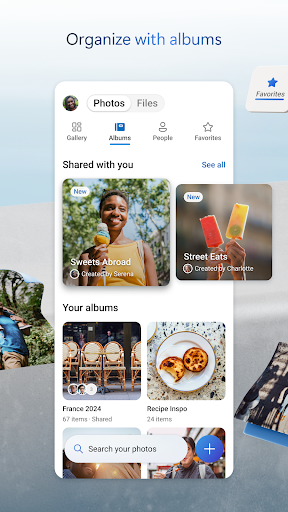
- The interface is super friendly and easy to use, making it easy to manage, share, and organize files.
- It can also be perfectly integrated with other Microsoft office tools, and work efficiency can be improved a lot at once.
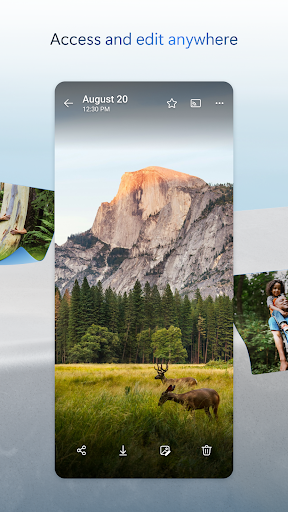
- An application-based solution that easily accesses files from Android or iOS devices is like a reliable productivity launcher. It works so well!
- Large-capacity storage space, storing a bunch of large files is not a problem, so you don't have to worry about insufficient space.
- Push notifications will remind you of file changes and sharing trends, making the overall experience more intimate and efficient!
Who This App Is For
This mobile App is especially suitable for all professions, students, or anyone who needs a reliable cloud storage solution. The interface design is very considerate, whether you are a technology god or a novice Xiaobai, you can get started.
Whether you need secure company file storage or want to easily handle personal data anytime, anywhere, this app helps you get it done. It's so convenient and worry-free to use it every day!
Why Choose This App
This Android app is particularly popular mainly because of its rich features and smooth experience. It focuses on security, supports real-time synchronization and offline access, and has advantages over other competitors!
Reliable performance and perfect combination with the tools you are familiar with. This solution can meet a variety of different needs. It is safe and simple, and it is really stress-free to use!
Top Recommended Alternative

Pros & Cons
Pros
- Seamless integration with Microsoft 365
- Pretty generous free storage space
- Automatically back up photos and videos
- Strong cross-platform compatibility
- Strong file version history
Cons
- Shared folder permission settings have not been changed much
- When encountering large file synchronization, it will occasionally get stuck
- The novice interface is not very intuitive
- Offline editing features are limited, except Office
- Notification management is a bit messy
Advertisement
Download Microsoft OneDrive


FAQ
How do I log into Microsoft OneDrive on my mobile device?+
It's actually quite simple to sign in to Microsoft OneDrive on your mobile phone. You first go to your phone's app store, whether it's Android or Apple's App Store, find it, and then download and install it.
After installation, open the app and enter your Microsoft account information. It doesn't matter if you don't have an account, just register one directly in the app. This process ensures that your experience is safe and smooth, and using this cloud disk is really convenient!
Is Microsoft OneDrive safe to use for storing my files?+
Microsoft OneDrive is actually quite reliable. It has encrypted storage and data transmission protection measures, and is highly secure. This is why many people use it to store various private or working documents.
Of course, in order to be more secure, it is recommended to turn on two-step verification and keep the software updated. This will maximize your privacy and make your storage experience more secure and reliable.
Can I access my files offline with this Android app?+
Of course! Microsoft's OneDrive's Android APP supports offline access. For example, if you are away from home and have no Internet, you can use this function to continue using the files saved, which is very convenient!
You only need to mark those files or folders that you want to use offline in the application, and you can cache them in advance and use them anytime, anywhere. It is definitely a very practical tool, especially suitable for people who often go out!
What are the main app features of Microsoft OneDrive?+
This good office helper has many functions, such as automatically backing up photos, sharing files, and even real-time collaboration. It can also be perfectly integrated with other Microsoft services, making the experience super smooth.
Moreover, there are enhanced features such as version history, offline access and folder organization, which make it very convenient for you to manage files and media. It is an all-round management artifact!
Is Microsoft OneDrive suitable for team collaboration?+
Of course! Microsoft OneDrive is one of the commonly used APP solutions for teamwork and collaboration. Its function supports multiple people to edit a document at the same time, which improves work efficiency a lot.
With it, team members can smoothly share, comment, and control versions. It is simply a tool for building projects! Whether it's an individual or a team, you can have a good time. Highly recommended!
Customer Reviews
Users widely appreciate OneDrive for its ease of use, seamless navigation, and reliable performance in simplifying tasks and boosting productivity. Many praise its straightforward functionality and secure storage. However, key concerns include forced auto-backup of photos and screenshots without permission, bugs causing unwanted uploads, and sync issues—especially after the Samsung Gallery integration stopped. The scanner feature, which replaced Microsoft Lens, is criticized for not saving locally or uploading to the cloud, making document scanning inconvenient. Some users also report problems accessing business profiles after UI updates and vague subscription prompts. While the app delivers a smooth experience for basic needs, its complexity and bugginess compared to alternatives like Google Cloud frustrate many.
Write a Review
Share your experience with Microsoft OneDrive. Submissions are reviewed before publishing.
You Might Also Like
More apps you may want to try next.