
Microsoft 365 Copilot
Advertisement
Screenshots
Advertisement
About Microsoft 365 Copilot
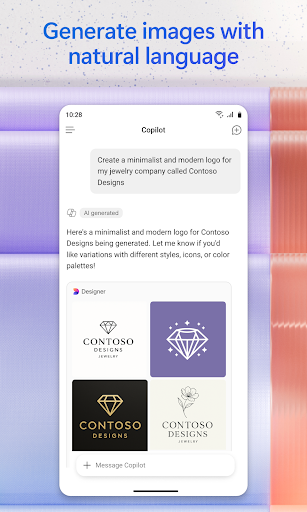
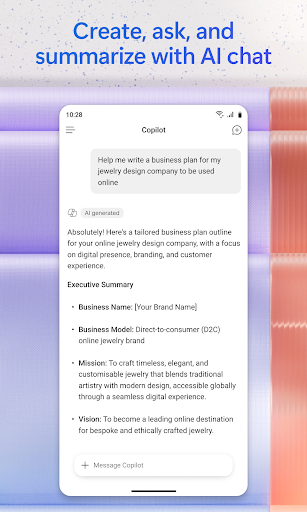
Microsoft 365 Copilot is a great productivity tool that helps you solve all your work troubles and makes cooperation smoother! It can be run on a variety of platforms, is very easy to use, and is perfectly integrated with your usual tools. Whether on a computer or a mobile phone, this app has become a good helper for many people as soon as it comes out. It helps you easily complete tasks, write documents, and keeps you organized. It feels so convenient!
Overview
core feature
- This app has smart helpers that can use AI advice and automation to help you get your workflow done. It's really convenient.
- Sync in real time across devices to ensure that your files and data are always up to date and feel extremely smooth to use.
- Offline mode allows you to open and edit files without having to connect to the Internet. To be honest, this is really considerate and flexible.
- Integration with popular productivity tools makes cooperation super smooth, simplifies a lot of task management, and is worry-free and efficient.
- The launcher app quickly accesses commonly used functions, which saves busy people a lot of time and improves efficiency significantly.
- The interface is designed very friendly, the operation can be understood at a glance, and you can easily start at any skill level without pressure.
- Advanced security measures ensure that your data is not leaked, and also make it more secure and trustworthy solution.
Who is this app suitable for?
This mobile app is especially suitable for workaholics, students and teams who want to find reliable productivity tools on Android or iOS devices. Especially suitable for users who want to use it smoothly in their daily work.
Whether it's managing projects, taking notes or collaborating remotely, this app can help you optimize your task flow. The multi-functional design attracts many friends who want to use an all-round productivity starter that runs smoothly on their mobile phones.
Why choose this app?
This app offers a rich combination of features and is specifically designed to increase your productivity and simplify operations. The intuitive interface and real-time synchronization make it much stronger than other Android applications, and the user experience is better.
Choose this app because you believe it can help you solve your common efficiency problems and use advanced tools and security measures to protect your information. It is undoubtedly the ideal choice for making your workflow more efficient on your mobile phone.
Top Recommended Alternative

Pros & Cons
Pros
- Using AI to help improve efficiency a lot
- Integrate perfectly with Microsoft 365 applications
- Intelligent content generation
- The interface is easy to use
- Continuously updated and improved
Cons
- Limited understanding when faced with complex tasks
- It is inseparable from the Internet and must be online
- It's a little difficult for beginners to get started
- Pay attention to privacy
- Occasionally erroneous suggestions
Advertisement
Download Microsoft 365 Copilot


FAQ
Is Microsoft 365 Copilot safe and reliable as a mobile application?+
As a pure application, it adheres to strict privacy standards, making it easy for users to use it. Whether it's on an Android phone or an Apple phone, as long as security measures are in place, your information can be protected.
How do I sign in to Microsoft 365 Copilot with my mobile phone?+
After logging in, you can use many functions that will help you improve your efficiency. It's easy to use, whether you use it as a launcher or use it specifically in Office, it's smooth.
Can Microsoft 365 Copilot be used offline?+
Overall, networking is the easiest to use, especially on Android phones or other mobile devices. If you use it offline, it will be useful occasionally when traveling or where the Internet is not good.
Does Microsoft 365 Copilot support all devices?+
While most modern phones work well, older devices may feel stuck. In order to make the experience better, it is recommended that you upgrade the system version to the latest so that it will be comfortable to use.
What are the main features of Microsoft 365 Copilot?+
As an application, it also seamlessly connects to cloud services, giving you real-time advice and insights. Whether you use it as a launcher or directly in Office, Microsoft 365 Copilot can take your application experience to the next level.
Is it easy to set up Microsoft 365 Copilot on a new device?+
As soon as you log in, the app will automatically help you sync your settings and preferences, making it easy to use. The interface is also very friendly, whether on Android or iPhone, it can be done in a few steps and no trouble.
Does Microsoft 365 Copilot support other language or regional settings?+
This means that no matter which country you are in, you will have a more intimate experience. Let this Microsoft Assistant become a good helper that users around the world like.
Are there any security measures to pay attention to when using Microsoft 365 Copilot?+
In addition, be careful not to share sensitive information casually in the app. By taking these security measures, you will make your data more secure and you will be more assured of the convenience of this amazing assistant.
You Might Also Like
More apps you may want to try next.