Manual Camera: DSLR Camera Pro
Screenshots
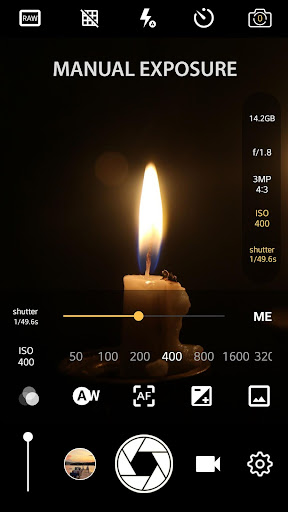
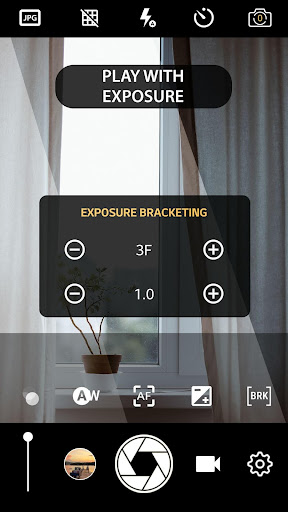
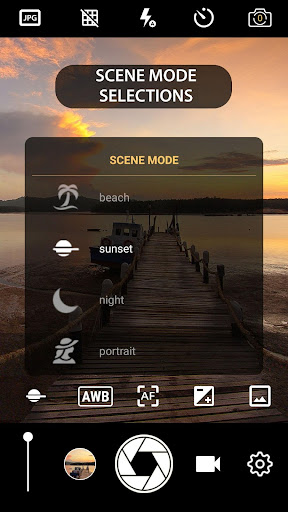
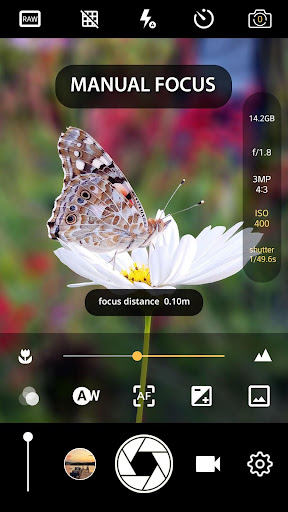
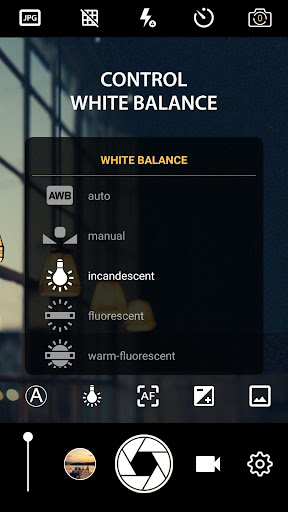
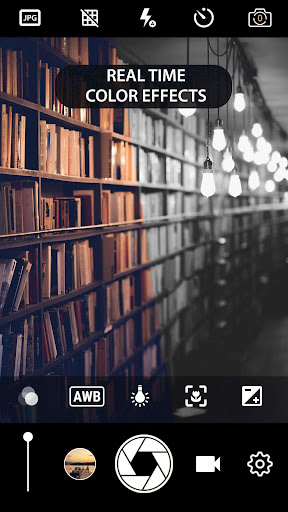
About Manual Camera: DSLR Camera Pro
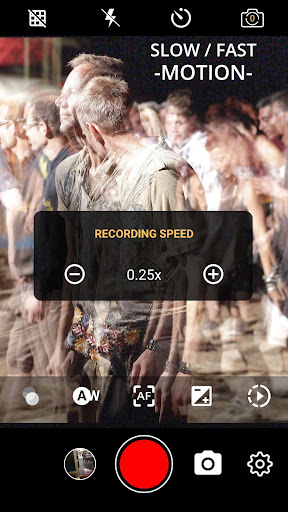
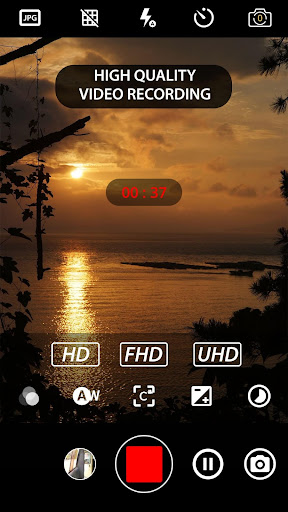
Manual camera: DSLR Camera Pro is a very useful Android app that is especially suitable for photography enthusiasts and professionals. This app provides many advanced manual control options, such as focus, ISO, shutter speed, etc., allowing you to take great quality pictures. The interface design is quite intuitive and feels smooth to use. It is especially suitable for users who want to pursue professional effects with their mobile phones. It is really a good solution.
Overview
core functions
- You can manually adjust camera parameters such as ISO, shutter speed, and focal length to help you take professional-level photos. It feels like using a SLR.
- Real-time previews and histograms are equipped, allowing you to polish every photo before taking a photo, with a strong sense of control.
- Support RAW format shooting, which is convenient for you to adjust later on your mobile phone. The picture quality really needs to be said.
- You can also customize presets and filters to help you easily handle the creative photography process and make your work more distinctive.
- The interface is very friendly, whether you are a novice or a veteran, you can easily get started, and professional-level photos are at your fingertips.
- There is a low-light mode and a manual focal length. No matter how dark the sky is and no matter how poor the light is, you can take photos full of details.
- Connected to mobile photo albums and sharing functions, you can share your best works to social platforms with one click, which is super convenient.
Who is this app suitable for?
Friends who like photography and take photos with mobile phones, or professional photographers can find a place to use them. Want to improve the level of mobile photography? Then don't hesitate. This app is just the all-around helper you need!
Whether it is taking scenery during the journey or doing macro in detail, it can be used very easily and has great flexibility in operation. Want to use high-end camera features on Android to improve the photo experience? This software is definitely a good choice!
Why choose this app
The highlight of this Android app is its full-featured design, which is specially prepared for users who are pursuing professional-level effects. Make those complex settings simple and easy to understand, making high-quality photography no longer difficult.
Precise manual adjustment and intuitive operating interface make up for the shortcomings of the built-in camera, making taking photos more confident and more reliable. This software can really improve your photography experience a lot and meet all your photography needs!
Top Recommended Alternative

Pros & Cons
Pros
- The operation is manually controlled very carefully
- Excellent picture quality
- Interface can be customized
- Night shots performed well
- Can also connect external accessories
Cons
- It's very troublesome to study
- Automatic mode is not smart enough
- High equipment performance requirements
- Complex interface
- Few tutorial resources
Download Manual Camera: DSLR Camera Pro

FAQ
Manual Camera: Is the DSLR Camera Pro safe to use on my Android device?+
Of course, Manual Camera: DSLR Camera Pro is a very reliable Android app that can be found on the Google Play Store. After security testing, there is basically no problem downloading through official channels and it is quite safe.
Rememberto always use the latest version or download it from a regular store to ensure the security and privacy of your device. This app is mainly to help you play mobile photography more safely and reliably. It's quite good.
How do I start using Manual Camera: DSLR Camera Pro?+
It's actually quite simple to get started. You first download it on Google Play. After opening it, you will see that the interface is friendly and the operation is not complicated. You can easily find professional camera controls and functions.
Soonyou will be able to adjust the focus, exposure, ISO, shutter speed to take high-quality photos. This app is suitable for both novice photographers and friends who want to better control their shooting. The experience is quite great.
Manual Camera: Does DSLR Camera Pro support different shooting modes?+
Of course! This Android app provides multiple shooting modes, such as manual mode, HDR, etc., to meet different needs. It allows you to control more freely like a high-end digital SLR.
Thiskind of app solution is very popular in the photography industry and has a variety of ways to play. The operating interface is intuitive, switching modes is also very convenient, and the experience is great.
Can Manual Camera: DSLR Camera Pro be used on all Android devices?+
This app can be used on most newer Android devices, but the details may vary. It is recommended that you check your device system version first, and then check the application introduction on Google Play. It will be safer.
Thislauncher is designed to adapt to a variety of Android phones. It is powerful and smooth to use, which can improve your mobile phone photography level.
Can I safely let Manual Camera: DSLR Camera Pro process my personal information?+
Rest assured, this app was developed by a trustworthy team that attaches great importance to user privacy and security. It doesn't collect unnecessary personal information, so it's safe to use.
Itis still recommended to download it from the official store to avoid security risks and get the latest security updates as soon as possible to make your Android application experience more secure.
Manual Camera: What are the main functions of DSLR Camera Pro?+
It has many manually adjusted functions such as ISO, shutter speed, white balance, focus and exposure. It is also equipped with real-time histograms and grid lines to help you compose and take every picture well.
Thesefeatures are especially suitable for photography enthusiasts who like to take photos and want more control on Android devices, or use this launcher to improve photo quality.
Manual Camera: How does DSLR Camera Pro improve my experience?+
This app is very professional to use and has an intuitive interface, allowing you to make many fine adjustments that the default camera cannot make, turning your phone into a powerful photography tool in an instant.
Previewvarious settings in real time, which gives you more confidence in taking photos and better leverage your photography level. The overall experience becomes cooler and more handy.
Is this app suitable for beginners?+
Of course! This app is very friendly to operate and is stress-free for novices to use. It simplifies complex controls, while also leaving advanced functions for friends who want to learn in depth.
Usingit to practice taking photos can gradually improve your photography skills. It is convenient and professional, and it is worth a try.
You Might Also Like
More apps you may want to try next.