
LightMeter
Advertisement
Screenshots
Advertisement
About LightMeter
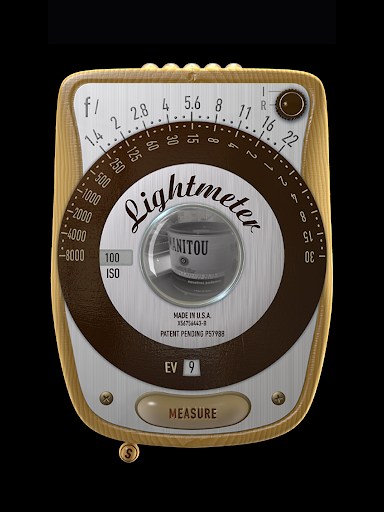
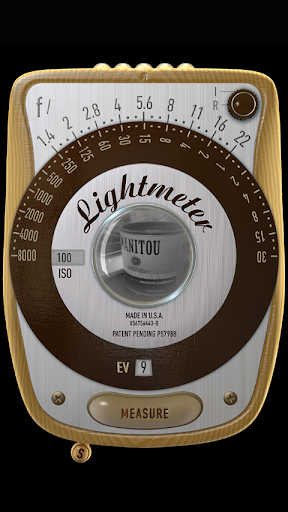
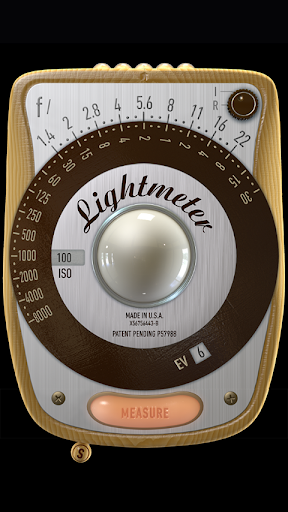
LightMeter is a very intimate photography mobile app, specially designed for photo enthusiasts and photographers, helping you accurately measure the intensity of light around you. As long as it is an Android phone, it can be used. Although there are not many functions, they are all quite practical. They help you judge the light so that the photos you take can be exposed just right. This interface is very simple, there are no complex settings, and the operation is very intuitive. It can be easily used in any environment, and it is quite easy to use.
Overview
core functions
- This app has a very accurate light measurement tool, which can give the value that the photo enthusiast wants in real time. It feels quite accurate!
- The interface is super friendly and easy to use. The measurement function is at your fingertips. It is also very convenient to use outside.
- Calibration settings can also be adjusted to ensure that each measurement is accurate, professional photographers use more peace of mind!
- Support one-click export of data. It is easy to use and can be directly used in the post-editing process to save trouble!
- There is also a launcher program with a beautiful interface design. It is intuitive to operate. It is so considerate to quickly open the photometer from the device!
- Support offline mode, you can use it even if you don't have the Internet. It's so considerate that you can rely on it anytime, anywhere!
Who is this App suitable for?
This mobile app is especially suitable for amateurs and professionals who love photography and want a reliable and simple light measurement tool without having to carry heavy equipment. Especially when shooting outdoors or lighting arrangements in the studio, accurate light measurement is really a lifesaver!
Whether you are an enthusiast who likes experimental photography or an experienced photography god, this mobile phone-based solution can help you get data quickly and accurately, greatly improving your shooting experience. Very reliable!
Why choose this App
With its precise functions and simple design, this Android app really makes metering easy and efficient. It solves the troublesome and inaccurate problem of using a manual photometer and provides a fast and accurate digital alternative, which is really convenient!
Combined with simple operation and reliable performance, this app ensures that users can get stable results every time. With so many similar software on the market, it is a trustworthy one. Worth a try!
Top Recommended Alternative

Pros & Cons
Pros
- The interface is quite intuitive
- Very accurate light measurement
- Parameters can be adjusted by yourself
- Support multiple measurement modes
- Small and lightweight design
Cons
- Not many calibration options
- Use it for a long time, it will consume electricity
- No cloud backup settings
- The settings will be a little confusing at first
- Limited international language support
Advertisement
Download LightMeter

FAQ
Is LightMeter safe to use on my device?+
How can I install LightMeter on my Android device?+
What are the main functions of LightMeter?+
Does LightMeter support different measurement modes?+
Can I use LightMeter as a starter or widget?+
Is LightMeter suitable for professional photographers?+
What should I do if I encounter problems?+
Can LightMeter be used on iOS devices?+
Customer Reviews
Users generally praise LightMeter for its accurate exposure metering, intuitive analog interface, and excellent value for money, making it a favorite for film and digital photographers. Key strengths include incident/reflected/spot metering modes, histogram, and haptic feedback. However, compatibility is a major concern: while many report flawless performance on older and newer devices, some users experience force closes or no functionality on Galaxy S21+/S10, Xiaomi Redmi S2, and after Android 11 updates. Accuracy is praised by some who find readings matching DSLRs or Sekonic meters, yet others note 4-stop deviations indoors compared to professional meters, especially on non-flagship phones. Features like exposure compensation (-4 to +4 EV) and ISO up to 6400 are appreciated, but missing flash metering, no continuous reflected mode, awkward settings swipe, and lack of ISO 1.6 or shutter speed adjustment are cited. Calibration is often needed for consistent results.
Write a Review
Share your experience with LightMeter. Submissions are reviewed before publishing.
You Might Also Like
More apps you may want to try next.



