FamiliarApps logo
Indoor thermometer

Indoor thermometer

Advertisement

Screenshots
15 images
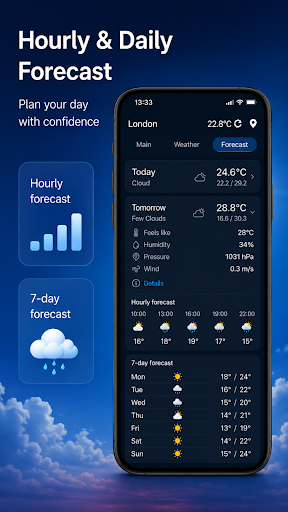
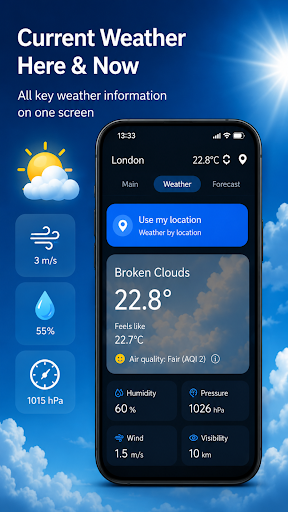
Indoor thermometer screenshot 1 Indoor thermometer screenshot 2 Indoor thermometer screenshot 3 Indoor thermometer screenshot 4 Indoor thermometer screenshot 5 Indoor thermometer screenshot 6 Indoor thermometer screenshot 7 Indoor thermometer screenshot 8 Indoor thermometer screenshot 9 Indoor thermometer screenshot 10 Indoor thermometer screenshot 11 Indoor thermometer screenshot 12 Indoor thermometer screenshot 13 Indoor thermometer screenshot 14 Indoor thermometer screenshot 15

Advertisement

About Indoor thermometer

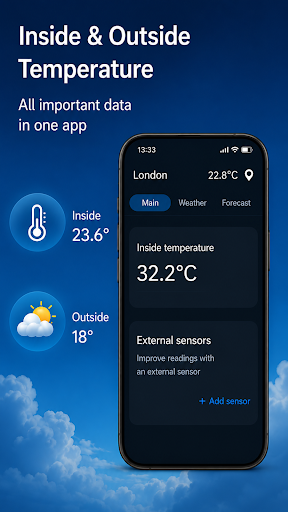
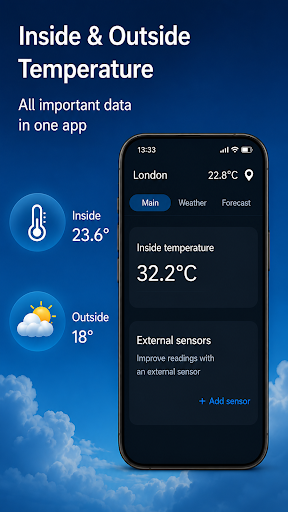
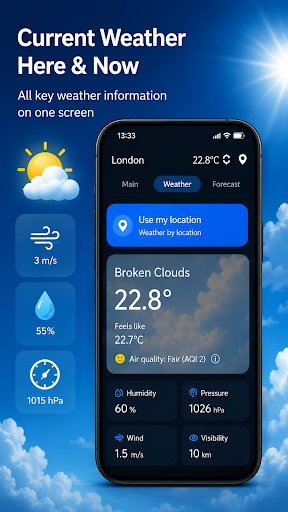
This weather-related mobile app is particularly capable of measuring indoor temperatures, allowing you to easily control the temperature changes in your home. As a simple Android app to operate, it has some pretty good features, such as real-time temperature display and easy viewing of temperature data. The overall experience is quite good, especially suitable for those who need reliable indoor climate information.

Overview

core feature

  • It can accurately display the real-time temperature, allowing you to know the indoor climate at a glance, which is very considerate.
  • The interface is super friendly, the visual design is clear, and it is quite convenient to monitor the temperature directly with your mobile phone!
  • Support custom reminders, and once the temperature exceeds the range you set, you will be notified without missing any details.
  • It can also be used offline. You can check the temperature at any time even if you don't have the Internet. It's a very thoughtful design.
  • Perfect synchronization with other devices allows you to have a consistent experience on your Android phone without making mistakes.
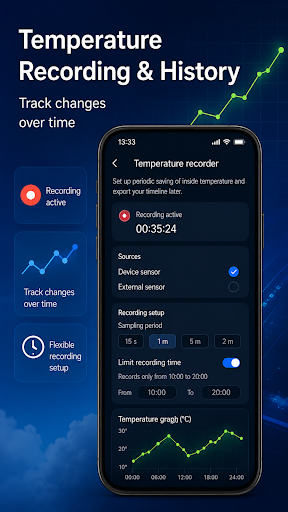
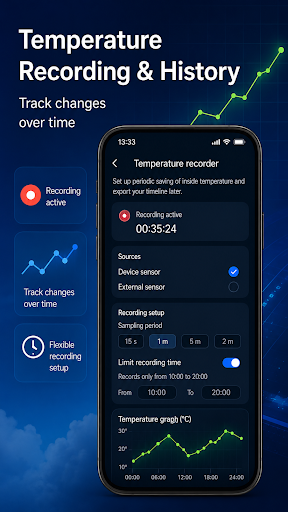
  • Detailed historical records help you track temperature changes, understand climate trends, and help you better manage the environment.
  • It is also a multi-functional quick starter. You can immediately see temperature information with a click on the main screen. It is super practical!

Who is suitable for?

This mobile phone app is especially suitable for ordinary families, tenants or anyone who needs to easily pay attention to the indoor temperature. Whether you are a technologist or a novice who has just been introduced to mobile applications, you can use it easily and easily handle temperature monitoring, which is simple and accurate.

Whether it's smart home management or just want to observe the temperature of a baby's room or storage room, this Android app can give you practical help. Use it to control and understand the indoor climate is intuitive and reassuring, and it is very comfortable to use daily.

Why choose this app

This software provides an accurate and simple indoor temperature monitoring solution and has become a popular choice in various starter and temperature monitoring applications. Its core function allows you to easily keep information flowing and avoid worrying about climate issues.

What makes it special is a reliable application solution that combines accuracy, offline use and a smooth experience. The original intention of the design is to help you rest assured that you can always rely on it and accurately control the indoor temperature. It's great!

Top Recommended Alternative

Pros & Cons

Pros

  • Measurement over-accurate
  • Simple and intuitive operation
  • real-time monitoring
  • Customizable reminders
  • data records

Cons

  • Limited compatibility
  • Function is too basic
  • Offline function delay
  • The unity of the design is problematic
  • fast power consumption

Advertisement

Download Indoor thermometer

You are going to be redirected to the official website to finish the download when you click these buttons above.

FAQ

Is the Indoor thermometer app safe to use on my device? +
Well, this indoor thermometer application was designed with a lot of care about user safety. It is a very reliable application that can be found at any time in the Google Play store, indicating that it meets data privacy and security standards. I feel much more comfortable using it, so don't worry. After all, it is a very popular Android application, and security patches are often updated to ensure security. It is still recommended to download it from official channels to maximize the protection of your device and personal information.
How do I set up the Indoor thermometer app on my Android device? +
It was actually quite simple to use this mobile app at first. All you have to do is download it on Google Play, open it, and follow the prompts. The guides inside will tell you how to calibrate, customize settings, and so on. It can also be used as a quick temperature monitoring initiator, making it particularly convenient to use. The interface is friendly and the operation is not complicated. Even if you are a novice, you can easily handle it. It's really a thoughtful design.
Can I use this app without an internet connection? +
Of course! This indoor thermometer can still provide reliable measurements even without the Internet. It stores data locally, so you don't have to be connected all the time to monitor indoor temperatures. This solution is especially suitable for users who want to know the temperature anytime and anywhere, but do not want to rely on the cloud. Whether it is at home or in the office, it is very practical.
Does the app support multiple devices or sensors? +
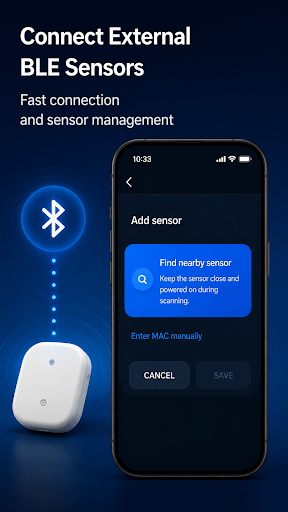
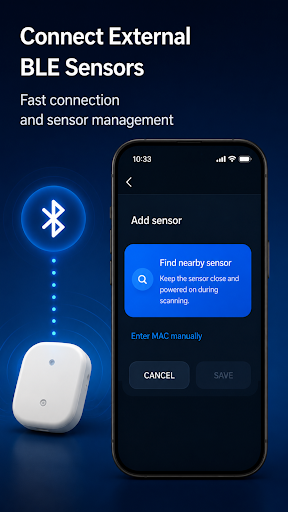
This thermometer app is compatible with multiple sensors and can also be used on different Android devices. Its experience is very suitable for the hardware. As long as there is a compatible sensor, it can basically accurately read the temperature. With this app, you can set up multiple devices and control the temperature in multiple locations at once, which is suitable for users who want to manage temperature on a large scale.
Is the app suitable for both beginners and tech-savvy users? +
No problem at all! This application was designed with the needs of different users in mind. The operation was simple and clear, and it was easy for those who had just started to get started. At the same time, it also provides some advanced settings for those who need more detailed data or personalization. In this way, whether you are a novice or a veteran, you can get a good experience. Warm reminders are really thoughtful for users of different levels.
How accurate are the temperature readings provided by the app? +
It depends on the sensor you use. The accuracy of this indoor thermometer basically depends on the quality of your hardware. Coupled with high-quality sensors, the measured temperature is still very reliable and is a trustworthy application solution. To get the most accurate results, remember to calibrate your sensors and keep the equipment sensors in good condition. This will ensure that the temperature data you monitor is truly trustworthy.
Can I customize alerts and notifications within the app? +
Of course! This app allows you to set up personalized temperature reminders, and it will notify you once the temperature reaches the range you set. This way, you don't have to stare at the screen all the time, and you can keep abreast of changes in the indoor environment. Use these features to help you create a smart environment, especially for situations where you want to maintain a certain temperature range or monitor remotely.
Is there customer support or guidance available for the Indoor thermometer app? +
This app can basically find user reviews, developer contact information or help guides on Google Play. If you encounter problems or want to know more, you can find help through these channels. Contact the developer can also get official support, which will allow you to make better use of this indoor temperature monitoring tool. It feels quite reliable.

Customer Reviews

AI
AI Generated Summary
Based on real user feedback
★ 4.5

Users overwhelmingly praise Indoor thermometer for its accuracy, reliability, and ease of use. Many highlight its precise temperature readings, noting it outperforms other apps by showing minimal errors (e.g., within 0.2°F). The straightforward interface and seamless experience are also frequently commended. However, opinions differ on the temperature display: while most find it accurate, some users question whether the readings reflect real conditions, with one reporting an impossible reading of 31.4°C in their room. Additionally, a single reviewer mentioned spelling errors as a reason to uninstall. Despite these isolated concerns, the app is widely recommended for its consistent performance and clarity.

Tom Self · 2026-06-17
★ 5
,I knew it was hot, but wow!!!
Bianka Volkmer · 2026-06-16
★ 5
The app truly delivers what it promises, offering reliable performance and meeting user expectations.
Yvi 013 · 2026-06-16
★ 5
The system is functioning correctly.
Lucia Tejedor · 2026-06-15
★ 5
Spectacular, very simple and useful to use
lorenzo reina · 2026-06-14
★ 5
Very good

Write a Review

Share your experience with Indoor thermometer. Submissions are reviewed before publishing.

Rating *
0 / 2000

You Might Also Like

More apps you may want to try next.

Advertisement
5
Please wait...