HiPaint: Sketch & Draw art

HiPaint: Sketch & Draw art

Advertisement

Screenshots
15 images
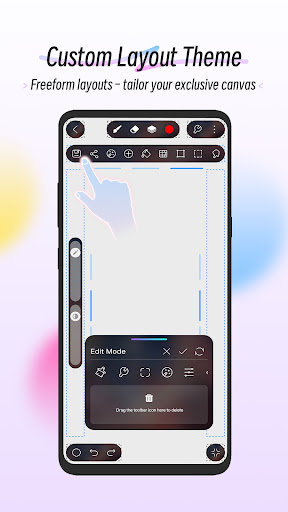
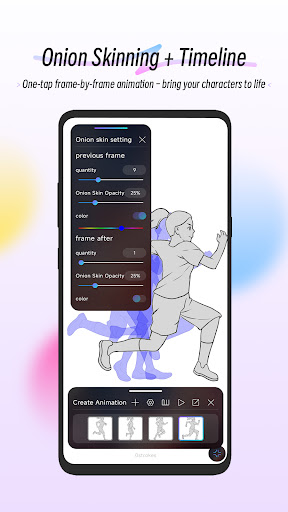
HiPaint: Sketch & Draw art screenshot 1HiPaint: Sketch & Draw art screenshot 2HiPaint: Sketch & Draw art screenshot 3HiPaint: Sketch & Draw art screenshot 4HiPaint: Sketch & Draw art screenshot 5HiPaint: Sketch & Draw art screenshot 6HiPaint: Sketch & Draw art screenshot 7HiPaint: Sketch & Draw art screenshot 8HiPaint: Sketch & Draw art screenshot 9HiPaint: Sketch & Draw art screenshot 10HiPaint: Sketch & Draw art screenshot 11HiPaint: Sketch & Draw art screenshot 12HiPaint: Sketch & Draw art screenshot 13HiPaint: Sketch & Draw art screenshot 14HiPaint: Sketch & Draw art screenshot 15

Advertisement

About HiPaint: Sketch & Draw art

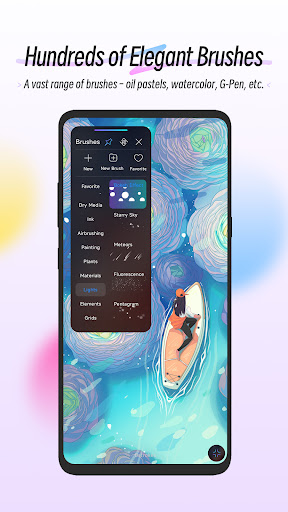
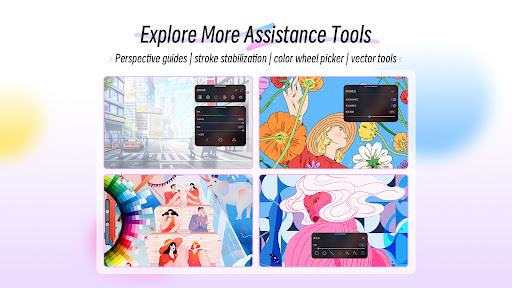
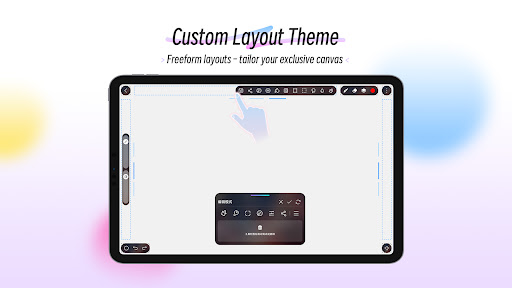
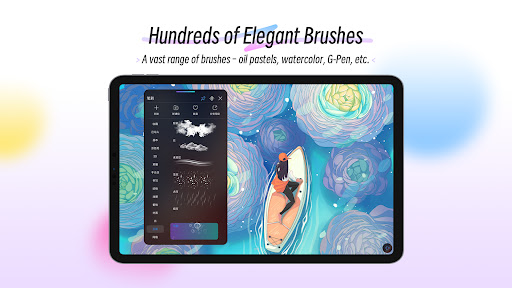
Hey Paint -Sketch and doodle as you please! This is a super multi-functional mobile app, especially suitable for friends who love art and creation. As an easy-to-use Android software, it has a variety of painting, sketching, and coloring tools, which allows you to easily release your creativity. The interface is very friendly and easy to use. It is suitable for beginners to try and meet the needs of veterans. It is a quite interesting application!

Overview

core functions

  • That intuitive sketching tool with customizable brushes and swatches allows you to draw delicate works of art, which feels particularly convenient!
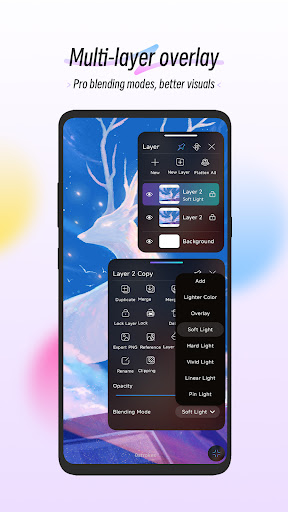
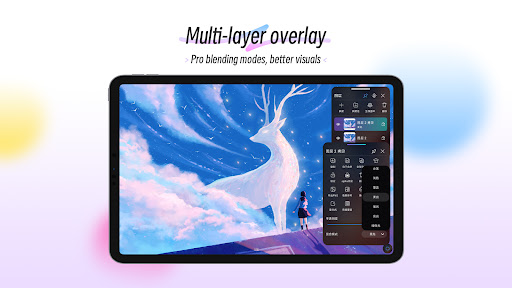
  • Layer support allows you to stack and create, which is super convenient to modify, and can also help you blend colors and create complex effects.
  • The real-time undo and redo functions enhance the experience, allowing you to tinker with no headaches at all, and the operation is so smooth that people can love it!
  • High-resolution export ensures that your picture is clear and sharp. Whether it is sharing or printing, it is full of texture!
  • The built-in coloring and filling tools greatly simplify the coloring steps. Whether you are a novice or a professional god, you will find it easy to use and considerate!
  • Offline mode allows you to operate anytime and anywhere. You don't need to be connected to the Internet. You can use inspiration even when you are away. It's so convenient!

Who is this software suitable for?

This mobile app will definitely impress anyone who likes to draw, whether it is a novice or a professional painter, as long as you are looking for a versatile painting tool, it will be right for Android devices. Friends who like practical and powerful art design software will find it especially valuable!

Great for students, enthusiasts, or professional creators, explore your artistic ideas, practice sketching, or draw detailed illustrations directly with your mobile phone, easy and fun!

Why choose this software

This Android app has a particularly friendly and powerful interface that can help you inspire and improve efficiency. The operation is very easy, and the offline function also allows you not to worry about network problems. It is really a trustworthy painting tool!

Its biggest highlight is its focus on simplicity and ease of use, and it also provides high-quality tools to meet various needs with heart, whether it is random graffiti or professional creation. Using your creativity on your mobile phone is definitely a reliable choice!

Top Recommended Alternative
Pros & Cons

Pros

  • Intuitive sketching tool
  • Rich artistic filters
  • Low latency, smooth flow
  • HD export options
  • Built-in tutorials and tips

Cons

  • Not professional enough
  • Old equipment occasionally crashes
  • Limited free content
  • No cloud storage
  • The color selection is relatively simple

Advertisement

Download HiPaint: Sketch & Draw art

You are going to be redirected to the official website to finish the download when you click these buttons above.

FAQ

Is HiPaint - Sketch Draw Paint it! safe to use on my device?+
Of course, HiPaint is a common mobile phone app and cares about user safety. You can download it on Google Play or the Apple Store. It is both formal and meets security standards. However, you still have to keep the security settings of your device up to date and don't download and install packages from unreliable sources. In this way, you can better protect your personal privacy and ensure smooth and secure use.
Can I use HiPaint - Sketch Draw Paint it! on both Android and iOS devices?+
Currently, this application is mainly available on Android and can be found on Google Play. If you use an Apple device, you have to check if the App Store has an updated version. Maybe developers will release an iOS version in the future. This is very smooth to use and Android users like it very much, especially for people who like to draw and want a multi-functional drawing tool. It is a good choice.
What kind of app features does HiPaint offer?+
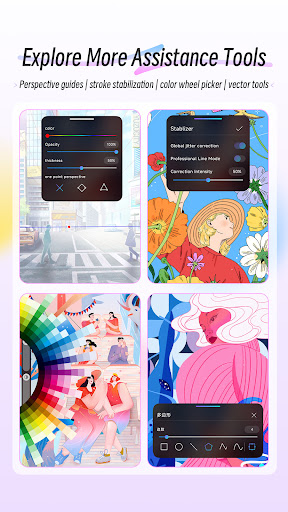
HiPaint has many thoughtful features for artists and enthusiasts, such as a variety of different brushes, color blending, layer support, and more realistic painting textures. The interface is also very intuitive, allowing even novices to easily get started and create good-looking works. These functions enrich the entire painting experience and allow you to fully exert your creativity on your mobile phone, which is both convenient and accurate.
How do I troubleshoot common problems with HiPaint?+
The first thing to do is ensure that your mobile phone has enough space and that the software must be the latest version. If you encounter stuck or flashed, try restarting your phone and reinstalling the software. Maybe it will be fine. If you still can't solve it, you can also go to the online forums to ask or check the developer's support page, which usually has a lot of suggestions. As a professional application reviewer, I can say that HiPaint is generally quite reliable and is especially suitable for digital painting enthusiasts.
Is HiPaint suitable as an app-based solution for professional artists?+
This software is mainly designed for casual users and enthusiasts, but its functions can actually satisfy some semi-professional artists. However, to do particularly complex or large-scale projects, it may be better to use professional computer software. However, this mobile app is quite reliable when you usually draw casually and quickly conceive. It is quite convenient to create anytime and anywhere.
Do I need a high-performance device to run HiPaint smoothly?+
Most modern Android devices run Hipaint smoothly thanks to its well-optimized performance. However, mobile phones with higher configurations, such as faster processors and more memory, will draw smoother, especially when drawing complex layers or using high-resolution pictures. So, this software is suitable for many Android devices. No matter what you use, you will be basically satisfied. You won't get stuck when drawing. It's quite comfortable.
Are there any safety concerns regarding the data or permissions required by HiPaint?+
The software will request some common permissions, such as storage permissions, to save your work. It does not collect sensitive information itself, so it is quite trustworthy. However, it is recommended that you carefully review the permissions settings and only download apps from official channels, so as to better protect your device and personal privacy.
Can I use HiPaint without an internet connection?+
Of course you can! This software is mainly used offline. You can draw, edit, and save works anytime, anywhere without connecting to the Internet. This is too convenient for artists who like to create at any time. This feature allows you to not worry about unstable network and can use your creative tools at any time. The experience will be smoother and the desire to create will be stronger.

Customer Reviews

AI
AI Generated Summary
Based on real user feedback
★ 4

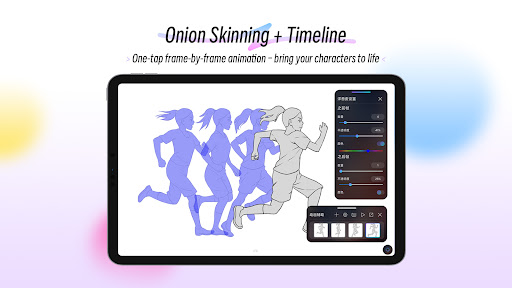
HiPaint is widely praised as a free and intuitive alternative to Procreate, especially for Android users. Users love the familiar interface, variety of free brushes, and smooth animation features. However, recent updates have drawn criticism: the new UI removed left-handed support and moved key functions behind a subscription. While the app offers excellent potential, stability issues such as frequent crashes, glitches, and loss of progress frustrate many. Brushes are described as smooth by some, yet others report pixelation and blending difficulties. Ads are intrusive with tiny skip buttons causing accidental clicks, and the app demands precise location permissions. Despite these drawbacks, the app's core features remain strong for digital art beginners and enthusiasts.

Bea Bongcaron · 6/22/2026
★ 4
Once you become familiar with the app, navigating and finding items gets easier. However, it currently lacks some useful features. I recommend adding free materials such as objects, poses, and other resources.
Ryan Clouse (ItsGot2BDrillz) · 6/19/2026
★ 1
This app has moved to a subscription-only model and includes aggressive ads. If you are okay with subscriptions, consider using CSP instead. Additionally, the new left-handed mode UI, which is more responsive, requires a subscription.
Willow · 6/15/2026
★ 1
Skip buttons are too small, leading to accidental ad clicks. Decoy buttons don't close ads but open links. On Pixel 10 Pro, the UI tool bar is hidden by the front camera. The app demands exact location permission and rejects approximate location, kicking users out if denied.
Lucas Danielte_1 · 6/14/2026
★ 5
This is extremely cool.
Zainab Hadi · 6/14/2026
★ 5
This app is fantastic and feels like a free version of Procreate. However, I have a minor issue: I wish the animation feature allowed frames and layers to be managed independently, rather than being combined.

Write a Review

Share your experience with HiPaint: Sketch & Draw art. Submissions are reviewed before publishing.

Rating *
5 / 5
0 / 2000

You Might Also Like

More apps you may want to try next.