

DRIVE Electric for Tesla
Advertisement
Screenshots
Advertisement
About DRIVE Electric for Tesla
DRIVE Electric for Tesla is a very intimate mobile phone application designed specifically for Tesla owners and wants to make the driving experience smoother. This Android app provides a number of features that make it easier for users to monitor and control their electric vehicles. The interface is quite intuitive, easy to operate, and the integration with the vehicle is smooth. In short, Drive Electric brings Tesla fans a set of efficient management tools to make using cars easier and more enjoyable.
Overview
core functions
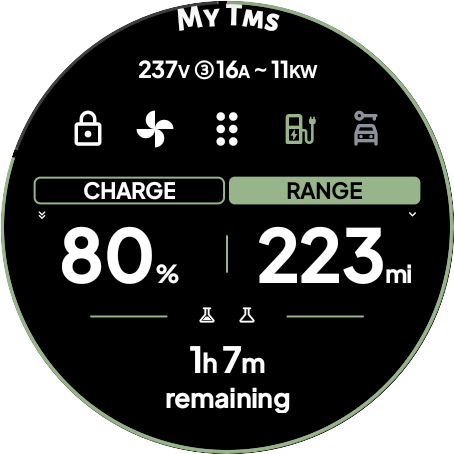
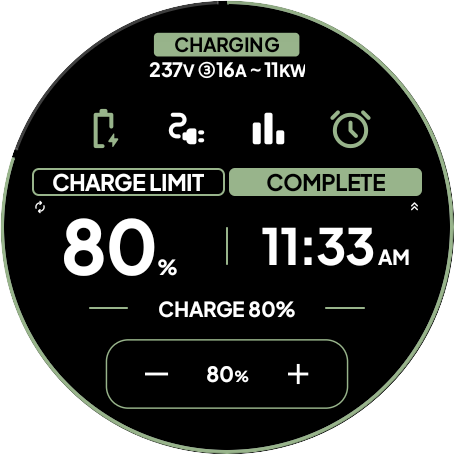
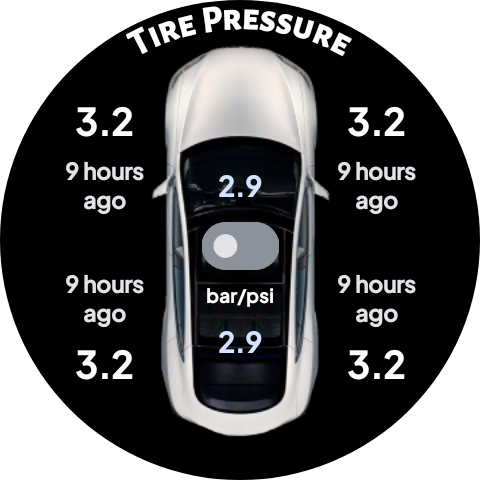
- Sync the data of your Tesla car in real time and keep you informed of battery status and charging progress, like a personal assistant.
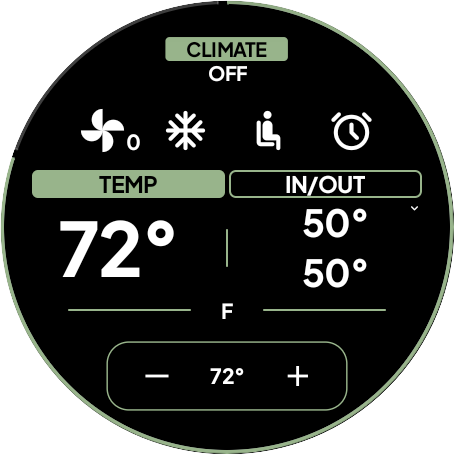
- The interface is intuitive and has rich functions, including route planning, charging station search, and remote air conditioning control, bringing a more user-friendly experience!
- Perfectly combined with Tesla's API, you can easily manage your car with your mobile phone, making the operation worry-free and smooth.
- It can also be used offline mode, and some functions can be used without networking. This is too considerate, convenient and practical!
- The interface is designed very carefully, taking into account both old drivers and novices, making it quick and easy to use.
- Charging reminders, vehicle maintenance notices, and software upgrade push are all done, so that you can use them with peace of mind and be trustworthy!
- You can also customize dashboards and settings so that everyone can tune the app the way they like.
Who is suitable for?
This mobile app is a boon for Tesla owners and enthusiasts. It's easy to use and helps you keep track of your vehicle anytime, anywhere. Whether it was a novice who had just bought a car or an experienced tram player, they could find its use!
Whether it's a daily commute or a long trip, this solution helps you remotely monitor your car condition, optimize the charging process, and make driving smoother and more fun with a tap from your phone!
Why choose this app
In addition to its multiple functions, it is also specially tailored for Tesla drivers to ensure that it is easy and reliable to use, making your car management simple and smart. This Android app is both reliable and practical, and it's really thoughtful!
Bringing real-time data, the design of user tools is also very considerate, solving the problems of many electric vehicle drivers. With trust and convenience at its core, this app is definitely a great helper for Tesla owners to make your life easier!
Top Recommended Alternative
Pros & Cons
Pros
-
The user interface is very friendly
-
of real-time vehicle data
-
Comprehensive trip planning
-
Remote control function
-
Tesla Ecosystem Integration
Cons
-
Limited offline functionality
-
Using the background will consume electricity
-
Notification was a little delayed
-
Limited compatibility
-
It's a little complicated to set up
Advertisement
Download DRIVE Electric for Tesla
FAQ
Is DRIVE Electric for Tesla easy to set up on my device? +
Yes, DRIVE Electric for Tesla is designed quite thoughtfully and easy to use. This APP will give you detailed installation guidelines. Whether you use Android or another device, the initialization is smooth and most people can handle it.
Themobile version of it is quite fast to install. Whether it is used as a starter or to manage Tesla's charging and vehicle information, the overall process is quite simple. Even if you are a novice, most of you can understand it at a glance without being too difficult.
Can I access the app features without an internet connection? +
Some functions can also be used offline, as long as your vehicle information has been successfully synchronized. But to get the best experience, such as real-time updates or cloud features, you still need to connect to the Internet.
ThisAndroid APP is designed to provide stable and reliable features to help you better manage Tesla. To continuously get the latest information and notifications, network stability is particularly important, that's all.
Is DRIVE Electric for Tesla safe to use and secure my data? +
Security and data protection are definitely top priorities for this app. DRIVE Electric for Tesla uses encryption and secure verification to ensure that your vehicle information and personal data are protected.
Asan application specially designed for Tesla owners, it performs quite reliably and allows you to monitor and control various vehicle data through Android devices with confidence. It is quite reliable.
Does the app support all Tesla vehicle models and years? +
That's right, DRIVE Electric for Tesla basically supports most Tesla models, including Model S, Model 3, Model X and Model Y. It also has comprehensive functions and can adapt to vehicles of different configurations and years.
ThisApp-based solution is often upgraded to enhance compatibility and add new features to ensure that different Tesla users use it smoothly and the experience continues to improve online.
Are there in-app settings to customize my experience? +
Of course, it has a lot of settings that allow you to customize notifications, display preferences, or other features. This will make your experience more intimate and in line with your personal taste.
Thesesettings make it easier for you to manage Tesla, make it easier for you to use, and make this APP match your habits of using cars and mobile phones, making the experience more personalized.
What makes DRIVE Electric for Tesla stand out compared to other launcher apps? +
What makes it special is that it focuses on Tesla applications and has a lot of functions, specifically tailored for Tesla owners. It is easy to use. It can monitor vehicle information and control functions in real time. It is also very easy to use as a starter.
Manyusers like its intuitive interface, reliable performance, and professional development team, which ensures that Tesla related data can be managed credibly directly on Android devices. It's great.
Is there ongoing support and updates for the app? +
Yes, DRIVE Electric's development team regularly releases updates to improve stability, add new features, and improve security. This shows their dedication to this application and ensures that Tesla owners can use it happily and safely.
Stayingcurrent allows you to take advantage of the most advanced features and performance improvements, and overall it is a trustworthy helper to help you manage Tesla efficiently.
How does DRIVE Electric for Tesla enhance the app experience for users? +
This Android app provides many practical functions, such as monitoring battery status, controlling the charging process, etc. Its interface is designed to be simple and easy to operate, allowing you to easily view complex vehicle data.
Combiningreal-time information and customized options, DRIVE Electric allows you to maintain control of the vehicle anytime and anywhere, giving you a convenient and secure feeling of being able to control your Tesla no matter where you are. It's quite considerate.
Customer Reviews
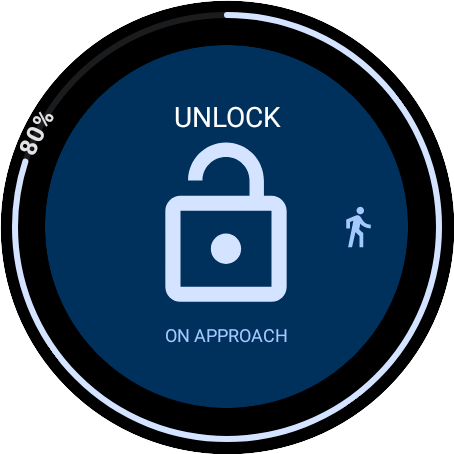
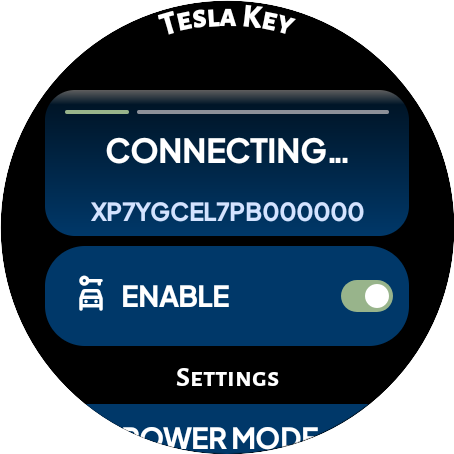
Users widely praise DRIVE Electric for Tesla as the best Wear OS app for controlling Tesla vehicles, highlighting its excellent NFC key functionality, responsive developer support, and continuous feature additions like door unlatching and trunk control. Key dimensions include: - "Compatibility": Positive on Samsung Galaxy Watch 5/6, Pixel Watch, and TicWatch Pro; negative on Garmin Venu 2 Plus and first-gen Pixel Watch LTE (slow, buggy). Some users report smooth performance, while others experience login loops or incompatibility with non-Wear OS devices. - "Functionality": The NFC key works reliably as a backup, but Bluetooth key unlocks can be slow (15+ seconds) and frequent session expirations/logouts frustrate many. Some find the app flawless after setup, others face endless authorization loops. - "Pricing Model": While the subscription ($2/month) is considered reasonable by some, others criticize the shift from a one-time purchase to a paywall without refund, calling it dishonest. Overall, the app excels in innovation and support, but compatibility and stability issues divide user satisfaction.
Write a Review
Share your experience with DRIVE Electric for Tesla. Submissions are reviewed before publishing.
You Might Also Like
More apps you may want to try next.




