AI Video Editor - VivaCut
Screenshots
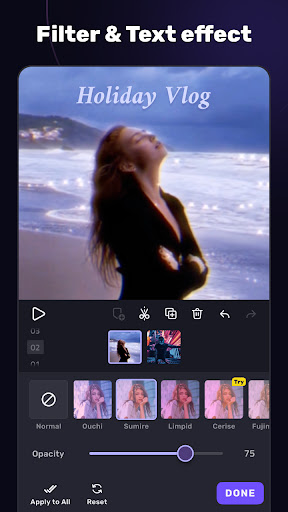
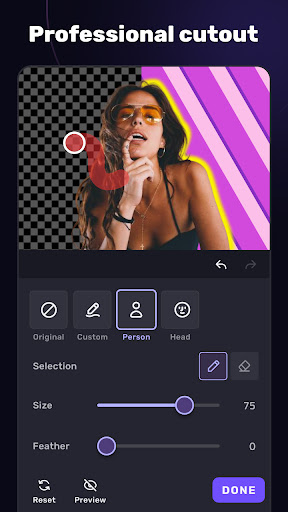
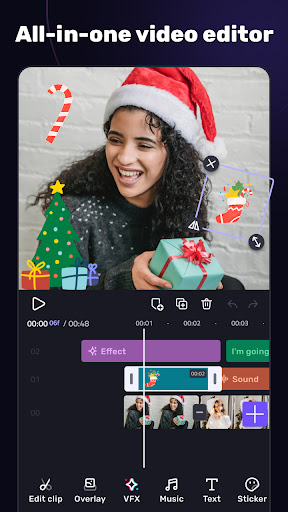
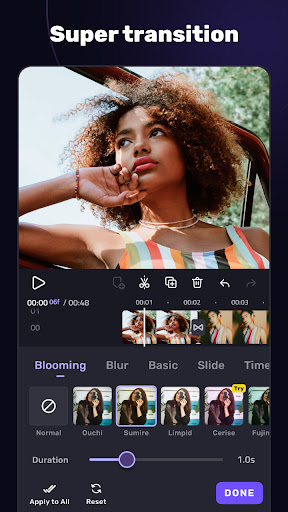
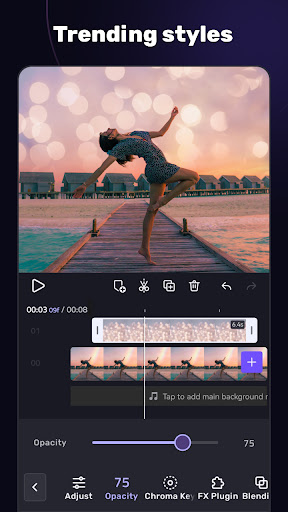
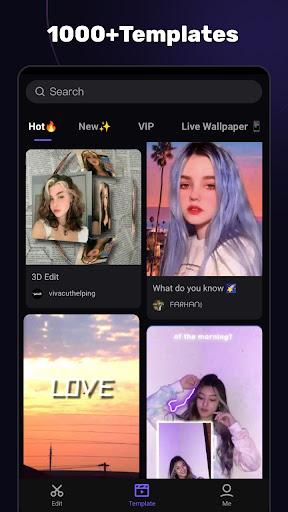
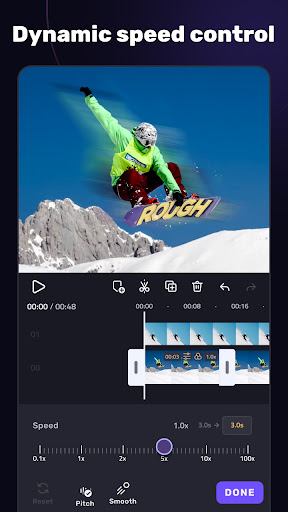
About AI Video Editor - VivaCut
AI video editor-VivaCut is a very powerful and practical mobile phone software specially designed to allow you to edit videos as you please on your mobile phone. As an Android application, it has a super friendly interface and is not that complicated to operate. It provides a variety of powerful editing tools and is really a great choice for making professional-level videos. Whether you are a novice or a content creator who already has some basics, this software can give you a smooth and smooth experience. The operation is intuitive and efficient, and you don't have to worry about being stuck or cumbersome when editing.
Overview
Core Features
- These editing tools are super people-friendly. They can cut and combine videos quickly and can be done at ease.
- What's even more amazing is that multi-layer editing, key-frame animation and customized filters can help you create very creative works.
- In terms of export, it supports high-definition output and can also be directly shared to major social platforms, which is simply convenient.
- With its own music library and sound effects library, you can make your works more exciting without using other apps.
- Real-time preview function, you can see the effect immediately after editing. The experience is great!
- Supports Android devices, runs smoothly, no jams, and fits well.
- The interface is designed to be very intuitive, and it is friendly for those who are just getting started, and those who are experienced can quickly get started.
Who This App Is For
This mobile APP is especially suitable for content creators, social media enthusiasts, and enthusiasts, aged between 15 and 45. If you want to make professional videos on your Android phone, this app is definitely a good helper. For those who like intuitive operation and smooth experience, don't miss it!
Whether you're cutting home videos, creating content for social platforms, or trying to use visual storytelling, this APP-based solution will save you trouble and has powerful tools for all levels of users.
Why Choose This App
The reason why this Android app stands out is that it installs a bunch of functions into a simple platform, making video editing easy for everyone. Its stable performance and rich functions can help you quickly produce high-quality works. It's really awesome!
It takes care of both novices and professionals, solves many common editing problems, and has stable performance and powerful functions, making it the best among mobile video editing software. It is definitely worth a try!
Top Recommended Alternative

Pros & Cons
Pros
- intuitive user interface
- rich functionality
- high-quality output
- Too many built-in effects
- Frequent updates and support
Cons
- Low-end equipment occasionally gets stuck
- Free features have limitations
- Advanced function learning curve is steep
- Format compatibility is not very good
- Text customization options are not rich enough
Download AI Video Editor - VivaCut


FAQ
Is AI Video Editor - VivaCut safe to use on my device?+
Well, AI Video Editor - VivaCut is a very reliable mobile application. Its security has been tested repeatedly and there are no major problems. It can be found in both the Google Play Store and the Apple App Store, and everything you can use is real, so you don't have to worry about being cheated.
Of course, like any software, it is recommended that you download it from official channels, and don't forget to turn on your mobile phone security settings. The functions of this program are designed very carefully to ensure that you can use it smoothly, and are not afraid of privacy leaks or mobile phone problems.
How do I install AI Video Editor - VivaCut on my Android device?+
It's actually quite easy to install AI Video Editor - VivaCut on Android. Go to the Google Play Store, search for the name, and click on install. This process is similar to ordinary popular applications, it is as simple as that.
It is also quite rich in functions, with various editing tools, special effects and transition effects, making cutting videos a breeze. Once it is installed, you can explore it and start producing professional-level videos immediately.
Can I use AI Video Editor - VivaCut offline?+
Of course, AI Video Editor - VivaCut provides an offline editing solution, so video editing can be completed without connecting to the Internet. This is quite convenient, especially when you are away from home or the Internet is not good.
Its functions include a variety of editing tools and special effects, and basically it can operate smoothly without networking. However, it should be noted that sharing videos or cloud storage functions may still have to be connected to the Internet.
What are the main features of AI Video Editor - VivaCut?+
This mobile phone software is very functional and suitable for novices and veterans. You can use advanced timeline editing, multi-layer support, and a variety of special effects, transitions and audio tools to make your videos look professional.
Moreover, it is also a launcher-type application that can help you simplify the editing process and do everything directly on your mobile phone. The experience is quite smooth. It will surely meet the expectations of video enthusiasts for professional-level works.
Is AI Video Editor - VivaCut suitable for beginner videographers?+
Of course, this application interface is designed to be very user-friendly and it is very friendly for beginners to get started. You don't have to understand much about any technology, just follow the tutorials and preset templates to learn it and get started easily.
Users at all levels were taken into account when designing, so the operation process was very enjoyable. Moreover, as a mobile app, many powerful functions can quickly realize your ideas and have excellent effects.
You Might Also Like
More apps you may want to try next.