VITA - Video Editor & Maker

VITA - Video Editor & Maker

Advertisement

Screenshots
7 images
VITA - Video Editor & Maker screenshot 1VITA - Video Editor & Maker screenshot 2VITA - Video Editor & Maker screenshot 3VITA - Video Editor & Maker screenshot 4VITA - Video Editor & Maker screenshot 5VITA - Video Editor & Maker screenshot 6VITA - Video Editor & Maker screenshot 7

Advertisement

About VITA - Video Editor & Maker

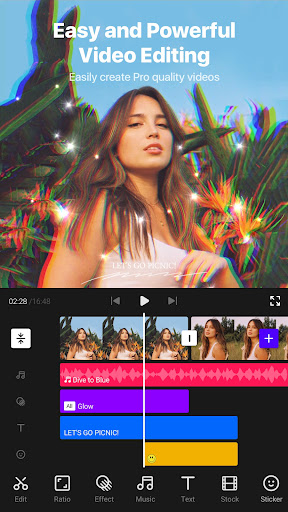
VITA - Video Editor & Maker is actually a practical mobile application designed specifically for those who like to edit videos themselves. It is quite convenient and easy to operate. Whether you are a novice or a experienced production god, you can easily use it to make professional-level works. This Android application interface is quite friendly and has many functions. It can help you achieve various cool editing effects. It feels quite smooth to use, and you basically don't have to worry about getting stuck or running smoothly. Overall, if you're looking for an efficient and easy-to-use mobile video editing tool, VITA is definitely a good choice.

Overview

Core Features

  • This app interface is super intuitive, and video editing is quite easy for both novices and experts, so it is particularly easy to operate.
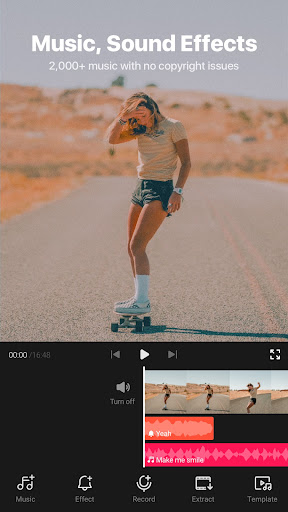
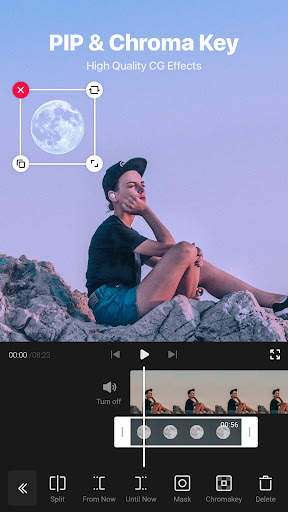
  • There are also some advanced editing tools, such as editing, cropping, adding transitions, etc., to help you make the video better and the whole process is much smoother.
  • It supports real-time preview, so you can see the effect immediately after making changes. There is no waiting, the experience is smooth, and editing is more interesting.
  • There are multiple export options that can be saved into videos with different definitions or shared directly on social media, which is quite convenient.
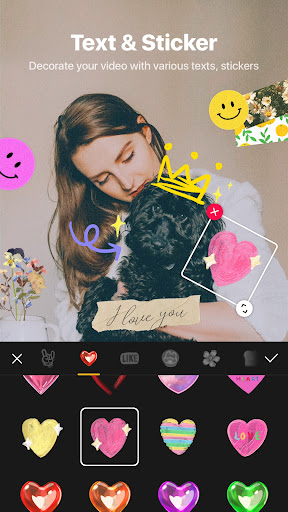
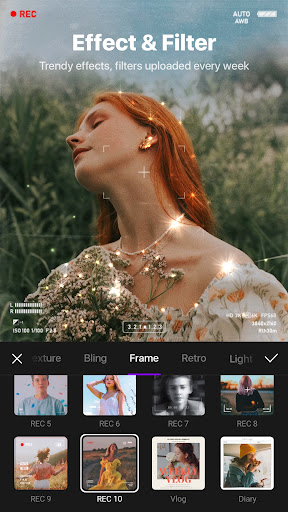
  • VITA also provides some cool creative features, such as text superimposition, filters and stickers, that can make your videos personalized and creative.
  • It is well optimized for Android, runs smoothly, and saves some power. It is especially suitable for use on mobile phones, saving power without blocking it.
  • Moreover, it also has an offline mode, allowing you to edit anytime and anywhere without having to connect to the Internet. It is a multi-purpose video editing artifact!

Who This App Is For

This mobile app is especially suitable for those who want to make beautiful videos, whether you are just casual or want to be a content creator, aged between 15 and 40. If you like to share your life with friends or post things on social platforms, this app is definitely right for you.

It is also suitable for those who want to quickly edit with simple tools, or work on more complex projects. Whether it's recording life or doing some professional demonstrations, as long as you need an efficient Android video editor, this one can help you realize your creativity and is quite reliable.

Why Choose This App

This app combines powerful features with user experience, making it easy for everyone to start video editing. As soon as you use it, you will know that it is simple to operate, the effect is great, it is quick to learn, and it is highly satisfied.

Compared with other Android video editing software, VITA is very reliable, has stable performance, rich editing functions, and can be used offline without worrying about network problems. In short, it is a trustworthy and comprehensive artifact suitable for users with various needs.

Top Recommended Alternative

Pros & Cons

Pros

  • intuitive user interface
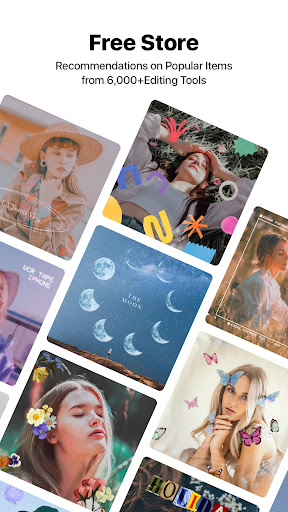
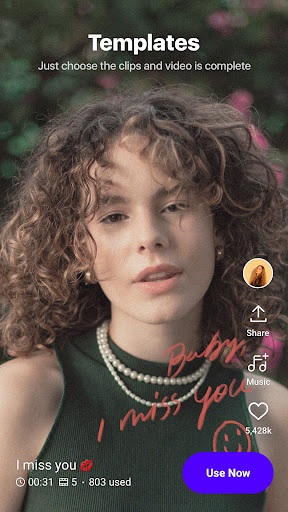
  • Rich templates and special effects
  • Fast rendering speed
  • derived quality levers
  • Frequent updates, new features are constantly

Cons

  • Limited advanced editing capabilities
  • Old equipment occasionally crashes
  • Free version has watermarks
  • The audio editing function is slightly simple
  • Social platform export format is incomplete

Advertisement

Download VITA - Video Editor & Maker

You are going to be redirected to the official website to finish the download when you click these buttons above.

FAQ

VITA-Is video editing and production safe on my device?+
Of course, VITA is a popular mobile app, paying special attention to user privacy and security issues. It has been reviewed by the App Store and is updated regularly to ensure that Android and iOS devices are used without any worries. You can safely use VITA to make videos without worrying about viruses or data leaks. Remember to download it from official channels so that the device will be safe and the experience will be smoother.
Can I still operate offline with VITA-Video Editing and Production?+
Yes, absolutely possible! VITA has many functions that can be used without the Internet, such as editing and adding special effects. This way, you can do it anytime, anywhere, without worrying about network jams or disconnection, which is very convenient. This app is designed quickly and quite reliable. It is especially suitable for friends who like to edit videos on Android or other smartphones. You don't have to worry about any difficulties and get it done at any time.
Does VITA support both Android and iPhone platforms?+
Of course, VITA works on both Android and Apple phones. Whether you use an Android or an Apple device, you will find that it has exactly the same functions, the operation is smooth, and editing videos becomes super easy and fun. The experience on different platforms is basically the same, and it is quite convenient to create and share your favorite videos anytime and anywhere.
What are the popular features of VITA?+
VITA provides a variety of cool features, such as professional editing tools, various filters, transition animations and special effects, to help you create professional-level videos. The interface is particularly intuitive, making it easy to get started whether you are a novice or not. It performs well in terms of fast editing and rich creativity. As long as you pick up your mobile phone and tap it, you can produce high-quality videos, which is particularly convenient.
Is it easy to install and set up VITA on your device?+
Very simple! Whether you use Android or Apple, find the corresponding app store, search VITA, download it, and follow the instructions step by step. Once installed, the interface is particularly friendly, and you can start editing videos immediately without worrying about anything. It is super convenient without cumbersome steps or special skills.
VITA -Can video editing and production be used as a launcher?+
In fact, it is mainly a professional editing software, not used as a launcher. It focuses on providing rich features to help you create and edit videos. However, it works well with the photo album and sharing functions on your mobile phone, making it easy to open and manage your videos, and create creativity anytime, anywhere.
How does VITA improve user experience?+
VITA has a simple, smooth and feature-rich interface that makes editing videos fast and fun. The performance is also well adjusted, and most of the equipment can run smoothly and it is very comfortable to use. As an App solution, it is trusted by many users. Whether it is Android or iOS, it can bring stable quality and rich creative choices, allowing you to use it with great confidence and enjoy the fun of making.
VITA -Is video editing and production suitable for professional-level editing?+
In fact, its functions are more casual or semi-professional, mainly to satisfy mobile phone users who want to edit quickly and pursue creative effects. If you want to do a particularly complex and meticulous professional project, you may still need to use more professional software. But for ordinary users, it is simple to operate and rich in tools. VITA is definitely a good choice if you want to create professional videos directly on your mobile phone.

Customer Reviews

AI
AI Generated Summary
Based on real user feedback
★ 3.5

Users generally praise VITA for its intuitive interface, powerful features, and ease of use, making it suitable for both beginners and professionals. Many highlight fast rendering and excellent output quality, with some calling it the best editing app. However, significant concerns exist regarding stability and reliability. While some users report seamless editing, others experience frequent crashes, freezing during edits, and failed exports—some waiting hours with no progress. Export issues beyond 9% and lost projects are recurring complaints. The app also suffers from severe lag, lip-sync problems in long videos, and occasional endless buffering. A few users note that it worked well initially but degraded over time. Overall, the app offers strong core features but is undermined by inconsistent performance and critical bugs.

Priyanka Kumari · 6/24/2026
★ 5
You are very good, or you are too good for editing.
Maya Gogoi · 6/24/2026
★ 5
The outcome of the process is perfect, with no errors or issues. All requirements were met flawlessly.
Hussain Ali · 6/24/2026
★ 1
I had a very bad experience with this app. It took 5 hours to start and 2 hours to download a video. If you have an extraordinary amount of free time and nothing better to do, then you might enjoy using it; otherwise, you should delete it.
Pampa Joseph · 6/24/2026
★ 5
Very good.
Judas Sorensen · 6/24/2026
★ 2
The app is so unstable that making a basic edit requires a phone reset.

Write a Review

Share your experience with VITA - Video Editor & Maker. Submissions are reviewed before publishing.

Rating *
5 / 5
0 / 2000

You Might Also Like

More apps you may want to try next.