
KineMaster - Video Editor
Advertisement
Screenshots
Advertisement
About KineMaster - Video Editor
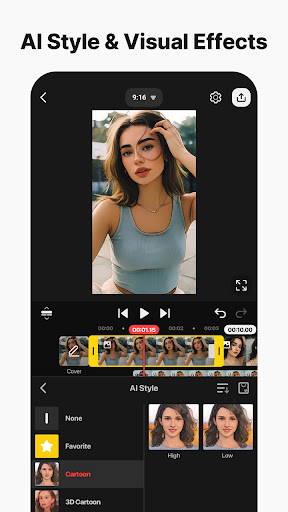
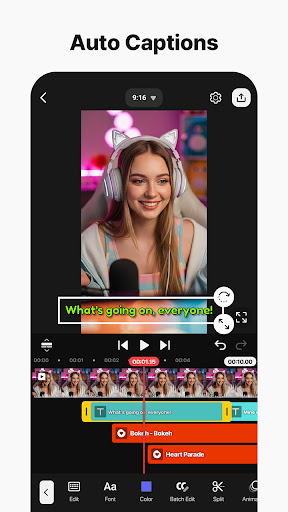
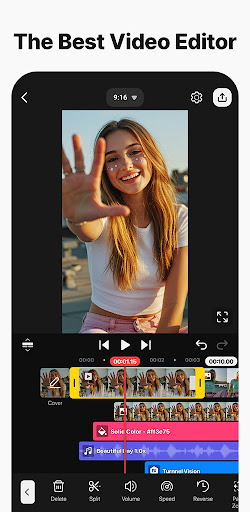
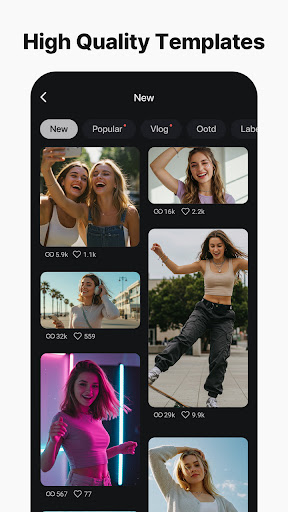
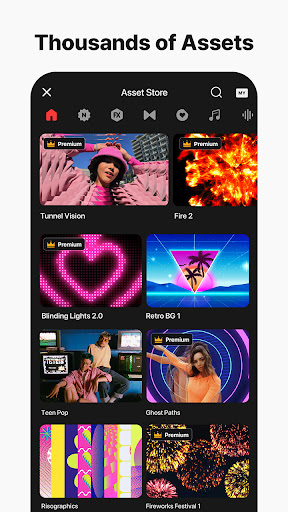
KineMaster - Video Editor is really versatile. It is specially designed for quickly trimming and making professional-quality videos on mobile phones. This Android application is quite functional, with multiple layers of video, sound, special effects and transitions, making it suitable for various content creators and enthusiasts. The interface is ultra-intuitive and easy to use. You can easily make high-quality videos without worrying about operating problems, and you feel particularly fulfilling. Whether you are a veteran or a newcomer, KineMaster can give you a reliable solution and fully demonstrate your creativity. It's really great!
Overview
core functions
- This app has a super-intuitive Timeline editor that can be learned by dragging and dropping, making editing and splitting videos super convenient.
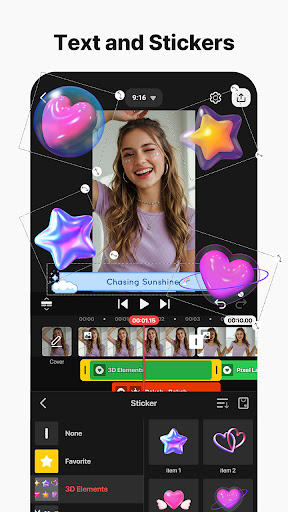
- Support multi-layer superposition, which can cover pictures, videos, and text, allowing your creativity to fully release, and there are many exciting ways to play.
- You can also preview it in real time and see the edited content immediately without having to export it every time, saving time and worry.
- The audio aspect is also very powerful, with background music, dubbing and various sound effects, which can make the video more interesting.
- Export supports various resolutions and ratios to ensure compatibility on different platforms and devices without worrying at all.
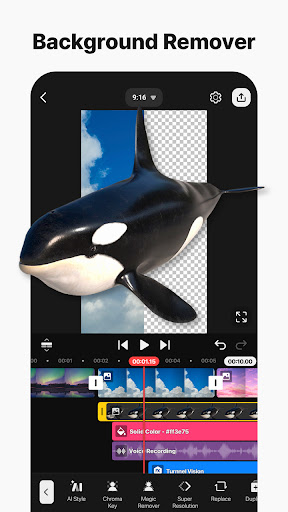
- It also has a green screen function, which allows you to create professional image cutting effects. Making professional-level videos is really not a dream.
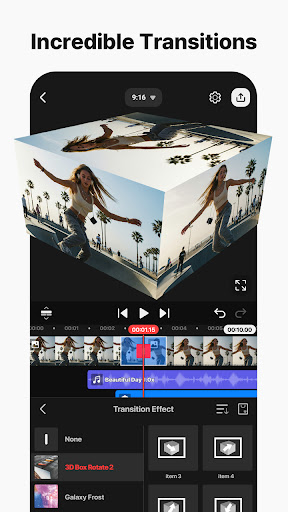
- Comes with transitions and special effects to help you easily add luster to your video, fast and classy.
Who is this app suitable for?
This mobile software is especially suitable for content creators, social media celebrities, or ordinary users who want to find a powerful and easy-to-use video editor on Android.
Whether you are cutting Short Video quickly or doing a detailed big project, this App can provide you with a smooth editing experience and unlimited creative space.
Why choose this App
The highlight of this Android software is its ultra-comprehensive functions and particularly friendly interface, allowing everyone to easily enjoy high-quality video editing.
Whether you are a novice or a professional, it can bring stable performance and powerful editing tools, solving the limitations often encountered by other launcher software. It's really good!
Top Recommended Alternative

Pros & Cons
Pros
- The operating interface is super friendly
- It has many functions to explode
- Support real-time preview
- Various export options
- Affordable paid packages
Cons
- The free version has limited functions
- Occasionally break down
- The free version will have a watermark
- Advanced functions are a bit difficult to learn
- Device compatibility issues
Advertisement
Download KineMaster - Video Editor


FAQ
Is KineMaster free to use on my mobile app?+
KineMaster offers a free version with a watermark and limited features. You can download and install it on your Android app or iOS device without paying anything upfront. For an ad-free, watermark-free experience, consider subscribing to KineMaster Premium.
How do I remove the watermark from KineMaster videos?+
The watermark appears in the free version of KineMaster. To remove it, you need to purchase a subscription (monthly or yearly). Once subscribed, the watermark disappears automatically. No additional settings are required. It is a straightforward app based solution for clean exports.
Is KineMaster safe to install on my device?+
Yes, KineMaster is safe. It is available on official stores like Google Play and the App Store, which vet apps for security. The Android app has been downloaded over 500 million times. Always download from trusted sources to ensure a secure app experience.
Does KineMaster work on all Android devices?+
KineMaster runs on Android 5.0 and newer versions. Some older devices may experience lag due to hardware limitations. The app features are optimized for most modern smartphones and tablets. For the best performance, use a device with at least 3 GB of RAM.
Can I edit videos on iPhone with KineMaster?+
Absolutely. KineMaster is available as a mobile app for iOS as well. The interface and core editing tools are similar across platforms. You can import clips, add effects, and export high-resolution videos directly from your iPhone or iPad.
How do I export a video without losing quality?+
KineMaster allows you to export in resolutions up to 4K at 60 fps. Go to the export menu and choose your desired resolution and bitrate. Higher settings preserve more detail but produce larger file sizes. The export process is fast and stable on modern devices.
Why does KineMaster crash sometimes?+
Crashing can occur due to insufficient RAM or outdated software. Make sure your device meets the minimum requirements and that you have the latest version of the Android app or iOS app. Clearing cache and closing background apps can also improve stability.
Customer Reviews
KineMaster is widely praised as a powerful, user-friendly video editor with intuitive controls, multi-layer support, a wide range of effects, and stable performance ideal for creators of all levels. Many users highlight its smooth workflow, excellent export options, and reliability for meeting deadlines. However, there is notable disagreement on key aspects: some users find the watermark detrimental to professional quality, while others still rate it 10/10 despite the watermark; some complain about update issues and lack of advanced features (e.g., no watermark removal), whereas many appreciate the free features and ads being unobtrusive. A few users consider it challenging for children or absolute beginners, but experienced creators find it indispensable, often upgrading to premium. Overall, it's regarded as one of the best mobile video editing apps, balancing strong core functionality with some trade-offs in premium-locked effects and the watermark.
Write a Review
Share your experience with KineMaster - Video Editor. Submissions are reviewed before publishing.
You Might Also Like
More apps you may want to try next.


