

Video Lite
Advertisement
Screenshots
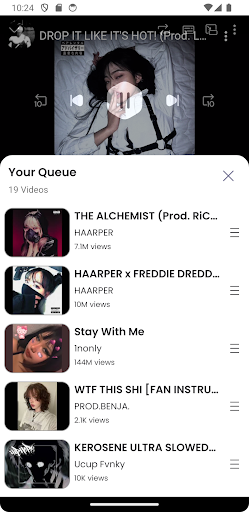
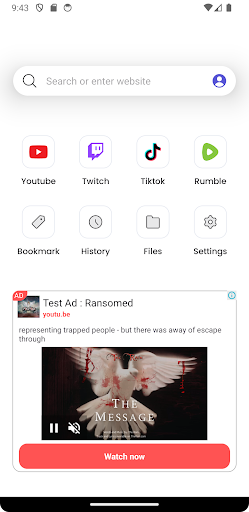
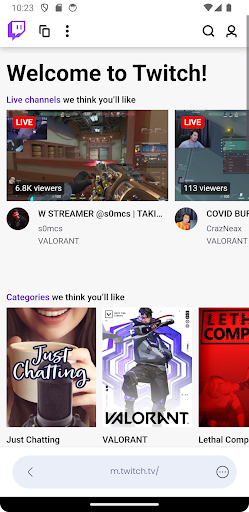
Advertisement
About Video Lite
Video Lite is really a practical mobile application, specially designed to allow you to play and edit videos smoothly on your mobile phone. It's a super friendly Android app with an intuitive interface and easy to use, allowing you to easily handle all video operations. Whether you want to watch videos, crop them, or add a little more effects, this app can help you get it done and is a great helper to meet all kinds of video needs.
Overview
core functions
- This software has a simple and intuitive interface and is particularly friendly to operate. Whether you are a novice or an old driver, you can easily get started with video editing. It feels as natural as chatting with a friend.
- There are various editing tools inside, such as cutting, splicing, adding music, etc., which can basically make your video colorful and colorful. It feels like you're putting a beautiful dress on the video.
- The video playback is ultra-clear and smooth, and the real-time preview is also super smooth. The whole use feels very comfortable and efficient. After a while, you can see the finished product after cutting it, which makes people want to keep playing.
- Support multiple resolution export, no matter what platform you share it on or what device you use it on, there is no problem, truly meeting various needs.
- It also supports offline mode, which allows you to edit video without having to connect to the Internet, and you can play anytime and anywhere, which is very convenient.
- You can also adjust filters and transition effects, and you can easily create professional-level effects. You don't have to worry about technical failure. It takes just a few simple steps.
- The processing speed of the Android version is extremely fast, saving a lot of waiting time, and the editing experience is smooth, worry-saving and labor-saving.
Who is this App suitable for?
If you are a fun user, social media enthusiast, or amateur who likes to juggle with videos at will and are looking for an editing tool that doesn't have to be too complicated, this software is definitely right for you.
Whether you want to quickly make Short Video to commemorate you or promote small stores, it can help you easily get it done. It's really a little helper for you to "carry around".
Why choose this software
What makes this app special is that it combines simplicity and ease of use with powerful functions. It has smooth operation and an excellent experience. It is particularly easy to use on Android devices.
You can create professional-level works without using cumbersome professional software. It is a treasure artifact for friends who like improvisation and want to share quickly.
Top Recommended Alternative

Pros & Cons
Pros
-
Intuitive interface and simple operation
-
Super fast video processing
-
Supports multiple formats
-
Comes with basic editing tools
-
Use less storage and memory
Cons
-
Too few advanced features
-
Occasionally break down
-
The free version will have a watermark
-
Limited export quality
-
No cloud storage is available
Advertisement
Download Video Lite
FAQ
Is Video Lite safe to use on my device? +
Of course, Video Lite is developed by a very reliable team and regularly supplements security updates. It is designed to protect your privacy and data, while also allowing you to use it smoothly. There is no stagnation, and the experience is quite good.
Rememberto download it from regular channels, such as the Google Play Store or Apple's App Store. Using official channels to ensure safety on the one hand, and on the other hand, no mistakes will go wrong, making it more secure to use.
How do I install Video Lite on my Android device? +
To install Video Lite, it's actually very simple. Just go to Google Play and search it, and then click Download. The whole process is quite fast and there are no complicated steps. It is very suitable for people who want to use this software.
Don'tforget to check whether your device meets the requirements and whether there is enough storage space. This app is friendly to operate and helps you easily handle all kinds of video management tasks.
Does Video Lite support different versions of Android? +
Yes, Video Lite is basically compatible with the latest Android version, ensuring that most users can enjoy its rich features. When you see the application introduction, it is best to look at the specific version requirements.
Ifyour device is still an older Android system, try updating the system. The compatibility may be better, so that it will be much smoother to use and less prone to mistakes.
Can I use Video Lite offline? +
Of course! Video Lite is designed to be available both online and offline, allowing you to easily access your videos in different environments. This feature is also part of its pursuit of a smooth experience.
Whetheryou are editing videos or browsing a video library, you don't have to worry about network problems. It's very convenient and especially suitable for use when you are away from home or without the Internet.
Are there any bugs or issues you know about in Video Lite? +
It is inevitable that any software will have minor bugs, and Video Lite will occasionally have bugs, especially if you may encounter problems after upgrading. However, developers will continue to work hard to repair and strive to make the experience smoother and more stable.
Ifyou run into any trouble, remember to check for new updates, or contact support staff. Most problems will be solved. It is quite trustworthy to use.
Is it convenient for beginners to use Video Lite? +
Of course, Video Lite is specially designed to be friendly and is not difficult for beginners to use. Its interface is intuitive, its functions are simple and quick to start, and it is suitable for video editing and playback needs that are just beginning to test the water.
Asyour proficiency increases, you can also find more advanced features to help your editing projects become more dazzling. It is really an all-round software suitable for all users.
Can I customize the interface of Video Lite? +
Yes! Video Lite provides a variety of personalized settings. You can adjust the interface according to your preferences, such as changing the theme, adjusting the layout, etc., to make the experience more intimate and more in line with your habits.
Thesecustom features can help you manage videos more efficiently, making the entire process more enjoyable and more in line with your style.
How to upgrade Video Lite to the latest version? +
Updates are usually pushed automatically from Google Play or Apple's App Store, and your device will be prompted.
Itis especially important to keep software updated so that you can use the latest features and enhance security. In this way, your video management experience will be better and you will feel more comfortable using it.
Customer Reviews
Many users appreciate that Video Lite blocks YouTube ads and enables background playback as a music player. However, the ad experience is polarizing: some enjoy an ad-free viewing, while many others criticize the app for injecting its own intrusive ads, making it counterproductive. Background playback works reliably for some, but recent updates have caused playback to stop when the screen turns off or when switching apps, frustrating others. Cross-platform performance differs significantly: iOS users report a smooth experience with easy TV sharing and lower cost, whereas Android users encounter higher prices, reduced functionality, and even automatic uninstallation by Google. Overall, the app has potential but suffers from inconsistency in core features and platform support.
Write a Review
Share your experience with Video Lite. Submissions are reviewed before publishing.
You Might Also Like
More apps you may want to try next.




