Ultra Mobile
Advertisement
Screenshots
Advertisement
About Ultra Mobile
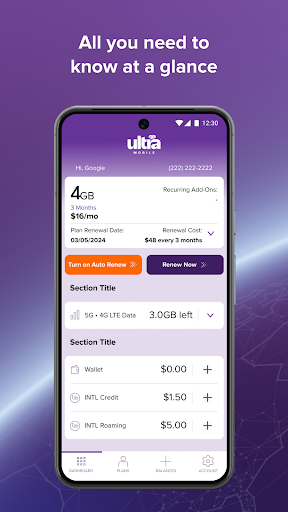
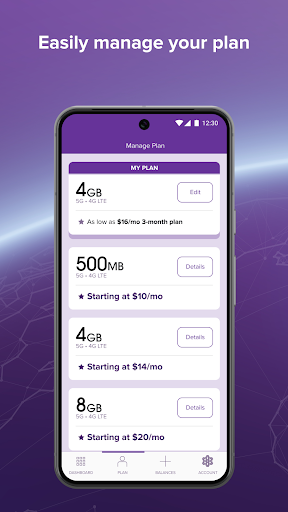
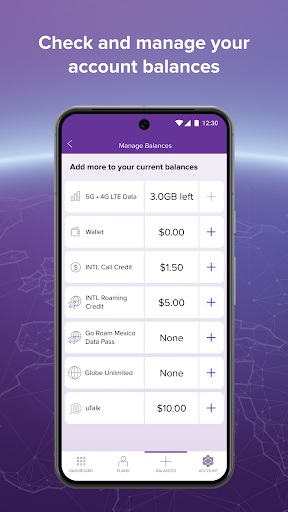
Ultra Mobile is a versatile Android app that serves as the official companion for managing your Ultra Mobile wireless account. This mobile app lets you check your balance, pay bills, add international plans, and monitor data usage directly from your device. It streamlines account management into a single, convenient app-based solution, ensuring a smooth app experience for users who need quick access to their telecom services.
Overview
Core Features
- Manage your account details and view plan balances directly from the Android app.
- Quickly top up your prepaid plan or add international calling credit in a few taps.
- Monitor your data usage in real time to avoid surprises and stay on track.
- Access 24/7 customer support through live chat or direct call options within the mobile app.
- Enable automatic payments to keep your service active without manual renewals.
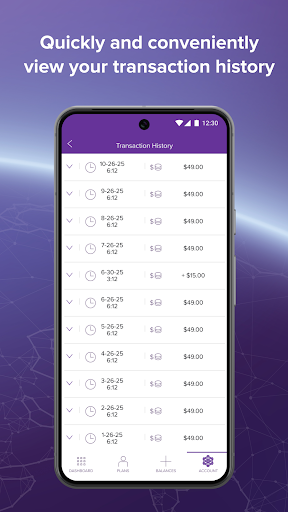
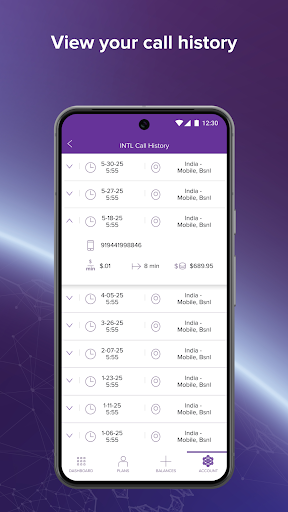
- View call history and message logs for complete tracking of your app experience.
- Receive instant notifications for plan expiry, payment confirmations, and promotions.
Who This App Is For
This mobile app is built for Ultra Mobile customers who want a straightforward way to manage their prepaid service. It suits users of all ages, from young adults juggling multiple expenses to seniors who prefer a simple, no-fuss interface. Anyone looking for an app-based solution to handle their mobile plan without calling customer service will find it helpful.
Frequent travelers can easily add international calling credit on the go, while budget-conscious users keep a close eye on their spending and data limits. It's also ideal for busy professionals who need to set up auto-pay and never worry about a lapsed plan.
Why Choose This App
Unlike generic carrier portals, this Android app is tightly integrated with Ultra Mobile's unique prepaid features. You get real-time data insights, one-tap top-ups, and direct access to customer support - all in one place. The app eliminates the hassle of logging into a website or calling in for simple account changes.
Its intuitive design and smart notifications help you avoid overages and keep your service running smoothly. The app features also include secure payment options and detailed usage history, giving you full control over your mobile experience. For Ultra Mobile subscribers, it's the most reliable app-based solution to manage day-to-day needs.
Pros & Cons
Pros
- Ultra-low international calling ratesCalls to over 80 countries are included or priced at a fraction of competitors, making it a top pick for frequent international callers.
- No long-term contracts requiredAll plans are month-to-month with no credit check, giving users total flexibility to switch or cancel anytime.
- Free Wi-Fi calling and textingWorks seamlessly on Wi-Fi, so you can stay connected even in weak cellular zones without using plan data.
- Solid network coverage via T-MobileLeverages T-Mobile's extensive 4G LTE/5G infrastructure, providing reliable service in most urban and suburban areas.
- Easy self-service through the appManaging account details, adding funds, and changing plans takes just a few taps, with clear billing history and usage alerts.
Cons
- Slower data speeds during congestionLike other T-Mobile MVNOs, data may be deprioritized in busy areas, leading to noticeable slowdowns. Temporary fix: switch to Wi-Fi or use data during off-peak hours. Low impact for light users.
- Limited customer support channelsPhone support waits can be long, and chat agents sometimes lack detailed knowledge. Official improvement expected via expanded self-help FAQ and chatbot upgrades. Medium impact for complex issues.
- Relatively small high-speed data bucketsMost plans cap high-speed data at 1-3GB before throttling to 2G speeds. Temporary solution: purchase an add‑on data pack ($5 for 1GB). Low to medium impact for streamers.
- Inconsistent international call quality to some countriesWhile rates are low, calls to certain nations (e.g., rural destinations) may suffer from echo or dropped connections. Workaround: use WhatsApp or Skype as a backup. Low impact for regular destinations.
- No official eSIM support on all planseSIM availability is limited to newer or higher-tier plans, requiring a physical SIM for most users. Official rollout planned for late 2024. Medium impact for dual-SIM travelers.
Advertisement
Download Ultra Mobile


FAQ
What is Ultra Mobile and how does it work as a mobile app?+
Is the Ultra Mobile app safe to install on my phone?+
Do I need to create a separate account to use the Ultra Mobile app?+
How do I update the Ultra Mobile app on my Android device?+
What should I do if the Ultra Mobile app keeps crashing or freezing?+
Can I use the Ultra Mobile app on multiple devices?+
Customer Reviews
Ultra Mobile users appreciate its reliable international roaming, affordable plans for global travelers, and robust SIM security features. The network is praised for smooth cross-border performance and data processing speed. However, the app suffers from persistent login failures (even when website works), broken eSIM switching, and auto-sign-out issues. Billing is problematic: some users lose remaining data after payment or forfeit international credit upon renewal. Customer support is often unresponsive, and service reliability declines after auto-renewal. While some long-term users report years of problem-free experience, others cite deteriorating quality and recommend switching carriers. The app's inconsistent functionality forces many to rely on the website.
Write a Review
Share your experience with Ultra Mobile. Submissions are reviewed before publishing.
You Might Also Like
More apps you may want to try next.