
Tinybeans Private Family Album
Advertisement
Screenshots








Advertisement
About Tinybeans Private Family Album
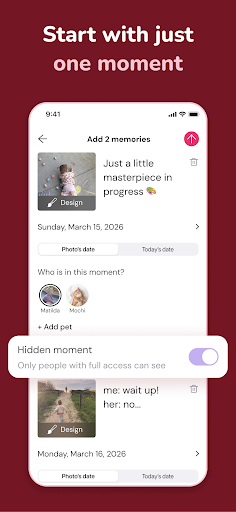
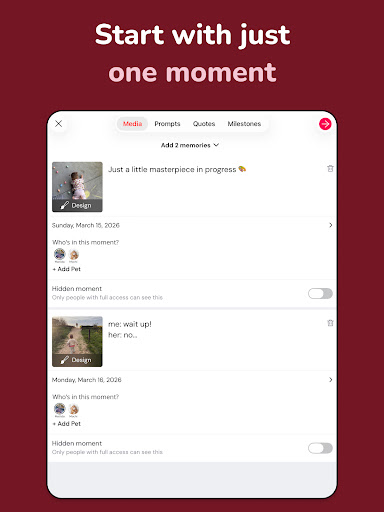
Tinybeans Private Family Album is actually a thoughtful mobile app that helps family members safely store those precious memories. This software is available on the Android platform and provides a private space for you to take photos, record your life at any time, and then share it with your family. The interface is simple and refreshing, and it is very easy to use. It is really a good choice for managing family photo albums and important moments on your mobile phone.
Overview
core functions
- This app has a private family photo album that can store precious photos and videos safely and orderly, making it super intimate.
- It can also easily share photos with family members, ensuring privacy and a sense of control, which is so convenient.
- The multi-device synchronization function ensures that every change is updated immediately, so that family memories will always be fresh and every time they are opened, they will look like they were just taken.
- The interface is super friendly, parents and family can easily use it. Add whatever you want. It's so simple.
- Offline mode is also available, so you can view and manage photos even if you don't have the Internet. You don't panic at all when you're away. It's super practical.
- The built-in reminder notice will remind you warmly to add new memories or share your life with your family. It is considerate and considerate.
- Security is also considered carefully, such as password protection, to ensure that family's secrets will never be revealed, so use it with confidence!
Who is this app suitable for?
This mobile app is especially suitable for parents, grandparents, or anyone who wants to treasure and share family memories in a private environment. Users of all ages can use it smoothly and profitably, and they like the kind of App solution that is organized in an orderly manner, simple and practical manner to help you collect your precious moments one by one.
Whether you want to do a personal family history or share important moments with friends and family, this app can be integrated into your daily life. Especially for busy families, it is safe and intuitive, and the entrance specially built for personal photos and videos is so considerate!
Why choose this app
This Android App provides a stable and user-friendly solution to help you keep your precious family memories properly. Its powerful functions and privacy protection allow you to use it more at ease, its content is safe and worry-free, and you can easily view it at any time.
What makes it special is that its intuitive operating experience, coupled with the ability to synchronize in real time and use offline, makes it stand out among many family album management software. Really become your trusted family memory guardian!
Top Recommended Alternative

Pros & Cons
Pros
- The user interface is very friendly
- Privacy control is great
- Automatically organize photos
- Reliable cloud backup
- Customer service responds quickly
Cons
- Editing functions are not rich
- Occasionally synchronization is slow
- Free space may not be enough
- Personalization options are basic
- Limited offline access
Advertisement
Download Tinybeans Private Family Album

FAQ
Are Tinybeans private family photo albums safe?+
How do I create an account on Tinybeans?+
Can I install Tinybeans on multiple devices at the same time?+
Does Tinybeans have apps or widgets with shortcut entrances?+
What features does Tinybeans have to help manage family memories?+
Are Tinybeans suitable for families and children of all ages?+
Can I share a private family photo album with others?+
What should I do if there is a problem installing or updating Tinybeans?+
Customer Reviews
Users widely praise Tinybeans for its intuitive interface, private sharing of family photos, and ability to keep distant relatives connected—many describe it as a delightful alternative to social media. Key strengths include ease of use, security, and the auto-date sorting feature. However, recent reviews reveal significant reliability issues: uploads fail since 2024, notifications arrive but photos don't load, and login problems persist. Price increases (from free to $40 to $75/year) frustrate long-time users, and some paid subscribers now encounter disruptive ads. While some still love the app for its core purpose, others report that the Android version lost emoji support, support is unresponsive, and free tiers offer minimal monthly uploads. Overall, Tinybeans excels in concept and connection but suffers from performance degradation and rising costs that erode user trust.
Write a Review
Share your experience with Tinybeans Private Family Album. Submissions are reviewed before publishing.
You Might Also Like
More apps you may want to try next.