Smart Remote - Easy TV Control

Smart Remote - Easy TV Control

Smart Remote - Easy TV Control, the best free app for seamless TV and device control. Enjoy quick setup, voice commands, and personalized shortcuts. now!

Screenshots

6 images
Smart Remote - Easy TV Control screenshot 1Smart Remote - Easy TV Control screenshot 2Smart Remote - Easy TV Control screenshot 3Smart Remote - Easy TV Control screenshot 4Smart Remote - Easy TV Control screenshot 5Smart Remote - Easy TV Control screenshot 6

About Smart Remote - Easy TV Control

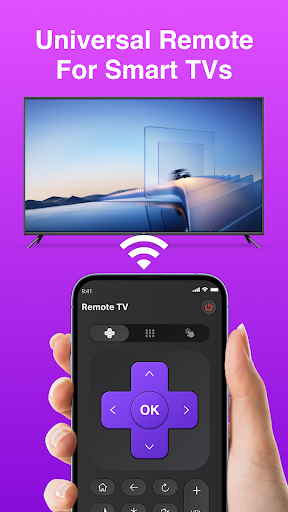
Smart Remote - Easy TV Control is a very considerate application. Users feel very convenient to use. It mainly helps you set up the TV with your mobile phone. It's an Android app that's easy to operate. It turns your phone into a universal remote control and eliminates the need to use those old remote controls. The interface is designed to be quite intuitive and reliable to use. It can basically easily handle various models of TV sets, and the control is very smooth. It is really a worry-free and practical helper.

Overview

core feature

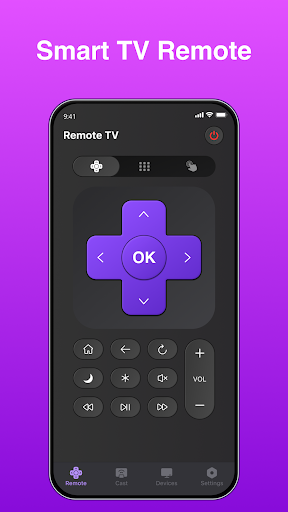
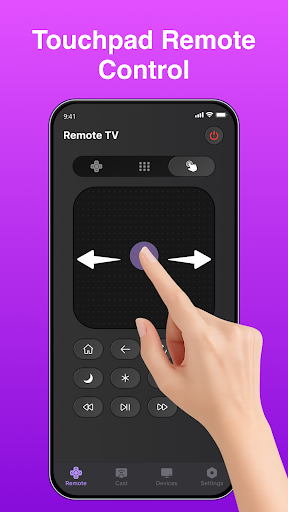
  • The intuitive remote control interface allows you to easily find buttons and quickly complete various TV functions.
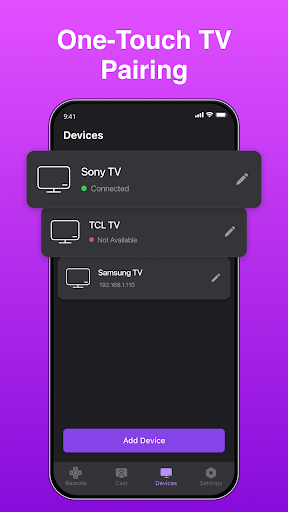
  • Support multi-device management. Whether it is a smart TV or other devices, you can use this app to handle everything, making it convenient to control more things at once.
  • Built-in voice commands, hands-free operation, you can say whatever you want, a great sense of convenience and saves trouble!
  • Sync your TV at any time to ensure smooth operation, responsiveness, and no jams at all.
  • The remote control layout can be configured by yourself, completely customized according to your TV model and preferences, with full personality!
  • Support offline mode, even if you are not connected to the Internet, you can still use some basic functions. It's very considerate!
  • The app also comes with ultra-convenient setup tutorials and quick pairing, making it easy for novices to get started.

Who is this app suitable for?

This mobile app is especially suitable for friends who like technology, family members, or enjoy watching entertainment programs. Want to control your smart TV in an easy way? It's just what you want! No matter how old you are, it's easy to use, and Android gadgets make entertainment easier.

Whether it's a home theater for a housekeeper or a TV system in a hotel, this app can help you get it done. Want to find a smart platform that integrates all remote control functions? It is your good helper!

Why choose this app

This Android app is really reliable, easy to operate, no longer have to worry about the remote control can not be found, press the wrong worry. Rich device support and friendly interface design, simply more intimate than other launchers!

Want a reliable artifact that can be synchronized in real time, customized, and easily controlled by TV? This app is the ideal choice for you to make your TV control simple and efficient, and experience flying!

Top Recommended Alternative

Pros & Cons

Pros

  • intuitive user interface
  • Wide device compatibility
  • fast response
  • button to customize
  • Additional little features

Cons

  • Limited support for older models
  • Occasionally connection problems
  • The learning curve for beginners is steep
  • The power consumption is relatively large
  • Fewer languages supported

Download Smart Remote - Easy TV Control

You are going to be redirected to the official website to finish the download when you click these buttons above.

FAQ

Can I use Smart Remote-Easy TV Control without a network?+
Sure, you can use Smart Remote-Easy TV Control offline and can only do some basic operations, such as changing channels and adjusting the volume. This application also supports local control and can be used without networking. It is quite convenient and no problem for daily use. However, if you want to use more advanced features, such as firmware updates, device pairing, etc., you have to connect to the Internet. This is also to ensure that you can use it smoothly and safely, and can stably control your TV and other compatible devices.
Can Smart Remote - Easy TV Control be used on all Android devices?+
This app is quite friendly to most Android devices, especially models above Android 5.0. It is a multi-functional launcher app that supports many TV brands and models. It is very convenient to match and can be done no matter what device you use. For the best experience, it is recommended that your device have a Bluetooth or Wi-Fi connection, as this app relies on these to communicate with the TV and makes remote control easier.
Is it safe to use this mobile app to control the TV?+
Security is a special focus for the Smart Remote - Easy TV Control development team. The App has gone through security and privacy reviews to ensure that your data is not compromised. The connections it uses are quite secure and can effectively avoid the risk of unauthorized access. Remember to download from regular channels such as Google Play, and keep the security settings of your phone up to date to ensure that you can use it with peace of mind.
What are the features of Smart Remote - Easy TV Control that make it particularly attractive?+
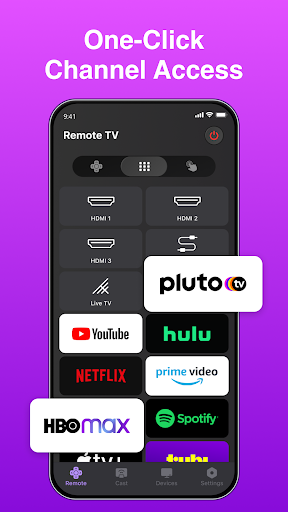
Its interface is super friendly and easy to use. Supports multi-brand TVs and is very simple to set up. You can also realize volume adjustment, channel change, input source switching, etc., all of which can be solved in a one-stop manner. Moreover, this app can also act as a launcher to quickly open your entertainment content. The whole experience is very smart and full of technology. It is a very reliable home entertainment housekeeper.
Do you need to prepare any special equipment to use this app as a remote control?+
No, as long as your Android device supports Bluetooth or Wi-Fi, it can be directly turned into a remote control, and you don't need to prepare other hardware. This is easy to operate and you can use various functions of the application immediately. This app connects directly to your smart TV or set-top box, just like a convenient little remote control that can be done without extra hardware, helping you easily handle your daily entertainment.
Can I customize remote control button settings in the app?+
Of course! Smart Remote - Easy TV Control allows you to customize the remote control interface yourself, arranging buttons or adding common shortcuts. This makes it easier to operate and the experience is more in line with your habits. Personalized settings allow you to adjust to your preferences, becoming more intuitive and efficient, and controlling your TV and other devices smoothly. This is also one of the highlights of this app, making your home entertainment smoother.
What should I do if I encounter a connection problem?+
If the connection is not smooth, make sure your device and TV are on the same Wi-Fi network, or that Bluetooth is on. Try restarting apps, devices or TV, and many small problems will be solved. If problems keep going, you can check for a new version or try reinstalling it, which can often improve the experience. The developer also provides some support guides and tips to ensure that you are stable and reliable when using the app.
Can this app control other devices, not just TVs?+
Of course! Smart Remote - Easy TV Control not only controls the TV, but also supports many smart devices, such as streaming boxes, sound systems, etc. Its multi-functional design allows you to use Android devices as a universal remote control, and all devices can be centrally managed. In this way, you can use all entertainment equipment with only one application. It is very easy to operate. It is a good helper for home entertainment and simplifies the constraints of the remote control.

You Might Also Like

More apps you may want to try next.