FamiliarApps logo
Show Wifi Password: Wifi List

Show Wifi Password: Wifi List

Advertisement

Screenshots
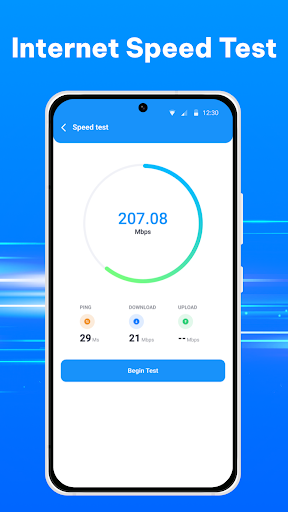
12 images
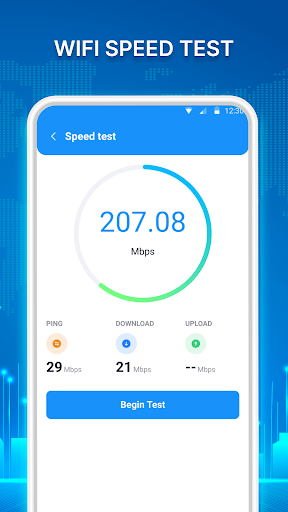
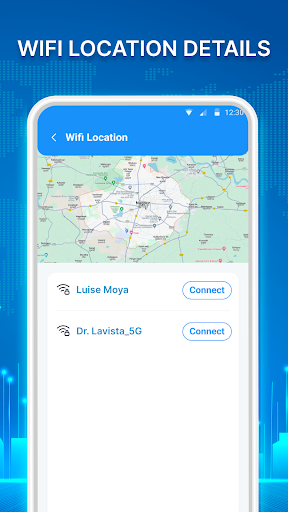
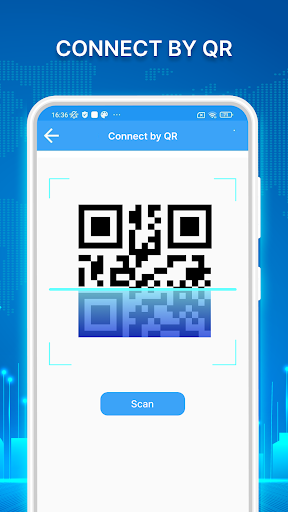
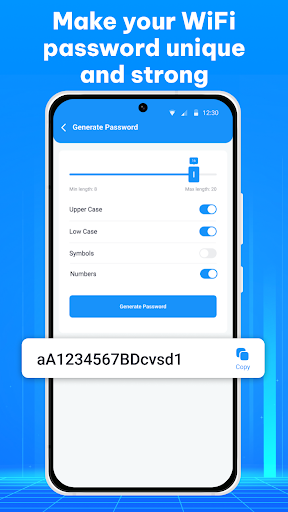
Show Wifi Password: Wifi List screenshot 1 Show Wifi Password: Wifi List screenshot 2 Show Wifi Password: Wifi List screenshot 3 Show Wifi Password: Wifi List screenshot 4 Show Wifi Password: Wifi List screenshot 5 Show Wifi Password: Wifi List screenshot 6 Show Wifi Password: Wifi List screenshot 7 Show Wifi Password: Wifi List screenshot 8 Show Wifi Password: Wifi List screenshot 9 Show Wifi Password: Wifi List screenshot 10 Show Wifi Password: Wifi List screenshot 11 Show Wifi Password: Wifi List screenshot 12

Advertisement

About Show Wifi Password: Wifi List

Display WiFi password: WiFi List is a nice Android app that helps you easily view and manage saved Wi-Fi networks. The interface is simple and intuitive, and it's easy to use. It can also quickly help you find Wi-Fi passwords and network information. It's a really practical launcher-level app that you really need to rely on when connecting to the network every day.

Overview

core feature

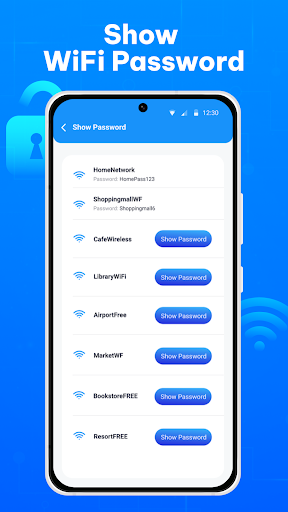
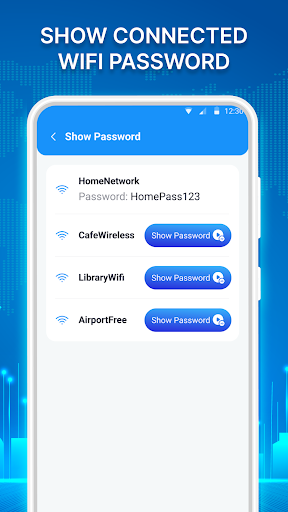
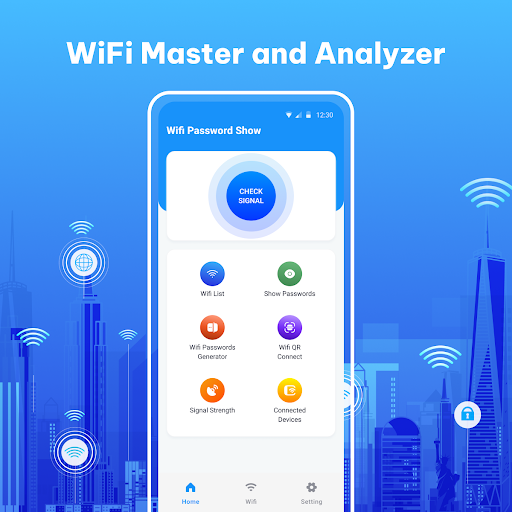
  • The interface of this app is quite intuitive. You can see all your saved WiFi networks and corresponding passwords at a glance. It is super clear!
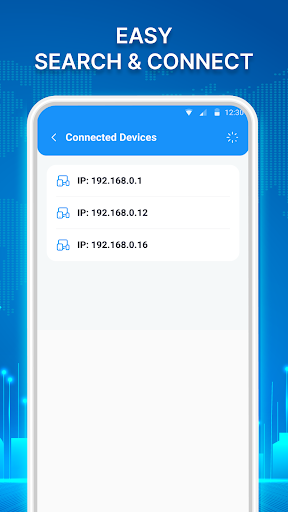
  • Support real-time scanning function, which can immediately display the nearby WiFi signal strength and dynamically change. It's so cool to see!
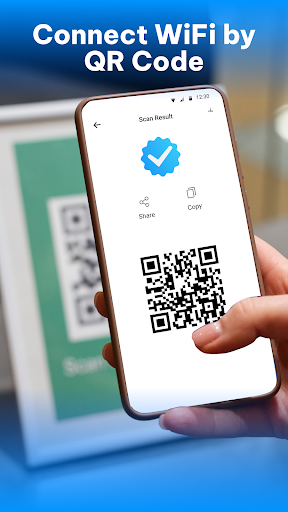
  • It can also generate a QR code and quickly share your WiFi password, which is safe and convenient, saves trouble and worries.
  • Support directly viewing saved passwords. Don't worry when you want to reconnect. It's easy!
  • It comes with small tools to analyze signal quality and troubleshoot network problems to help you solve various network troubles. It is simple and practical!
  • The interface is friendly and the operation is smooth, making your Android experience smoother and more enjoyable, and it's not difficult to use at all.
  • Provide fast and stable WiFi management functions, bid farewell to cumbersome settings, and let you easily surf the Internet anytime, anywhere!

Who is suitable for using this APP

This mobile app is especially suitable for friends who love to be more technical, or Android users who often have to manage several WiFi networks and know their passwords at all times.

Whether you are a homeowner, technician, or DIYer who often needs to troubleshoot network problems, this very easy-to-use solution can help you manage WiFi, make your network connection ridiculously stable and experience smoother!

Why choose this APP?

This Android App is simple and powerful to use. It can easily find and share WiFi passwords without worrying about complex operations. It's a lot of peace and effort!

It has complete functions and a smooth operating experience. It far surpasses other similar products. It becomes a reliable and good partner for you to surf the Internet and manage WiFi every day. It can also improve your feeling of using the APP!

Top Recommended Alternative

Pros & Cons

Pros

  • Easily get WiFi password
  • Super friendly interface
  • Support multiple networks
  • Many functions do not require Root
  • fast scanning speed

Cons

  • Poor compatibility with old equipment
  • Occasionally easy to collapse or get stuck
  • Need more authority
  • Lack of detailed network information
  • There may be privacy risks

Advertisement

Download Show Wifi Password: Wifi List

You are going to be redirected to the official website to finish the download when you click these buttons above.

FAQ

How do I install the Show Wifi Password: Wifi List app on my Android device? +
Hey, it's quite easy to install a Show Wifi Password on an Android phone. Go to the Google Play store and search for this name and find the page. Click the install button to start downloading easily. This app is tailor-made for most Android devices and is easy to use and feels smooth from the beginning.
Is the Show Wifi Password: Wifi List app safe to use? +
Don't worry, this application was made by a reliable developer, and the security measures are also good. It only accesses what is necessary to display your saved Wi-Fi password and network information, with no additional permissions. Even so, you still have to download it from a reliable channel, such as Google Play, and check the permissions carefully, otherwise what are you afraid of? If the data is lost, it will be troublesome.
What features does the Show Wifi Password: Wifi List app offer? +
The gadgets in this mobile phone have quite many functions and are specially prepared for Android users. It displays your saved Wi-Fi network and password, helping you easily reconnect to Wi-Fi that you can't remember. It will also give you the signal strength and security type of the network. The overall thing is to integrate all Wi-Fi data in an orderly manner. It is particularly intuitive, concise and clear to use, and the effect is good.
Can I use the Show Wifi Password: Wifi List app as a launcher app or is it just a standalone tool? +
This Show Wifi Password is basically a stand-alone tool that helps you manage Wi-Fi and passwords. Essentially, it is not an initiator, nor will it replace your mobile phone desktop, but it can be a good helper for your daily Wi-Fi use, quickly calling up the network information you need. If you like to personalize it, it's quite convenient to install it. It will also make you more comfortable with network management, and your experience will be improved a lot.
Does the app support different versions of Android or only specific ones? +
This Show Wifi Password supports most new versions of Android systems, so you don't have to worry about compatibility issues. It fits well. Whether it is a new machine or a relatively older model, it can be used smoothly, and the whole experience is smooth and natural. In order to ensure that you can run more securely, I suggest you go to Google Play to check the specific system requirements to ensure that your device is perfectly compatible.
What should I do if I forget my Wi-Fi password or face connectivity issues? +
If you forget your Wi-Fi password, that's okay, this app can help you get it. It can display the network password stored on your mobile phone. It is very convenient and a good helper for managing Wi-Fi. If you encounter problems with connecting and not accessing the Internet, try resetting your network settings or switching your phone back on and off. This app can also display detailed network information, which sometimes helps you troubleshoot a problem, which is quite useful.
Are there any privacy concerns I should be aware of when using this app? +
Regarding privacy, this Show Wifi Password is quite reliable. It only accesses basic information and passwords that display Wi-Fi, and never collects your personal data or anything. You can check the permissions before using it to ensure that only the necessary parts are given. The safest way is to download it from regular channels, such as Google Play, rather than those unreliable websites. Protecting your privacy is the most important thing.
Is there an option to view Wi-Fi passwords on iOS devices? +
Currently, this Show Wifi Password is specially designed for Android and can be found on Google Play. iOS devices are not powerful. The iPhone's system security mechanism is different, so this app cannot be used on Apple phones. If you are a fan of Guoguo, you can consider using some built-in or some reliable Wi-Fi management tools in the App Store to help you solve your problem.

Customer Reviews

AI
AI Generated Summary
Based on real user feedback
★ 2

Users generally appreciate the app's smooth performance and user-friendly interface, as noted by some positive reviews. However, the overwhelming presence of intrusive advertisements is a major complaint, with many users stating that ads make the app nearly unusable and block access to core features. Regarding the key function of displaying WiFi passwords, opinions are sharply divided: a few users find it essential and working, while the majority report that the app fails to show passwords, often displaying error messages or no passwords at all, leading to accusations of being a scam. Some users also note inaccurate location detection (e.g., showing networks far away) and incomplete language localization. While the app promises utility, the combination of excessive ads and unreliable password retrieval severely undermines its value for most users.

Muhammad Asahq · 2026-06-22
★ 4
The overall quality is good and meets expectations.
Rajwinder Rajji · 2026-06-19
★ 5
Having the Wi-Fi password is essential for me because it allows me to view my video blogs.
Jörg Lo (jolo_959) · 2026-06-16
★ 1
This app is a scam. It only shows advertisements and does not display any passwords at all. Google should ban such apps from the Play Store. Stay away from it.
Peter Fischer · 2026-06-15
★ 5
Let's see what it is like.
Gurjeet Kumar · 2026-06-14
★ 1
A golden trophy symbolizing victory and achievement. It represents the highest honor in the competition and is awarded to the winner.

Write a Review

Share your experience with Show Wifi Password: Wifi List. Submissions are reviewed before publishing.

Rating *
0 / 2000

You Might Also Like

More apps you may want to try next.

Advertisement
5
Please wait...