

Quick Settings
Advertisement
Screenshots
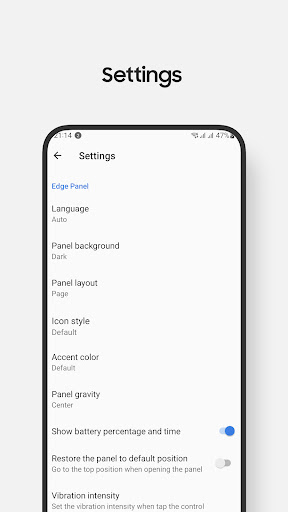
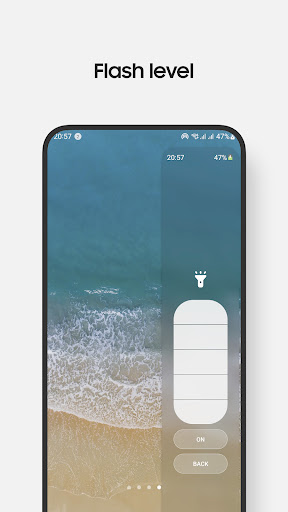
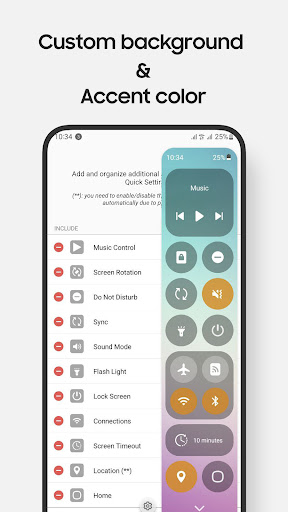
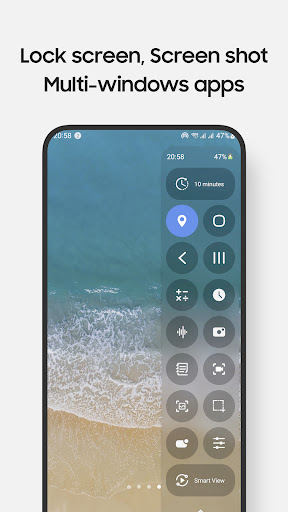
Advertisement
About Quick Settings
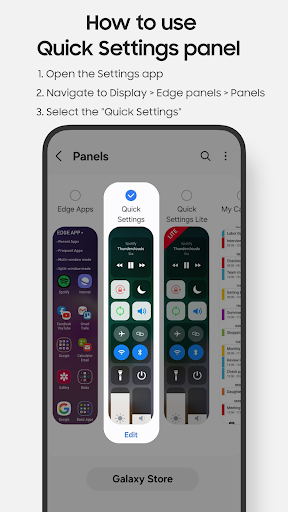
Quick Settings is a powerful Android app. It is designed to make your phone more convenient to use and can quickly access important functions and settings at any time. As a reliable launcher software, it makes your application experience much smoother, making it easy to manage notifications, switch various functions, and adjust controls a breeze. The interface is designed to be quite intuitive, not so cumbersome to use, and can bring a smooth feeling. It is especially suitable for those who want to use software to improve their mobile phone experience and improve efficiency.
Overview
core functions
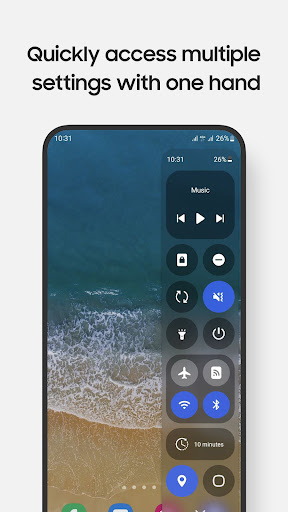
- That thing, like quickly switching between Wi-Fi, Bluetooth, flashlights, etc., you can just press it anytime, anywhere. It's super convenient
- You can also adjust the layout of your home screen by yourself and arrange your favorite tools in an orderly manner as you please. It's pretty cool
- Support and device settings are synchronized in real time. Don't worry about changing your phone or restarting it. It's very smooth to use.
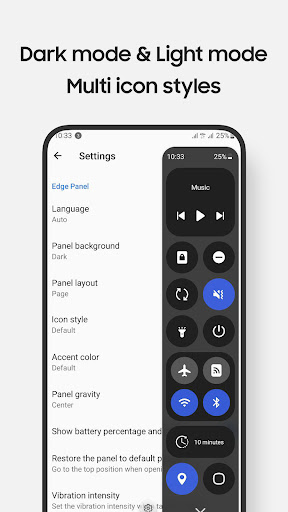
- Dark mode and notification settings make it more comfortable and controllable to use, without glaring at night
- There is also offline mode, which allows you to quickly complete some important functions even if you don't have the Internet. It's quite considerate.
- Built-in security measures ensure that your device preferences can stand the test, which is quite reliable
- The interface design is particularly intuitive, easy to operate, and everyone can easily get started.
Who is this app suitable for?
This mobile app is especially suitable for those who are diehard on Android or who like to quickly control their devices. They want to use it worry-free and convenient. For friends who are technology-savvy or who like to mess with their mobile phones, it is simply a boon.
It is also very suitable for people who like to customize launchers who want to adjust settings faster and pursue a smooth and stable feeling in life, especially during daily use and when going out.
Why choose this app
This Android app has very practical functions and can help you better control your device and make your daily use of the machine easier. The interface is designed quite intuitive and easy to operate.
Its highlight is that it pays special attention to user experience and security. It can not only make your mobile phone smarter, but also help you save trouble and easily solve those cumbersome management problems. It is quite practical.
Top Recommended Alternative

Pros & Cons
Pros
- Super user friendly interface
- Super customizable
- Second-on settings
- Tips to save electricity
- regular updates
Cons
- Imperfect compatibility
- Occasionally, something goes wrong
- The learning curve for beginners is steep
- Free features are limited
- Worried about authority issues
Advertisement
Download Quick Settings

FAQ
What is the Quick Settings app and what does it do?+
What is Quick Settings and how can it help me?
This Quick Settings is actually a very reliable launcher designed specifically for Android to let you quickly get through those commonly used functions. It can also customize the interface, so that you can save time and be quick when using the App every day, which is quite convenient.
Once this app is launched, the device is very easy to use. It puts all important functions at your fingertips. Whether it is used for playing or working, it becomes easier, and all troubles can be solved in a little bit.
Is the Quick Settings app safe to use on my Android device?+
Is this Quick Settings safe to use on Android phones?
Don't worry, this software is secure, and the development team has considered it carefully and meets Android's security standards. It is also available on the Google Store, making its credibility more assured.
After many tests, compatibility is also a matter of leverage. It is very safe to use and will not make you worry about any problems with the equipment. It is a very reliable choice.
How do I install or update the Quick Settings app?+
How do I install this Quick Settings, or upgrade it?
The easiest way is to go to the Google Store to find the latest version and follow the regular installation process with a few clicks. This app is also very convenient to update, and you can upgrade to the latest version at any time without having to go through complicated operations.
Keeping it up to date means you can use the latest features and optimizations, without any cumbersome steps, and you can easily install it on your phone.
What are the key features of the Quick Settings app?+
What are the main functions of this Quick Settings?
It is quite rich in functions, including customized shortcut switches, application shortcuts, notification controls and so on. This helps me manage my equipment better and increase my efficiency.
The operating interface is very intuitive, allowing you to adjust your own parameters, customize your own settings, and find the functions you want in a few seconds. The experience is really comfortable.
Does the Quick Settings app work on all Android devices?+
Will this Quick Settings work on all Android devices?
Most Android phones support Android 5.0 and above. As long as the system version is sufficient, both old and new models can be used. However, the specific situation may vary a little, depending on your device model and software version.
To ensure the best experience, it is recommended that your device keep up to date. This starter has a wide range of adaptability. You can try all kinds of Android phones and tablets, and there is basically no problem.
Customer Reviews
Users widely appreciate Quick Settings for streamlining tasks, reducing clicks, and enhancing Samsung Edge Panel usability, with standout customer support praised by some. Key strengths include ease of use, flexibility (e.g., customizable launch buttons), and reliable performance on certain Samsung models (e.g., S21, A30s). However, critical issues arise in compatibility and functionality: while many Samsung users report flawless operation, several Google Pixel, OnePlus, and even Samsung S22 Ultra owners find the app non-functional or buggy after purchase. Payment and activation problems are frequent—some users cannot use the app despite successful purchase, while others face recurring update prompts that never complete. Feature reliability divides opinions: although the app offers practical tools, screen recording lacks internal audio (only mic), partial screenshot fails on landscape mode, and brightness/volume adjustments are jerky with poor animations. Some users praise the app as 'astonishing' and 'indispensable,' but others call it 'useless' with unresponsive icons and no customization. Customer support is excellent for some, yet others receive no reply. Overall, it's a capable tool for compatible Samsung devices but suffers from inconsistent performance and missing features on many models.
Write a Review
Share your experience with Quick Settings. Submissions are reviewed before publishing.
You Might Also Like
More apps you may want to try next.




