
Quick Clean - Space Cleaner
Advertisement
Screenshots
Advertisement
About Quick Clean - Space Cleaner
Quick Clean - Space Cleaner is quite considerate. It is specially designed for Android users to help you quickly optimize your device. It is quite convenient. With it, the interface is simple and clear, and the tools inside can help you clean up those messy and useless files, which speeds up and saves space, making it particularly smooth to use. This software is a reliable solution. The goal is to make your mobile phone or tablet more powerful and more convenient.
Overview
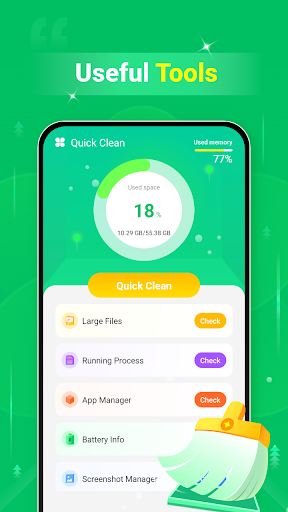
core functions
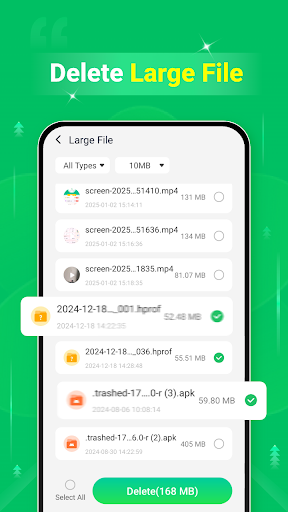
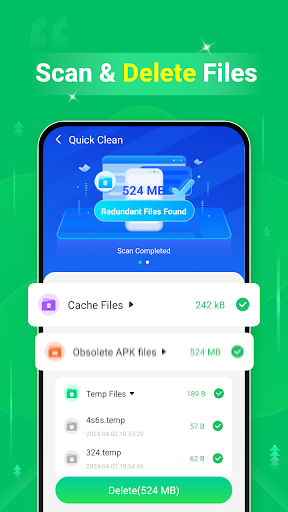
- Efficient space cleaning, deep scanning capabilities, can find and clear excess files and caches without leaving dead spots.
- Real-time memory optimization helps you make your device run faster, and the entire application experience is smoother. I feel so relaxed.
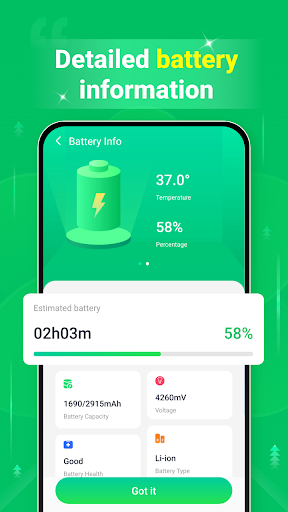
- The battery power-saving mode can extend the life of the phone without affecting the application functions you must use. It is a very thoughtful design.
- Automatically detects junk files, saving you the trouble of manual operations, and keeping Android devices clean and tidy has never been easier.
- Apply management tools to easily uninstall or freeze unused apps to make room and feel better.
- A customizable cleaning schedule allows you to continue to keep your equipment running efficiently without having to worry, making it worry-free and convenient.
- The operating interface is very friendly. If you want to quickly find all important functions, you no longer have to look around. It is simple and fast.
Who is this app suitable for?
This mobile app is especially suitable for Android users who want to make their phones run smoother and smoother. Whether you are a young man or an elderly person who is annoyed by the clutter or slowness of performance, this software can help you solve storage space and speed up problems and is a very reliable choice.
Whether you are a busy professional, a student party, or an ordinary user, you can use this App as long as you are cleaning up after installing an app, making space before downloading large files, or keeping your device smooth during high loads. Simple and easy to use, it can help you maximize the potential of your equipment. It is really a considerate helper.
Why choose this app
This Android software provides a complete set of application functions that make device maintenance super easy. Many people trust it and is the best launcher and cleanup tool. Its effects in space management and real-time optimization are particularly obvious, and its value is very high, far exceeding other similar solutions.
Taking into account the actual needs of users, it cleverly solves the problem of device slowing down and also ensures application stability. Its powerful functions and ease of operation make this tool one of the best choices for keeping your Android devices clean and refreshed.
Top Recommended Alternative

Pros & Cons
Pros
- Space cleanup is particularly fast
- Super friendly interface
- Real-time monitoring, very thoughtful
- The power saving effect is great
- Safe cleaning and safe use
Cons
- Deep cleaning is not comprehensive enough
- Occasionally accidentally kill files
- It consumes a little power while scanning
- Custom functions are limited
- You also have to update it manually yourself
Advertisement
Download Quick Clean - Space Cleaner

FAQ
Is Quick Clean - Space Cleaner safe? Will using it affect the safety of my equipment?+
How to install Quick Clean - Space Cleaner on my Android device?+
What are the main functions of Quick Clean - Space Cleaner?+
Can I use Quick Clean - Space Cleaner on multiple devices? Or can you only use it on one?+
Can I use Quick Clean - Space Cleaner on old or poorly performing Android devices?+
How often do I use Quick Clean - Space Cleaner for the best results?+
If you encounter problems using this software, is there customer service?+
Will Quick Clean - Space Cleaner consume electricity or slow down my device?+
You Might Also Like
More apps you may want to try next.