
QR Note Scan&Genarate
Advertisement
Screenshots
Advertisement
About QR Note Scan&Genarate
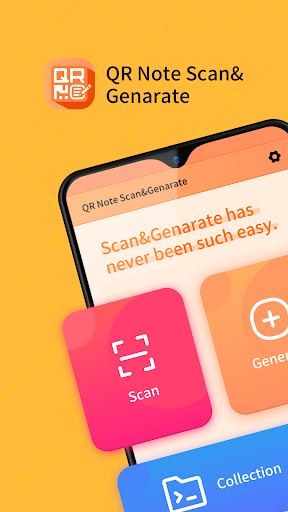
QR Note Scan&Generate is a really convenient mobile app designed to quickly scan and generate QR codes on Android devices. The interface is simple and easy-going, and it is very easy to use. There are no cumbersome steps at all. It feels as natural as chatting with friends. This software is quite reliable in managing QR codes, and can be handy for both personal use and work matters. Its core function is to help you quickly scan, generate and organize QR codes. It is so simple that it makes people feel convenient and efficient.
Overview
core functions
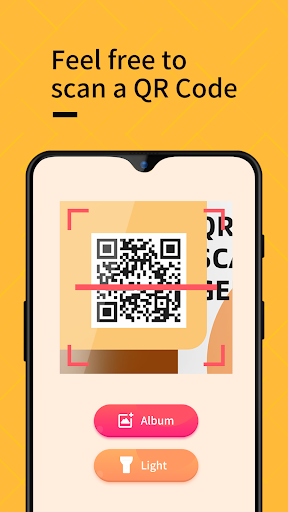
- Scanning QR codes is particularly sensitive and can recognize various formats at a glance, making taking notes super easy, with almost no need to use your brain!
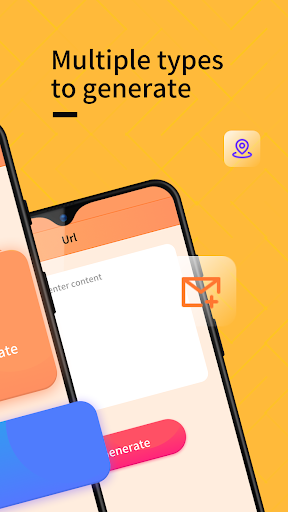
- You can generate your own QR code at any time and share contact information, links or comments in seconds, which is so convenient that you don't want it.
- It also supports offline mode, allowing you to scan and generate QR codes without networking. It's really thoughtful.
- The interface is clean and easy to use. It is optimized for Android. It is not stuck, the operation is smooth, and the experience is smooth.
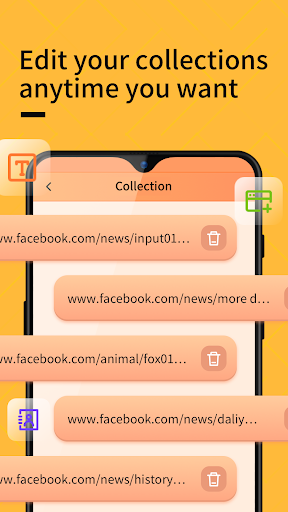
- With historical recording and editing functions, organizing and managing things no longer has a headache. It's so thoughtful!
- Data processing is secure and guaranteed, ensuring the privacy and security of your information, and using it with confidence.
- It can also be used as a launcher application to quickly access the QR code function directly from the main interface, making it convenient and quick.
applicable population
This mobile app is particularly suitable for students, professionals, or anyone who often uses QR codes to share or receive information. It is tailored for those looking for a simple and reliable Android QR code tool.
Whether it's managing event check-ins, business contacts, or personal notes, this APP can help you streamline the process. In various real scenarios, scanning is fast, generation is fast, and efficiency is high!
Why choose it?
The reason why this Android app stands out is that its powerful functions and smooth experience make QR code management particularly easy. Whether you are casual users or professionals, you can find trustworthy QR code solutions.
It focuses on safety, has a good user experience, and is rich in functions. It can meet your diverse needs. It can be used to complete daily tasks or more complex workflows. It is worth having!
Top Recommended Alternative

Pros & Cons
Pros
- Fast and accurate text recognition
- Super friendly interface
- Multi-functional integration
- Cloud synchronization seamless connection
- Offline mode is reliable
Cons
- Occasionally, misidentification
- Not too much custom editing
- The battery will run out quickly after long use
- Some advanced features have to be paid
- Currently supported languages are limited
Advertisement
Download QR Note Scan&Genarate

FAQ
How to install and set up QR Note Scan&Generate on my device?+
Getting QR Note Scan&Generate on an Android phone is actually quite simple. You just click on the link on Google Play, click install, and then don't care about anything and wait for the APP to automatically download and install. This app is compatible with most recent Android versions and is smooth to use.
Open it after installation. It will take you through a few simple setup steps, and may have to grant some permissions, such as camera permissions for taking pictures and scanning QR codes, or storage permissions for saving notes. This APP is particularly user-friendly, quick to set up without being too annoying, and it can complete the entire process in a few clicks, which is very convenient.
Is it safe to use QR Note Scan&Generate on my Android device?+
Of course, QR Note Scan&Generate is a very secure Android application that attaches great importance to user privacy and information security. It has good design security measures, such as necessary permissions, regular updates and fixes for vulnerabilities, and is generally reliable. You can safely let it process your information.
Be sure to download authentic copies from official channels, such as Google Play, to ensure that the APP you are using is real and is not hiding anything. Using a regular and trustworthy APP, such as QR Note Scan&Generate, security will be more guaranteed and the experience will be more secure.
What are the main functions of QR Note Scan&Generate?+
This mobile APP has many functions, including quick scanning of the code, taking notes, and generating its own QR code. You can scan the QR code at any time, save important information, save notes safely, and create your own QR code to send out the content. Its interface is particularly intuitive, making it easy for beginners to start using it.
These functions are combined to make it a useful artifact in daily life, making it particularly convenient to organize data or share links. The interface design is simple yet powerful, and it is smooth to use. It perfectly solves the needs of QR code and note management. It is really efficient.
Can I use QR Note Scan&Generate as a Launcher?+
Although QR Note Scan&Generate is not a launcher software per se, it can be combined with your Android desktop and added as a shortcut to quickly jump to pages where you scan codes or generate QR codes. It's quite convenient to use this way.
It also works with your home screen without having to pack all functions onto the desktop, making it simple and practical. This is a particularly practical tool that can help you quickly complete tasks related to QR codes without making your home screen too messy. It's worth it.
What are the advantages of QR Note Scan&Generate over other scanning programs?+
Its advantages are actually quite obvious. The interface is very friendly, it is easy to use, its functions are also very reliable, and the experience is very good. It can not only take notes, but also generate QR codes. Compared with a simple scanning tool, it is more practical, flexible and convenient.
Many users find it simple to operate and efficient, and will be updated regularly, with good background support. This application can not only meet basic daily needs, but also meet some professional purposes. Its security and performance are very good, and overall it is very worth recommending.
Can QR Note Scan&Generate be used offline?+
That's right, one of the biggest advantages of this APP is that it can be used offline. You can scan the QR code without having to connect to the Internet, and you can also write notes yourself. It is very convenient and especially suitable for use when you are away from home or where the network is unstable.
It processes data locally, ensuring your privacy and security, making it particularly reassuring. This feature makes it a good helper for daily use of QR codes and note-taking. No matter where you are, you can stably complete various tasks.
If I encounter problems, is there customer service or support?+
Of course there is! The developers of QR Note Scan&Generate are quite concerned about the user experience. You can contact them through the support link on Google Play if you encounter any problems. They will help you solve problems and make updates based on user feedback to improve the product.
This kind of support allows users to use it more at ease, and also reflects the professionalism of the development team and feels safe, reliable and guaranteed. No matter what you encounter, customer service is there and can help you solve various questions. It is indeed a trustworthy and good application.
Customer Reviews
Users generally appreciate the app's simplicity and usefulness, with some calling it 'excellent' and 'spectacular.' However, many report severe issues: excessive ads that appear on every tap, core features not working properly, and content failing to load completely. Some users label it a 'scam' and 'fraudulent,' while others find it helpful for series and learning. The experience is polarized—some enjoy the clarity and conciseness, yet others find it deceptive and a waste of data.
Write a Review
Share your experience with QR Note Scan&Genarate. Submissions are reviewed before publishing.
You Might Also Like
More apps you may want to try next.