
Privacy Display: Screen Filter
Advertisement
Screenshots
Advertisement
About Privacy Display: Screen Filter
Privacy display: Screen Filter is a very intimate mobile app that helps you protect your privacy and relieve eye fatigue. It makes your phone screen more comfortable through customizable screen filters. This Android app is easy to use and easy to adjust, making it especially suitable for use when the light is poor. Its main goal is to help you improve your visual experience and protect sensitive information. It is definitely one of the good utilities on your mobile phone.
Overview
Core Features
- This app has a customizable screen filter that can darken or blur the screen as needed. Privacy protection is in place.
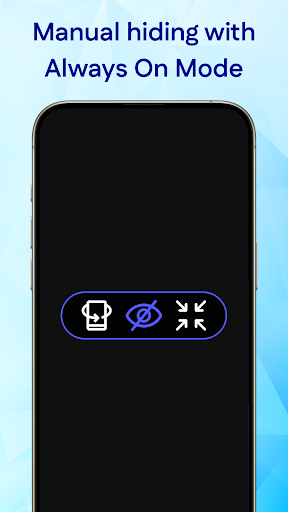
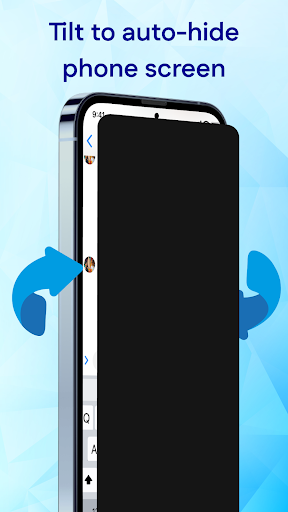
- It is also equipped with real-time motion detection, which will automatically activate the filter at a move, protecting your privacy like a considerate little helper.
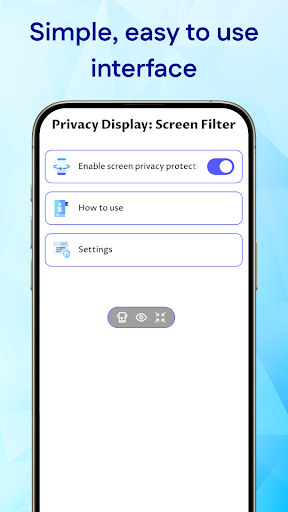
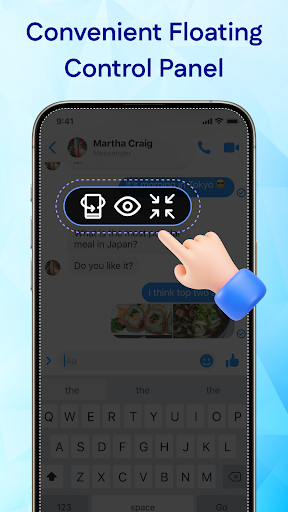
- Designed specifically for Android, the operation is simple. The pop-up launcher interface allows you to switch at any time with one click, which is super convenient.
- With options to adjust opacity and color, you can create your own screen privacy space as you want.
- You can also set an automatic schedule or position to allow the filter to automatically turn on or off at a specific time or place. It's really smart.
- While ensuring functions, it also saves power. There are very few background activities and won't consume too much power. It's quite considerate.
Who This App Is For
This app is suitable for users, professionals who are very concerned about privacy, and students who often work in public places or in shared spaces. It's perfect for those looking for a practical tool to protect their sensitive information.
You can use this launcher to prevent peeking during meetings, improve screen privacy during commuting, and customize the experience to your preferences to ensure safe use in crowded environments.
Why Choose This App
The features it provides are truly tailored to privacy needs and are definitely a good choice in the launcher category. Easy to operate and reliable performance, making it easy to use no matter what scenario you are in.
Focusing on user experience and security, it stands out among a bunch of similar Android apps. It can help you easily protect screen content without worrying about information leakage, and enjoy a smooth application experience. It really helps!
Top Recommended Alternative
Pros & Cons
Pros
- Privacy protection takes a higher level
- The operation is super simple
- Customizable filters
- Best power-saving products
- Wide compatibility
Cons
- There are still few filter styles
- Occasionally I get stuck
- Lack of brightness adjustment
- There is no automatic turn-on function
- Customization for different applications is still limited
Advertisement
Download Privacy Display: Screen Filter

FAQ
How do I install Privacy Display: Screen Filter on my device?+
It's actually quite easy to install Privacy Display: Screen Filter, just go to the Google Play Store or Apple's App Store and search for the name. After searching, click the install button and don't worry about anything. It will download and install it itself. After installing it, you can open it and adjust the settings according to your needs. This app is quite intuitive, quick to start, and especially convenient for novices to use.
Is Privacy Display: Screen Filter safe? Will my data be leaked?+
Of course it's safe. Privacy Display takes into account the safety and privacy of users and will not secretly collect or share your personal information. As a trustworthy tool, it strictly adheres to privacy protection standards and allows you to use it with peace of mind. Frequently-updated and clear privacy policies will also help you protect your data properly and use it with confidence.
What functions does Privacy Display: Screen Filter have?+
This launcher is mainly designed to help your screen more protect. It can add various custom filters to reduce the possibility of looking from the side. It can adjust the transparency, the tilt angle of the screen, and quickly switch, making it very convenient for daily use. It also supports real-time screen filtering, is quick to set up, and is compatible with most Android devices. Using these functions together makes you feel more private and less worried when using your mobile phone. It feels quite considerate.
Can I use this on different Android versions?+
No problem, this app supports most new versions of the Android system, and its functions can be enjoyed by almost all devices. The design is smooth and easy to operate, and no strange problems will occur. If you encounter any problems, you can check for updates or confirm the compatibility of your device. Developers will maintain and upgrade it regularly to ensure that it runs stably on various Android versions, making it very worry-free to use.
How does Privacy Display: Screen Filter improve my experience?+
This app can actually greatly improve the way you feel when using your phone in public or private spaces, giving you control over what others can see. It can help you reduce some inadvertent privacy leaks, especially when using a launcher to manage your desktop, making you look more secure. The combination of real-time filtering and quick switching keeps your screen private while adding a sense of security. It is a little helper that makes your application operations safer and more reliable, making you more comfortable in protecting sensitive information.
Customer Reviews
Users acknowledge the app has a decent concept but are overwhelmingly frustrated by excessive ads that interrupt every interaction. While some find it 'very good' or 'nice', the core privacy feature is widely criticized: it simply turns the screen black instead of preventing shoulder surfing, and some report it fails entirely. Positive reviews mention occasional enjoyable experience, but negative feedback dominates, citing poor performance, lack of utility, and even labeling it a scam. The app's functionality is inconsistent—some say it works except for ads, while others call it fraudulent with no real privacy protection.
Write a Review
Share your experience with Privacy Display: Screen Filter. Submissions are reviewed before publishing.
You Might Also Like
More apps you may want to try next.




