

Pencil Sketch Photo Editor
Advertisement
Screenshots
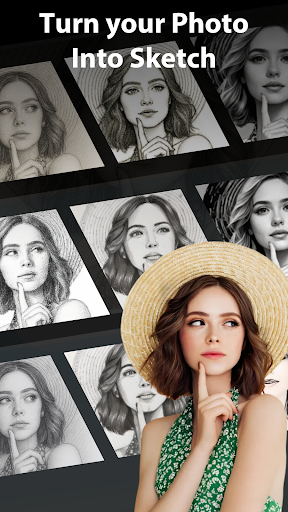

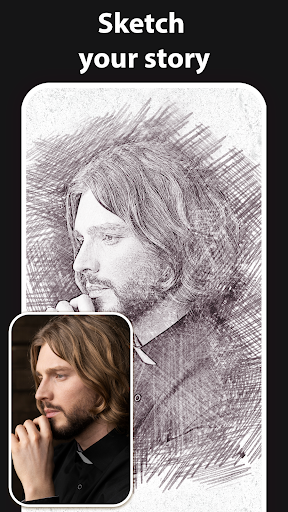
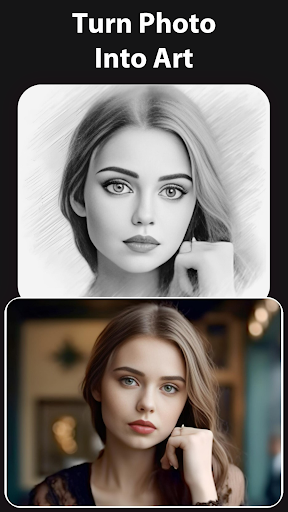
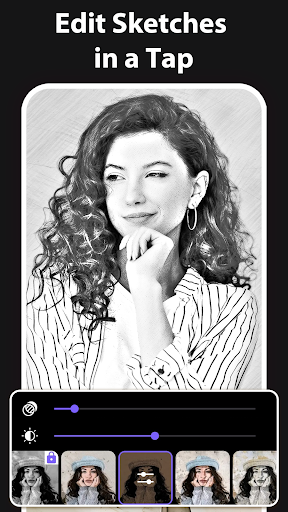
Advertisement
About Pencil Sketch Photo Editor
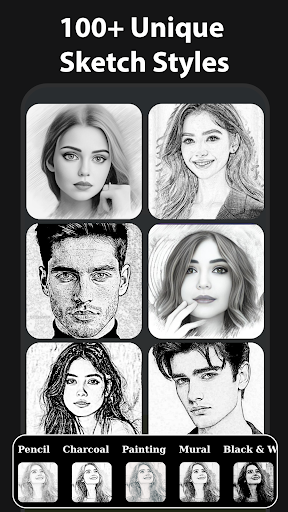
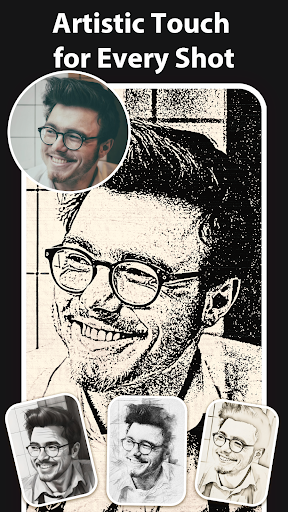
Pencil Sketch Photo Editor is a mobile app that allows you to easily turn photos into sketches. Whether you are a photography fan or an ordinary user who occasionally takes photos, this Android app is easy to use, with a relatively intuitive interface and many creative filters to play with. Its main purpose is to bring you a simple and powerful experience, allowing you to edit artistic pictures directly on your mobile phone, which is quite suitable for personalizing photos.
Overview
core functions
- Provide a variety of realistic sketching and photo editing tools to easily make pictures vivid and realistic.
- There are also advanced features, such as toning, shadow effects and brush customization, so that details can be polished just right.
- Support high-definition processing to ensure that every sketch you make is clear and professional and stress-free.
- The interface is super simple and easy to operate, making it easy for everyone to start editing.
- Built-in AI filter automatically helps you turn photos into stunning sketches, which is easy and smart.
- You can also share your work directly from the app to social platforms to show off your creativity. It's super convenient!
- Offline mode is also available, and editing can be done without the Internet. It is especially suitable for doing things with Android devices anytime, anywhere.
Who is this app suitable for?
This mobile app is especially suitable for friends who like to take photos, love art, and love to toss photos. If you like to use simple and useful tools to easily transform images, then this Android app is specially prepared for you.
Whether you want to do some artistic sketches for personal projects or polish photos to show off on social media, this app-based solution is super user-friendly and can be mastered by both novice and expert. For photography enthusiasts who need reliable functions, this is like a considerate helper.
Why choose this app?
What makes it special is that it is both powerful and super easy to use, making it fun and easy to edit photos. You can easily get professional-level sketches with it, which takes a few steps and is extremely efficient.
Choosing this Android app means using a set of reliable tools that can solve various editing problems. It has smooth performance and rich features, providing an excellent choice for creative workers around the world. Believe in it and you will not be disappointed!
Top Recommended Alternative
Pros & Cons
Pros
-
Intuitive painting interface
-
High-quality effect filter
-
Support easy import and export of photos
-
Smooth and responsive performance experience
-
user-friendly interface
Cons
-
Limited advanced editing capabilities
-
Basic color adjustment tools
-
Occasionally break down
-
Text and annotation functions are not rich enough
-
Exported pictures will be watermarked
Advertisement
Download Pencil Sketch Photo Editor
FAQ
Is it safe to use the app Pencil Sketch Photo Editor on my device? +
Don't worry, Pencil Sketch Photo Editor is a very reliable mobile application that can be found on Google Play and the Apple App Store. Developers pay great attention to user privacy and security, and the overall experience is quite reliable, so don't worry too much.
Remember, it is recommended to only download it from official channels to avoid security issues. Moreover, this app is often updated, fixed bugs, and enhanced features to make it feel safe and easy to use.
How do I install Pencil Sketch Photo Editor on an Android device? +
It's actually quite simple. Just search for "Pencil Sketch Photo Editor" in the Google Play store and follow the normal installation process. After installation, you can start experiencing its various interesting features.
If you encounter some trouble, such as can't find it or install it, what should you do? Make sure your device system is up to date and whether there is enough storage space. This app is designed to be intuitive, not difficult to get started, and can help you easily create beautiful sketches.
Can I use Pencil Sketch Photo Editor as a launcher? +
Actually, it can't. Pencil Sketch Photo Editor is mainly a picture editing software that focuses on sketching effects and is not used as a launcher. It is more about helping you beautify and artistic photos than adjusting the phone interface.
If you need a launcher, there are special applications to choose from. But to be honest, this software does a good job as a creative photo editor and can satisfy a lot of your imagination.
What are the main functions of Pencil Sketch Photo Editor? +
It is quite functional and can help you turn ordinary photos into beautiful sketches or paintings. There are a variety of sketching styles to choose from, and the filters can be adjusted. It is simple to operate and easy to use.
It also supports real-time preview so you can see the effects of your adjustments at any time. The interface is also very friendly. Whether you are a novice or a painter, you can easily get started and have a great time.
Do I need to be connected to the Internet to edit photos using Pencil Sketch Photo Editor? +
No, this app can be completely operated offline. After downloading, you can create and edit sketches anytime and anywhere without the need for the Internet and the experience is smooth.
It is definitely a convenient tool for friends who often need to go out or have a poor Internet connection. Whether it's random graffiti or a more formal work, you can use it to do it like a magic weapon.
How does it feel to use Pencil Sketch Photo Editor? +
Overall, it is very useful, the interface is simple and intuitive, easy to use, editing photos becomes very fun, suitable for all levels of users to try.
Developers often update, and features are constantly improving, which makes people feel at ease. It's a fun creative tool that can quickly turn ordinary photos into works of art. It's awesome!
Is this Pencil Sketch Photo Editor suitable for professional use or more for casual users? +
Its functions are good, but most of them are still biased towards leisure and enthusiasts. The operation is particularly simple and can create interesting effects anytime and anywhere. It is quite suitable for easy play.
If you are a professional painter or photographer, you may need more complex editing software, but for daily entertainment or hobbies, this is enough. It is convenient and fun.
How does it compare with other similar software? +
Overall, this app is quite good in terms of user-friendliness and feature richness. It works smoothly and performs well on both Android and iOS devices.
Compared with other similar software, it provides a relatively stable solution with balanced functions and operations. It is a good choice for friends who want to do digital sketching but don't want to build too complicated software.
Customer Reviews
Users generally appreciate the app's smooth performance, intuitive interface, and high-quality sketch results, noting that it is easy to use even for beginners and offers a pleasant editing experience with offline capabilities. Regarding user experience, many find the app clean, fast, and enjoyable, while others are frustrated by excessive advertisements that interrupt workflow and aggressive subscription prompts from the start. On functionality, the app delivers effective pencil sketch effects and a wide range of options; however, some users report that the free trial is nearly unusable due to overwhelming ads and that payment requirements are not disclosed upfront. In summary, the app has strong creative potential but is significantly hindered by intrusive monetization practices.
Write a Review
Share your experience with Pencil Sketch Photo Editor. Submissions are reviewed before publishing.
You Might Also Like
More apps you may want to try next.




