PDF Reader – Reader & Editor
Advertisement
Screenshots
Advertisement
About PDF Reader – Reader & Editor
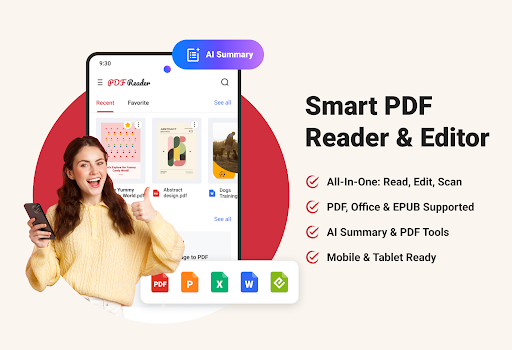
PDF Reader – Reader & Editor is a versatile mobile application specifically designed to simplify your document management. Whether it's used to browse, edit or organize PDF files, this Android app delivers an intuitive and smooth experience. Its super friendly interface allows you to easily handle various document operations. It is a must-have helper, especially for those who want to solve various PDF problems with reliable applications.
Overview
core feature
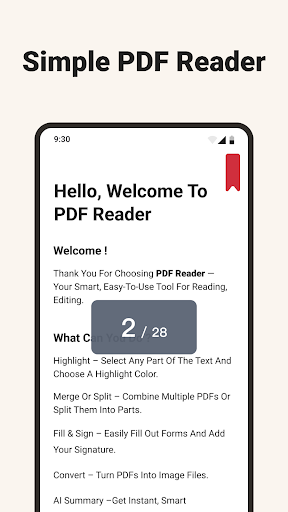
- The PDF browsing experience of this software is simply great. Zoom in and out is super smooth, page turning is smooth, and the rendering quality is excellent, making you enjoy it.
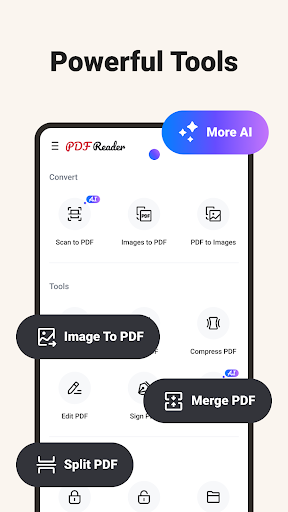
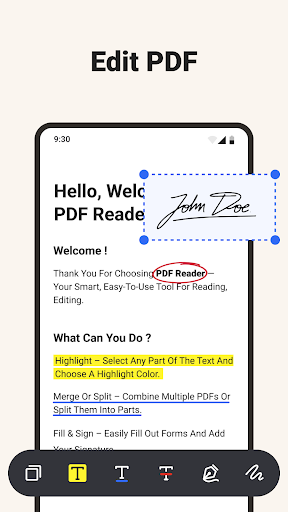
- It comes with many powerful editing functions, such as making annotations, highlighting key points, and adding text and pictures directly to PDF, which is quite convenient.
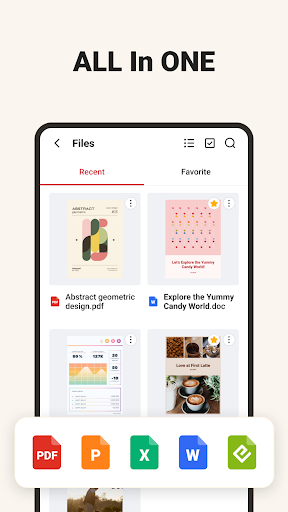
- Document management is also very powerful. Classifying, labeling, and quickly searching makes everything easy and comfortable, making finding documents effortless.
- Supports offline mode, so you can open and edit your PDFs at will even without the Internet. It is very considerate.
- The multi-device synchronization function keeps all files up to date, so that you can get the documents you need at any time no matter which platform you are on, which is particularly worry-free.
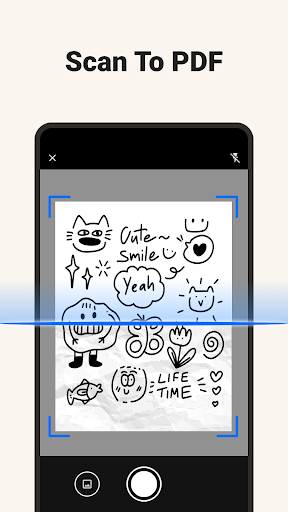
- Powerful and built-in OCR technology, you can turn scanned pictures into editable text for explosion.
- The design is very reliable and the interface is simple and easy to understand. Whether you are a rookie or an expert, you can easily get started.
- It also supports custom reading modes, such as night mode and different typography layouts, making your reading experience more personalized and comfortable.
Who is suitable for using this APP
This mobile app is more suitable for students, professionals, or anyone who often processes PDFs. It is especially suitable for people who need an easy-to-use, Android and iOS compatible document reading and editing tool.
Whether you want to annotate reports, take textbook notes, or organize digital files, this App-based solution makes it easy for you to get PDFs, no matter where you use what device.
Why choose this APP
This Android app provides a wealth of features, has a smooth and intuitive experience, and is particularly easy to operate. Its user-friendly interface is suitable for daily use, making managing files extremely easy.
Moreover, it supports offline use and real-time synchronization. Two major functions ensure that your data is always at hand and away from cumbersome work. It is really a trustworthy PDF assistant to help you meet all your needs.
Top Recommended Alternative

Pros & Cons
Pros
- Super friendly interface
- Rapidly responsive PDF loading
- Powerful annotation tool
- Supports multiple file formats
- Synchronous and seamless connection between devices
Cons
- Limited editing functions
- Occasionally crash when encountering large files
- Premium features require payment
- Extraction of text is not accurate
- Restricted offline use
Advertisement
Download PDF Reader – Reader & Editor

FAQ
Is it particularly easy to log in or create an account with this PDF reader-Reader & Editor app?+
Well, logging in or registering for this PDF reader is actually quite simple. Its registration process is very intuitive and basically guides you step by step. It is very suitable for newcomers to get on the road. It will be done in a few clicks!
The login system of this mobile app is quite secure and ensures that your files and data are protected. Whether you use Android or its other features, setting up an account is actually fast, just a matter of seconds!
Is this software safe to use? Are you worried about any viruses?+
This PDF Reader-Reader & Editor attaches great importance to security in design and is done according to strict standards, so you don't have to worry about viruses or data leaks. It is a very trustworthy tool that can be used to view pictures or edit documents. Reliable!
If you read reviews or developer word-of-mouth, you can basically use it with confidence. Remember to download it from official channels, don't make those versions with unknown sources, keep it safe!
Does this software support older versions of Android and iOS devices?+
Of course, this PDF reader is basically compatible with many different Android versions and also supports most iOS devices. Most people can use it smoothly. As long as your device meets the minimum configuration requirements, you can enjoy all its functions!
Although there is no need to install a special starter or the like, it still has many functions and can experience smooth operation on newer or slightly older devices. Remember to keep the system updated, the effect will be even better!
What functions does it have to edit PDFs?+
This software is quite functional and easy to use. You can add comments, marks, insert text, and even sign it. The interface is particularly intuitive and easy to operate, and most editing tasks can be completed without any effort.
Whether you are students, professionals or people who occasionally need to change PDFs, you will find its tools very practical. Various powerful editing functions allow you to manage files on your mobile phone. The one-stop solution is so considerate!
Can I use this software as a launcher to quickly open PDFs?+
Although this PDF Reader-Reader & Editor is not specifically made like a launcher, it works well with other functions of your device. You can set it to the default program for opening PDFs, so that you can read files a little bit later, saving yourself from having to find them every time.
In this way, managing files becomes very worry-free, and you don't have to worry about forgetting which one to use. The most commonly used files can be clicked directly. Its interface is very friendly, it feels smooth to use, and its work efficiency is improved a lot!
Customer Reviews
Users generally praise PDF Reader – Reader & Editor for its intuitive design, smooth performance, and robust functionality, making it easy to navigate and organize files. Many highlight its effective scanning and file management capabilities. However, a significant number of users strongly criticize the excessive and intrusive advertisements, which disrupt the user experience and even hinder printing. While some find the ads non-obstructive and the app still usable, others compare the ad volume unfavorably to the Super Bowl, calling it frustrating. Overall, the app delivers quality performance but suffers from a heavy ad load that divides user satisfaction.
Write a Review
Share your experience with PDF Reader – Reader & Editor. Submissions are reviewed before publishing.
You Might Also Like
More apps you may want to try next.