My Kitchen: 3D Planner
Advertisement
Screenshots
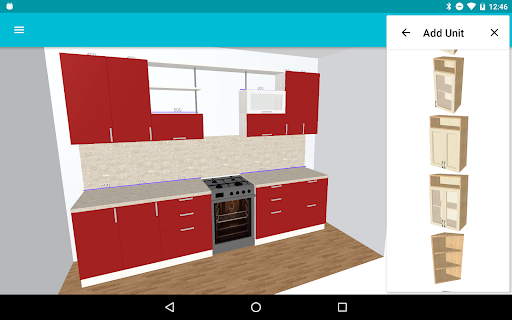
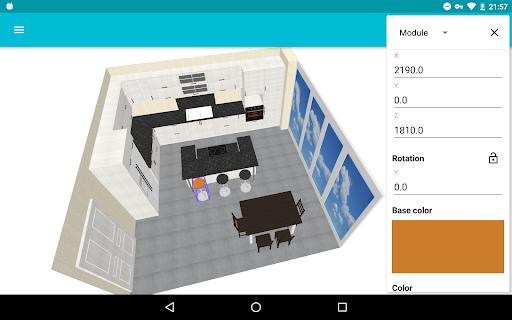
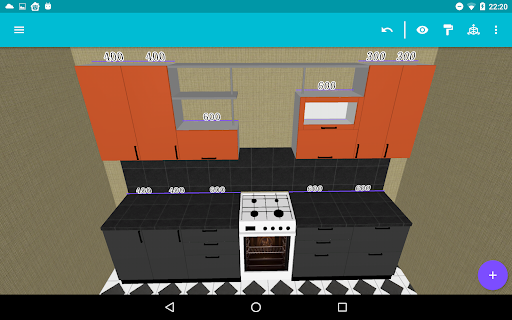
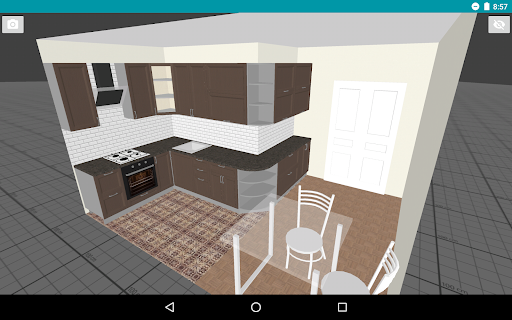
Advertisement
About My Kitchen: 3D Planner
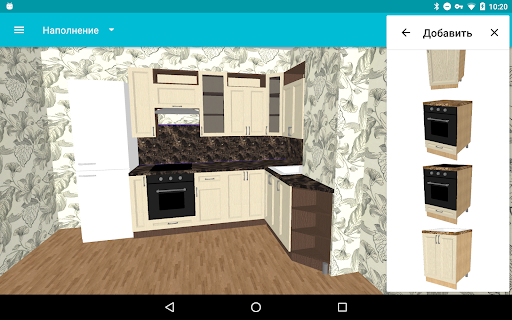
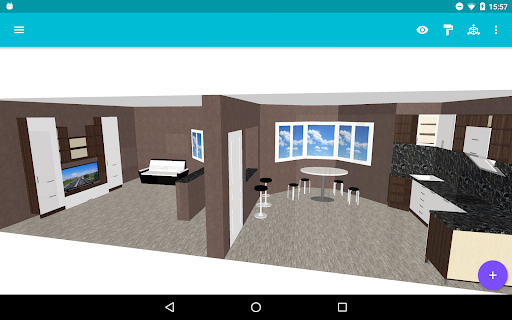
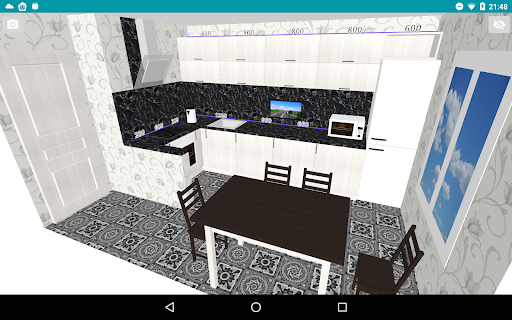
My Kitchen: 3D Planner is actually a popular Android app that helps you easily design realistic kitchen layout and interior decoration. This software has a particularly friendly interface and is easy to operate. It also provides many powerful functions, allowing you to view your design ideas in 3D, which feels quite real. In this way, it is really a very good home planning tool that allows owners and decoration fans to experience smooth and convenient. It is very useful.
Overview
core functions
- This app has a super comprehensive 3D kitchen planner that allows you to easily work out various details and make the room layout clear.
- It is also equipped with a massive library of furniture, appliances and decorations to help you make realistic and personalized designs.
- Real-time 3D visualization brings you an immersive experience. You can even stroll around at any time like walking into your own kitchen.
- Offline mode is also supported. It is designed anytime and anywhere without network restrictions, making it especially convenient to use it outside the home.
- The intuitive drag-and-drop interface makes it easy to create an ideal space whether you are a novice or an experienced designer.
- Precise size and ratio tools help you ensure that every step is accurate and that the design becomes reality.
- Intimate sharing function allows you to directly export your design drawings, or cooperate with professionals to seamlessly connect.
Who is this app suitable for?
This mobile app is great for homeowners, interior designers, and those who are keen on renovations and like to do it yourself. The interface is super friendly, whether you are a newcomer or a veteran, you can easily get started.
Whether you're thinking about renovating or simply trying out a different kitchen layout, this app will help you see the results in advance so you can know what you want before you start making changes.
Why choose this app
This Android app has a really great experience and is so powerful that it helps you save time and effort to design your kitchen. With realistic 3D effects and rich material libraries, you don't have to worry about leaving it behind other home design software.
The operation is intuitive and easy to use, and reliable tools make space planning and interior visualization simple and straightforward. It is definitely a must-have helper if you are serious about home renovation.
Top Recommended Alternative

Pros & Cons
Pros
-
Intuitive 3D visualization
-
Rich product catalog
-
Super friendly interface
-
Real-time editing function
-
Export and sharing capabilities
Cons
-
Limited furniture customization options
-
Slow rendering of complex solutions
-
Old equipment occasionally has poor stability
-
Limited surface materials and textures
-
High-level functional learning curve is steep
Advertisement
Download My Kitchen: 3D Planner
FAQ
Is My Kitchen: 3D Planner safe to use on my device? +
Of course, My Kitchen: 3D Planner is designed with a safety focus. It is a very reliable app in the home category, and the solutions used follow strict security standards to ensure that nothing happens to your data.
Thesoftware can be downloaded from reputable places like the Google Store, is regularly updated, and security checks are in place. Use this Android kitchen design software, both safe and reliable, rest assured bold use it!
What are the main features of My Kitchen: 3D Planner? +
This mobile phone software is quite functional, making your kitchen design easy and interactive. You can make detailed 3D modeling, choose various design options, and visualize the space before you start and imagine the effect.
Thecontrol interface is particularly intuitive and the user experience is good. Whether it is a homeowner or a professional designer, it can easily get started. Its realistic renderings and rich customization options make it distinctive among other home design tools.
Can I use My Kitchen: 3D Planner on my Android device without internet? +
Yes, this software supports offline operations, so you can still design your kitchen without the Internet. This is a good helper for those places where the network is not very good.
Oncethe design is completed, it can be saved locally and opened and modified at any time. The experience is smooth and it can be used anywhere. It is really convenient and practical.
How user-friendly is My Kitchen: 3D Planner for beginners? +
This software is quite considerate. The interface is very simple and easy to operate. People who are just using it can get started quickly. Its interface structure is clear and suitable for DIY enthusiasts and professional designers.
Manyusers reported that the functions were intuitive and there were clear guidance for the initial setting. It was smooth from the beginning to the end and did not have the torturous feeling.
Is My Kitchen: 3D Planner suitable for professional designers? +
Of course, professional designers have no problem using it. This app supports detailed modeling and multiple customization options to meet the needs of professionals. Advanced functions can also help you create accurate size and high-quality visual effects. It is a reliable tool for home furnishing.
Italso takes professional users into account, allowing you to quickly present a realistic kitchen layout to customers without worrying about efficiency upgrades.
How often is My Kitchen: 3D Planner updated? +
The development team always pushes updates regularly, optimizes features, adds new features, and enhances security. Only by keeping the latest status can you use it smoothly and with confidence.
Youcan always check the Google Store page to know the details and update records of the latest version. I feel quite at ease. Someone is always maintaining this software.
Is the app compatible with all Android devices? +
This software basically runs well on most Android devices, including smartphones and tablets. Compatibility mainly depends on your operating system version, but overall, newer Android systems can support it well.
Inorder to make the experience better, it is recommended that you bring the system version of your device within the corresponding requirements, or check the recommended configuration in the app store.
What should I do if I encounter issues with the app? +
If you encounter problems, your first reaction is to upgrade the software to the latest version and restart your mobile phone. Many problems can be solved. It's easy to operate. Try these methods and it might be fine.
Ifit still doesn't work, contact the developer's customer service, or check relevant forums online. Others may have encountered similar problems and shared the methods. In this way, you can use it more at ease and don't have to worry about anything going wrong.
Customer Reviews
Customers widely praise My Kitchen: 3D Planner for its ease of use, intuitive interface, and effectiveness in visualizing kitchen layouts. Many highlight its value for homeowners and designers, noting it helps streamline tasks and impress clients. Key dimensions: Functionality—users find it highly functional and sufficient for conveying initial concepts, though some note limited features and wish for more design options (e.g., Lazy Susan, crown molding, color spectrum, furniture). Ease of use—most describe it as simple and straightforward after a short learning curve; however, a few struggled with navigation and accidental closures. Accuracy—some confirm that plans match the finished kitchen perfectly, while others desire clearer dimensioned drawings (plan view vs 3D perspective). The app offers good value for its price, especially the pro version, but could benefit from tutorials for advanced features.
Write a Review
Share your experience with My Kitchen: 3D Planner. Submissions are reviewed before publishing.
You Might Also Like
More apps you may want to try next.