

Microsoft Bing Search
Advertisement
Screenshots

Advertisement
About Microsoft Bing Search
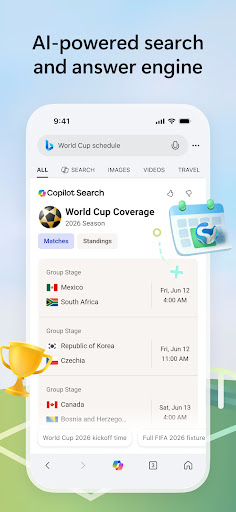
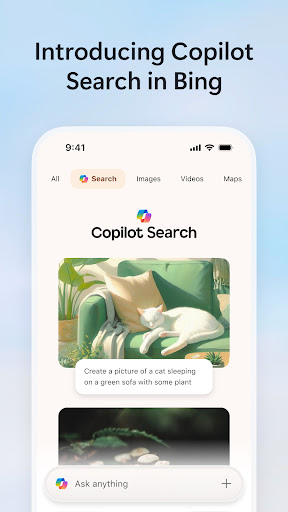
Microsoft Bing Search is a mobile app that is really multi-functional. It is specially designed to help you make it easier for you to surf the Internet and find information on Android. It's easy to use, searches everything, and you can find your favorite news. It feels like a universal assistant with one click. This app is really suitable for people who need some smart ways to get online quickly. It is very smooth and practical to use.
Overview
core features
- This app has a super-intelligent search engine that searches quickly and the results are accurate. It is easy and convenient to use.
- Comes with a voice assistant for hands-free operation, making searching and navigation effortless.
- You can also push personalized news based on your preferences, making the experience of using this app more colorful.
- Support offline mode, content can be saved in advance, and you can view it at any time even if there is no network.
- The browsing experience is unbelievably smooth, the interface is designed to be simple and intuitive, and it is particularly easy to use.
- It can also be synchronized to multiple devices in real time, and search history and preference settings are always up-to-date.
- There is a built-in homepage launcher that can be customized to help you easily reach your favorite functions with one click.
Who is this app suitable for?
This mobile app is especially suitable for those who want a reliable and efficient way to search for things on Android devices. Whether you are students, professionals or ordinary users, you can find the joy of quickly obtaining information and browsing smoothly.
Whether you want to find the latest news and research materials, or just stroll around purely for entertainment, this application-based solution can bring you a smooth and personalized experience and meet your daily needs.
Why choose this app?
This Android app is quite eye-catching. It is full of smart features to make searching faster and more convenient. The interface is designed to be super intuitive and makes it simple and interesting to use.
Combining advanced features and a user-friendly interface, this app provides a trustworthy and effective helper for those who want to improve their online search experience.
Top Recommended Alternative

Pros & Cons
Pros
- The interface is very intuitive and integrates smoothly with Microsoft Edge
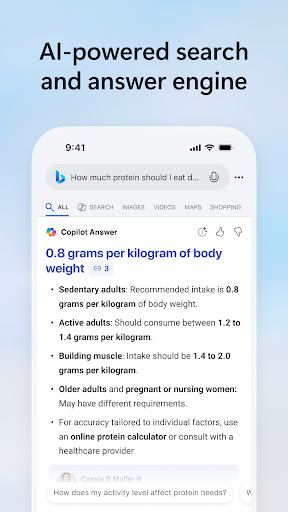
- Powerful AI search capabilities, information updates quickly
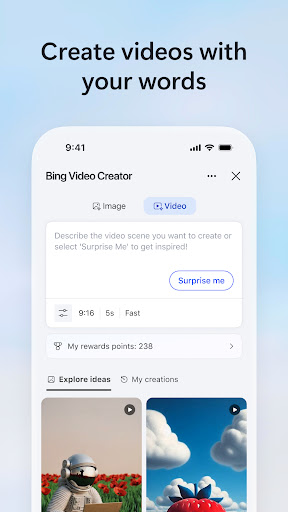
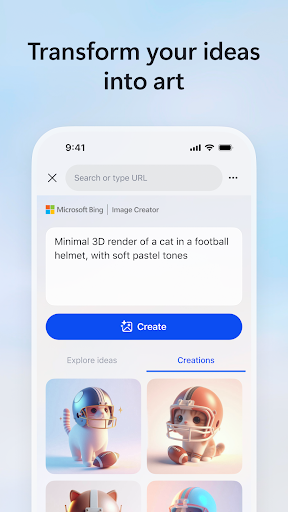
- Multimedia search results are rich, including pictures, videos and news
- Make personalized recommendations based on your habits and preferences
- Get answers and summaries quickly and save time
Cons
- At first, language support for some areas was incomplete
- Occasionally, search results are inaccurate or outdated
- Integration with third-party applications is still under development
- Reaction speed will be slower during peak hours
- The interface and search preferences are relatively basic, but personalization is limited
Advertisement
Download Microsoft Bing Search

FAQ
Can Microsoft Bing Search be used on different devices?+
How do I log in or register for Microsoft Bing Search?+
Is Microsoft Bing search safe to use?+
Can I customize the features of Microsoft Bing search?+
Does Microsoft Bing Search support offline searches or saving search results?+
What are the core features of Microsoft Bing Search?+
Is Microsoft Bing Search a good Android launcher?+
How do users who have used it evaluate this app?+
Customer Reviews
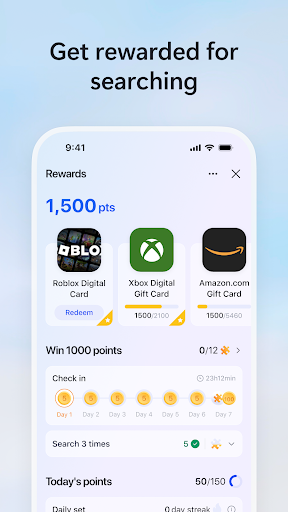
Users widely praise Microsoft Bing Search for its reward system (e.g., earning Robux, gift cards) and AI integration, which they find effective and user-friendly. The interface is described as lovely, convenient, and globally accessible. However, there are significant complaints: reward redemption is often out of stock or region-restricted, and gift card prices are considered too high. While many users love the AI chat feature, calling it excellent and unlimited, some negative reviews claim it doesn't work—though these are dismissed by others as fake. Additionally, a few users report issues with Chinese language text and overall poor quality. Overall, the app is valued for earning rewards and AI capabilities but suffers from stock and pricing inconsistencies.
Write a Review
Share your experience with Microsoft Bing Search. Submissions are reviewed before publishing.
You Might Also Like
More apps you may want to try next.




