

Messages: SMS Message Text App
Advertisement
Screenshots
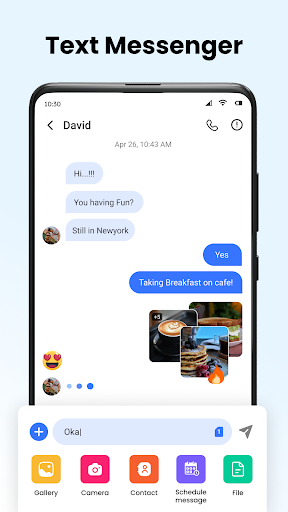
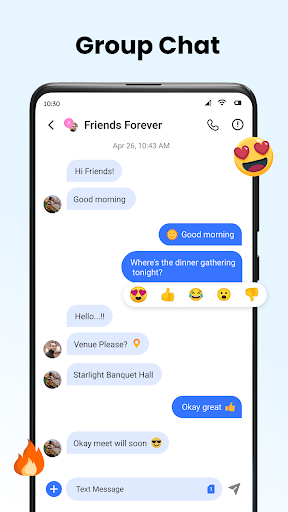
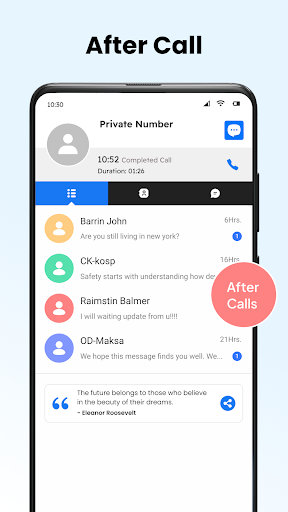
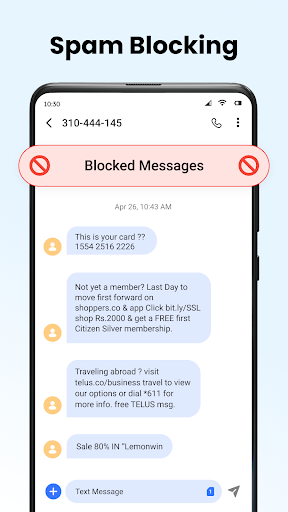
Advertisement
About Messages: SMS Message Text App
Messages: The SMS messaging text application is a very thoughtful communication tool designed specifically for sending messages quickly and efficiently on Android devices. As a reliable mobile application, it allows users to send and receive text messages without any effort, making the overall communication feel much smoother. The interface is simple and clear, and with those basic functions, it really makes it easy for you to use, and you can handle all SMS management easily.
Overview
core feature
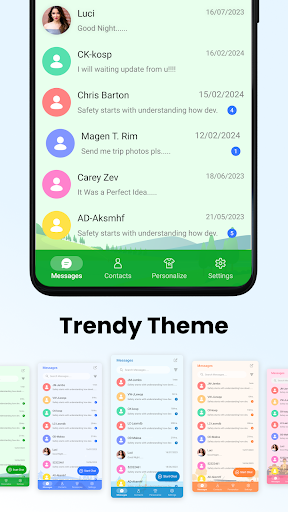
- The interface is intuitive, and the theme can be adjusted at will. It looks like a personalized chat window exclusive to you. It's quite considerate.
- Support flexible sending and receiving text messages on all Android phones. There is no jam and it is extremely smooth.
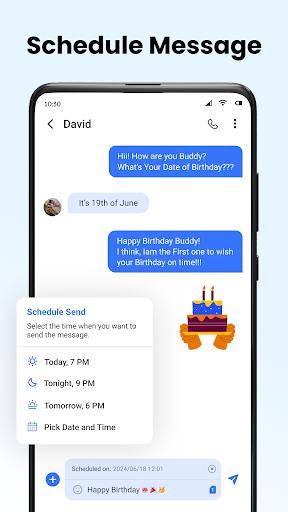
- Some awesome features, such as regular messaging and automatic replies, make communication more efficient and no longer overwhelmed.
- The interface is clean, there are no advertisements, and it is super smooth to use. It will not be disturbed by advertisements at all. It is refreshing and at ease.
- Messages can be synchronized between devices in real time to ensure that the messages on each device are consistent. It is a very reliable communication tool.
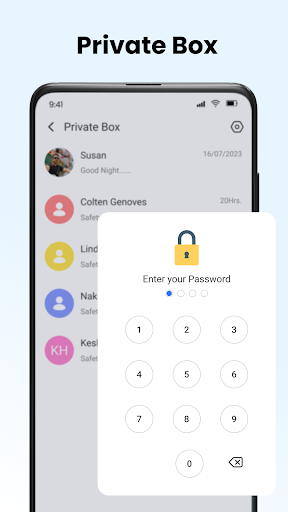
- There are also privacy protection features, such as message encryption and blocking people who don't want to talk to, making chatting safer and more secure.
- The offline mode is also quite considerate. It's so convenient to read news and write content without having the Internet.
Who is this app suitable for?
This mobile chat software is very suitable for friends who like a simple and reliable chat experience, especially Android users who want to find an efficient communication tool. This is also quite suitable for teenagers, busy professionals, and even elders to use it smoothly.
For those who need to use software alerts to send messages, make appointments and respond, or send and receive offline, this software can be of great help when commuting and processing large amounts of messages.
Why choose this software
With its simple interface, powerful functions, and emphasis on privacy, this Android app has become particularly trustworthy, and it is perfect for daily communication. It's particularly easy to use, allowing you to rely on it to solve all your messaging problems.
It takes into account the dissatisfaction of many other messaging software users and supports real-time synchronization and customization options. It is smart and efficient. It is really a good helper to improve your chat experience, taking care of both security and convenience.
Top Recommended Alternative

Pros & Cons
Pros
- Easy user interface
- Notification reminders can be customized
- Message backup and restore capabilities
- Multiple message topics
- Saving batteries is not bad
Cons
- Limited emoji support
- Occasionally slow loading
- No end-to-end encryption
- Not very good support for MMS
- Filtering and interception functions are not detailed enough
Advertisement
Download Messages: SMS Message Text App

FAQ
How do I install the Messages: SMS Message Text App on my phone?+
Gee, it's actually quite easy to install this SMS application. You can search for "Messages: SMS Message Text App" on Google Play, or go directly to its application page and click on. Don't forget to make sure your device is running a supported version of Android.
Thisapp is easy to install and will guide you for a while and grant some necessary permissions. After installing it, it will quickly integrate with your original SMS system, making it smooth and natural for you to use it, making it much easier to manage SMS.
Is Messages: SMS Message Text App safe to use?+
Of course, this messaging app pays great attention to your security and privacy. It is made by reliable developers and follows Android security standards. The content of your text messages is protected and will only be visible on your device. Use it with peace of mind.
Justa reminder, it is recommended that you only download and install it from regular channels such as Google Play to ensure the reliability of the application. Regular updates can also help you patch vulnerabilities and enhance security. Just use them with confidence.
What are the main app features of Messages: SMS Message Text App?+
This Android messaging app has a lot of features and is designed to make your messaging experience better. There are personalized themes, regular message delivery, and quick replies. In addition to these, it also supports Group chats and multimedia information to make your communication richer and more flexible.
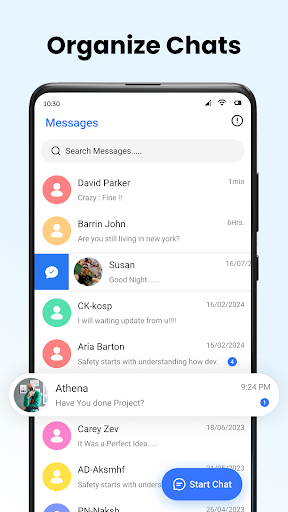
Asa popular starter, it helps you organize information in an orderly manner. In terms of functions, it is very suitable for those who want a universal and more controllable messaging tool.
Does this messaging app work offline or require an internet connection?+
This app synchronizes content automatically when connected to the Internet, but the basic text message function can be used offline. That means that you can write text messages and organize information yourself, and you don't have to be online all the time. It's quite convenient.
Afterall, it is a multi-purpose mobile application that can be used easily and meet your different needs whether you are at home or away, offline or online.
What should I know about app updates and compatibility?+
To use it smoothly, remember to keep this Messages: SMS Message Text App the latest version on Google Play. Updates often bring new features, security patches, and performance optimizations that are worth checking regularly.
Thisapp can be used on most Android devices, but it is recommended that you check the specific system requirements on the official page. Keeping it updated frequently can also make your use more secure and safer.
Customer Reviews
Users generally appreciate Messages: SMS Message Text App for its simplicity, effectiveness, and pleasant user experience, often describing it as 'excellent,' 'good,' or 'very good' for basic SMS communication. However, the app is heavily criticized for excessive and disruptive advertisements—some users report annoying selling notifications throughout the day and third-party ads that never disappear, leading to frustration and uninstalls. Additionally, while most find the app reliable and efficient for everyday use, a few encounter issues such as messages from 2023 appearing as non-existent, rendering the app useless for them. Overall, the core functionality earns high marks, but the ad experience and occasional data reliability problems divide opinion.
Write a Review
Share your experience with Messages: SMS Message Text App. Submissions are reviewed before publishing.
You Might Also Like
More apps you may want to try next.




