Inky - Run Inkscape on Android
Screenshots
About Inky - Run Inkscape on Android
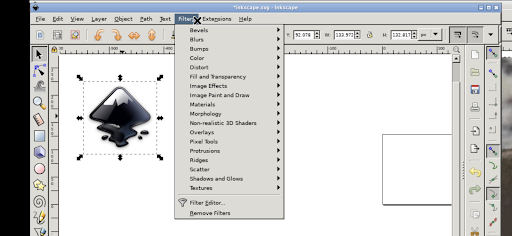
Inky - Run Inkscape on Android is a really powerful mobile app that brings powerful vector graphics editing capabilities to your Android device. The design is very user-friendly, like a toolbox you carry with you, allowing you to easily create, edit, and manage works anytime, anywhere. Whether you are a professional designer or an enthusiast, this Android app can bring you a smooth experience, and its features are also very considerate. It is especially suitable for expressing art and creating!
Overview
core feature
- This app can run Inkscape directly on Android devices and design anytime, anywhere. It's so convenient!
- The real-time editing feature allows you to see every change without delay, which is very refreshing!
- Support offline mode, you don't have to worry about working without a network, and your flexibility is greatly improved.
- The interface is super intuitive, and complex design tools become easy to use, allowing both novices and professionals to use them smoothly.
- Importing and exporting SVG files is no trouble at all. It perfectly adapts to the commonly used creation process and is efficient UPUP!
- Advanced features also include the ability to customize the toolset, making the vector editing of details more personalized and greatly increasing the space to play!
- Security and privacy are highly valued to ensure that every user can use it with peace of mind and peace of mind.
Who is suitable for?
This mobile app is particularly suitable for digital artists, graphic designers, and students who want to do vector graphics on Android devices.
It is not only a quick editing tool for professionals, but also a good partner for amateurs to explore and design at any time. In short, the threshold is low and everyone can try it!
Why choose it?
This Android app brings a set of powerful features, just like on a computer, allowing your tablet to create professional-level designs, which is convenient and efficient!
It can run Inkscape natively on Android, which is amazing. It can do vector editing without using a traditional desktop. It really frees your hands!
Pros & Cons
Pros
- The operating interface is very friendly
- Perfectly compatible with all Inkscape features
- open-source free
- Support external input devices
- Updates frequently, with community help
Cons
- Poor performance on low-end devices
- Unstable hardware acceleration
- Slow response to complex documents
- Touch interface still needs to be optimized
- Limited offline tutorials
Download Inky - Run Inkscape on Android

FAQ
Is Inky - Run Inkscape on Android safe to use?+
Inky, an Android App, is quite reliable. It allows you to run Inkscape, a popular vector graphics software, directly on your mobile phone. This app is maintained by trusted developers, is updated quite frequently, and has good security and everything.
However, it is recommended that you still download apps from official channels, such as the Google Play Store, which will have higher security. This App has been verified by Google and is safe and reliable. Friends who like drawing designs can use it with confidence!
How do I install Inky on my Android device?+
It's actually quite easy to install Inky, just search it directly on the Google Play Store. After entering, click the installation button and follow the instructions.
Once installed, you can use it as a launcher or use it alone. It feels like a native app dedicated to helping you with art projects. This app-based solution allows you to smoothly use Inkscape's functions on Android without using a computer. It's quite convenient!
Does Inky support all features of the desktop version of Inkscape?+
Although Inky has brought many of Inkscape's core functions to mobile phones, mobile phones and desktop platforms are different, and some advanced functions may not be used as fully.
However, this application is well optimized, focusing on tools and functions that can be easily used on mobile phones, making it suitable for users who like mobile creation. For friends who need a multi-functional mobile drawing tool, it is definitely a good choice!
Can I use Inky offline?+
Of course, Inky supports offline operations, and many functions can be done without using the Internet. This means that you can draw and edit anytime and anywhere without worrying about not having an Internet connection.
For artists and designers who are often away and need to create at any time, this offline feature is really considerate. With Inky on Android, the experience is smooth and convenient, and you can enjoy it both online and offline!
Is Inky suitable for beginners or only professional artists?+
Inky is friendly and designed to be easy to use, whether you are a novice or an experienced artist. The interface is intuitive and you can get started quickly at the beginning of learning.
Of course, it has quite comprehensive functions and can meet the needs of higher-level users. Friends who want to engage in art on their mobile phones will never be disappointed. This app is more versatile and suitable for painting friends of all levels. It's a good choice!
You Might Also Like
More apps you may want to try next.