
Icon Changer
Advertisement
Screenshots
Advertisement
About Icon Changer
Icon Changer is a very useful mobile app that mainly helps users make Android phones more personalized. Through it, you can change various application icons and change themes at will. It feels like the entire interface is tailor-made for you. As a multi-functional launcher, it really improves the user experience a lot, allowing you to quickly find your favorite icon styles and customization options, which really makes the device no longer so static, more interesting and considerate.
Overview
core feature
- It allows users to easily customize icons and choose from various styles and themes at will. It's really easy to do whatever they want.
- The interface is super friendly and easy to use. You can quickly change icons on Android devices without trouble.
- Supports the integration of many launcher applications, there are no obstacles on the way to personalization, and the matching is particularly smooth.
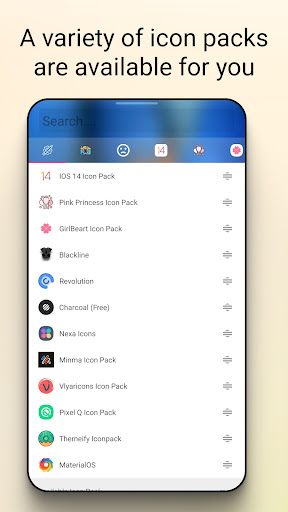
- With a rich built-in icon pack, it's as simple as getting a new look, and it's a completely new look.
- It also comes with backup and recovery functions. Afraid of losing your favorite icons? Don't worry, everything will be preserved.
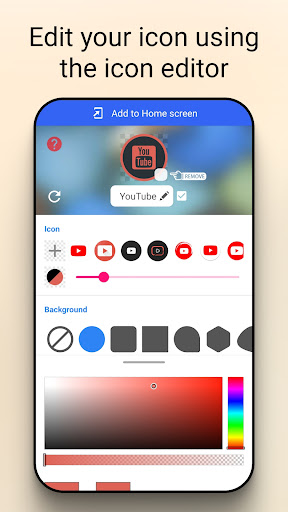
- You can preview the effect of the changes in real time. Want to know how the effect will be after the change? You can tell at a glance.
- Quick entrance, you can quickly access all your favorite applications with custom icons, without having to go through it for a long time.
- Without advertising interference, the entire experience is pure and smooth, and changing icons becomes easy and pleasant.
Who is this app suitable for?
This mobile app is designed for Android users who like to make their devices personal. Anyone who wants to make their phones look more special can try it.
It is especially suitable for users who find a simple operation that allows them to change icons as they please and improve the user experience. They hope that their device will not just "use it", but truly become their own.
Why choose this app
It provides a super simple and intuitive app-side solution that makes Android devices unique, with all kinds of cool features, and making it natural to change icons and everything.
Compared with other launchers, it pays more attention to user safety and personalized freedom. If you want to make your device look new without worrying about security issues, this software is definitely a reliable choice. Get rid of cumbersome and easily get your "exclusive look".
Top Recommended Alternative
Pros & Cons
Pros
-
The interface is intuitive and simple
-
Rich variety of icons
-
Switching icons is very fast
-
Compatible with multiple initiators
-
You can use it without root
Cons
-
Limited free icons
-
Sync of icons and apps is unstable
-
Launcher compatibility can sometimes cause problems
-
Occasionally break down
-
There are not many custom icon editing tools
Advertisement
Download Icon Changer
FAQ
Is Icon Changer safe to use on my device? +
Of course, Icon Changer is a quite reliable mobile application. Many people have used it and find it good. It doesn't carry a virus or have any dangerous features, so it's safe to use, whether it's Android or other devices.
Remember, it's better to download it from the official app store, which is much safer. This app interface is particularly simple. You don't have to worry about security issues when you create an icon. You feel very safe to use it. Choosing this kind of software is really easy and reassuring!
How does Icon Changer work for customizing icons? +
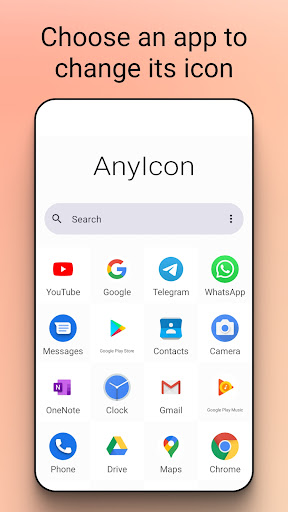
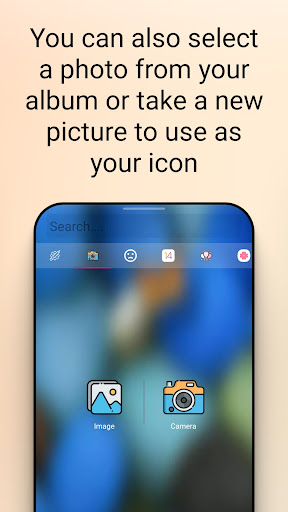
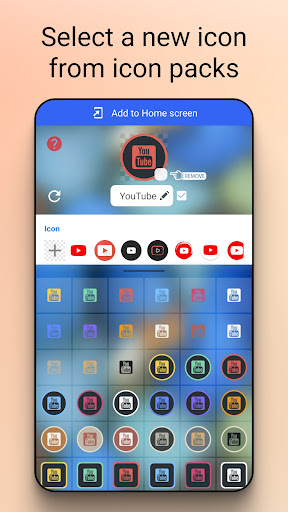
This Icon Changer is a small tool that can help you change application icons. Its interface is particularly friendly and can be understood at a glance. It is very convenient to select an icon from an album or its own options.
Italso supports drag-and-drop operations and can also preview them with one click, making the experience particularly smooth. It's super convenient to use on Android devices, and many people like to use it for personalization, which is both fun and efficient.
Does Icon Changer require special permissions to operate? +
Basically, it will only request some general permissions, such as changing an icon or looking at your photo album. These permissions are normal and there will be no strange operations.
However, for security reasons, it is recommended that you take a look at the permission list before installation to make sure there are no privacy issues. After all, this app is also designed to let users use it with peace of mind, emphasizing safety and transparency, so that everyone can use it with peace of mind.
Can I use Icon Changer on different Android versions? +
Yes, that's right, it supports many different versions of Android, and is compatible with almost most people when using it. As long as the equipment can run, there is basically no problem.
Itwill also update regularly to ensure that it keeps up with the latest Android updates and the experience will get better and better. For those who want to develop their own personality without trouble, it is simply a good helper and very reliable!
What are some popular app features of Icon Changer? +
This Icon Changer has many cool features, such as a massive icon library, particularly convenient drag and drop to change icons, and one-click switching of preset styles, which is super easy to use. It can help you easily make personalized settings, saving time and effort!
Asa launcher, its most important thing is a smooth experience, ensuring that your custom icons can be applied with one click without effort. The interface design is very user-friendly, even a novice can get started quickly, and it's very fun to use!
Customer Reviews
Users generally praise Icon Changer for its ability to customize app icons with personal photos or downloaded packs, and note that it works well without internet and has minimal ads for some. Key strengths include ease of use, performance, and the ability to rename icons. However, there are mixed opinions: while many find it effective and smooth, others report issues with crashes, white borders on icons, and the app creating only shortcuts rather than changing the actual app. Some users appreciate the lack of watermark and free customization; others find the interface complicated with too many ads. Stability is a concern—some experience crashes after updates, causing shortcuts to turn into white squares, while others find it consistently reliable. Overall, a useful tool for personalization but with notable drawbacks in consistency and ad frequency.
Write a Review
Share your experience with Icon Changer. Submissions are reviewed before publishing.
You Might Also Like
More apps you may want to try next.




