
Icon Pack Studio
Advertisement
Screenshots
Advertisement
About Icon Pack Studio
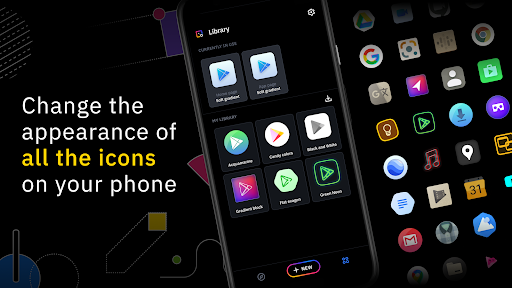
Icon Pack Studio is a versatile Android personalization software. Users can use it to change the appearance of their phones and choose from a variety of rich icon themes. In order to make the overall application experience better, its launcher is like a magic wand, which can make your device interface more tailored to your personality and more of your style. Whether you want to refresh the homepage or create a unified aesthetic feeling, this app is intuitive and easy to use, providing a bunch of convenient customization options to make your Android phone look more attractive and instantly improve its appearance!
Overview
core feature
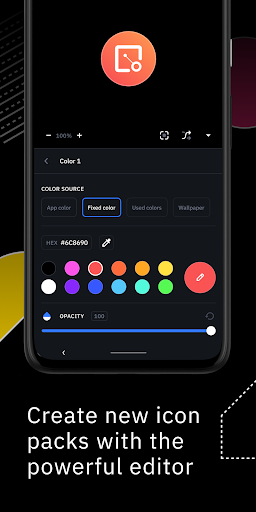
- You can customize your own icon pack, allowing you to easily dress up your homepage and show your personality with a unique design.
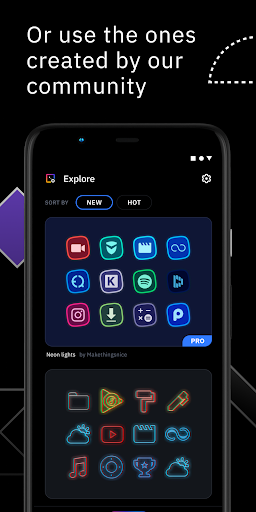
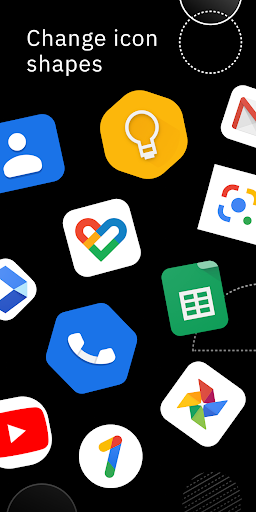
- A massive library of themes and icons provides choices in various styles and moods to meet different preferences.
- The operation is simple, and the application icon package is applied directly through the launcher, making the user experience smoother.
- Updates are available every day, bringing new features and icons to make your device look new and stylish.
- Supports multiple launchers, which is highly compatible and can be used smoothly on different Android devices.
- You can also create your own exclusive icons to satisfy those who pursue individuality.
- High-resolution icons can remain clear no matter how big the screen is, making the overall experience better.
Who is this app suitable for?
For Android friends who like to find ways to make their mobile phones unique, this app is absolutely right for you. Whether you are teenagers, tech geeks, or people who like to personalize things, you will know at a try.
If you're passionate about using the launcher Express Express to your personality, or want to refresh the interface with fresh icons, this app can help you achieve that. It is very suitable for those who want to simply improve the style of their mobile phones.
Why choose this app
What makes this Android app outstanding is that it provides rich customization features and is particularly easy to operate. Make your phone more personal and easy to use.
It is designed for those who pursue individuality, has a high-quality icon pack and supports multiple initiators. It is a really easy-to-use helper that can improve the appearance and function. It is worth a try!
Top Recommended Alternative
Pros & Cons
Pros
-
Massive icon library
-
Customizable icon style
-
Super friendly interface
-
Always push new ones
-
Lightweight and fast
Cons
-
Limited free content
-
Custom options are basic
-
No desktop version
-
The search is occasionally inaccurate
-
Icon classification is not detailed enough
Advertisement
Download Icon Pack Studio
FAQ
How do I install Icon Pack Studio on my device? +
It's actually quite simple to install Icon Pack Studio on an Android phone. Just go to the Google Play store to find this app and click the install button. This mobile phone has good application compatibility and can seamlessly work with most launchers. It is quite convenient to install and set up.
Once installed, you can use it to customize your main interface. If you are not using the default launcher, also make sure that it supports icon packs so that you can play the game to the fullest.
Is Icon Pack Studio safe for Android devices? +
Absolutely safe! Icon Pack Studio is a regular software on Google Play, and user reviews are also very good. They all say that it is reliable and has no security issues. This app meets security standards and has no malicious code. Everyone feels safe to use it.
However, you still have to download it from official channels to keep your mobile phone security settings updated to the latest. The interface design is quite beautiful and the experience is quite trustworthy. It is a good choice to transform the mobile phone interface.
What personalized features does Icon Pack Studio provide? +
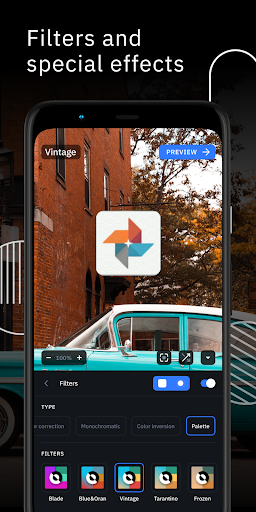
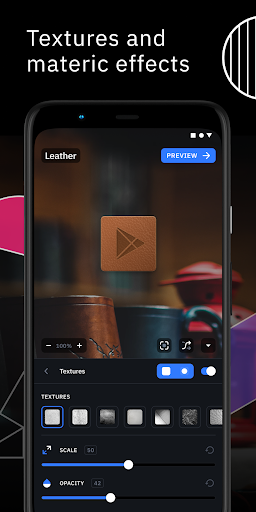
This software is quite functional and is specially built for Android users. You can pick many different styles of icon packages, or even DIY your own icons and apply them with just a few clicks. You can also preview the icon effect to avoid errors after applying it to the home screen.
It also supports changing wallpapers, changing icon themes, and even widgets to make your phone completely personalized. So flexible, it's a big killer of mobile phones. Whether you like it cool or cute, it can satisfy you.
Can I use Icon Pack Studio with my existing launcher? +
Of course! This software is designed for most Android launchers. It is compatible with most launchers, and it is smooth to change icons and customize the home screen. Since compatibility is so good, you can use it to maximize your personalized experience.
If you are using a custom launcher, it's okay. Remember to make sure that it supports icon packs, which are supported by most modern launchers, so that it will be smooth and consistent with your habits.
Will Icon Pack Studio be updated frequently? +
The official team is very attentive. They regularly push updates, add new features, optimize the experience, and ensure compatibility with the latest Android version. These continuous updates keep the software in good condition and can promptly address user feedback.
Synchronized updates means that your experience is more secure and secure, and you don't have to worry about falling behind. The developer's attention to this software really makes people feel reliable and considerate.
Is there a paid professional version? What does it include? +
Of course there is! The professional version will unlock some additional features, such as more selected icon packs, making your own icons more convenient, without advertising interference, and enjoy a purely customized experience.
This upgrade is worth it, especially when you are pursuing personalization and want to create a unique phone style. Investing in the professional version will make your mobile phone more dazzling and unique.
How does this software take my personalized experience to the next level? +
Icon Pack Studio is easy to use, has a friendly interface and rich features. Whether you use a ready-made icon package or design it yourself, the operation is quite simple. Use it to make your phone look cooler and more distinctive.
The software is also compatible with most launchers and can turn your little modifications into a complete, super-stylish homepage. Whether you are a god or a novice, you can easily create an interface that suits your style. It's really exciting!
What should I do if I encounter a bug or problem? +
If you encounter a problem, the first step is to check if there is the latest version. Sometimes developers will push patches to fix bugs from time to time. You can also contact official customer service directly on Google Play to describe your problem in detail and help them quickly locate a solution.
Don't worry too much, reliable application developers like Icon Pack Studio will definitely do their best to ensure that you use it smoothly and with peace of mind. After all, everyone wants to use a stable and reliable personalized tool!
Customer Reviews
Icon Pack Studio is highly praised for its extensive customization options, smooth performance, and ability to unify icons into a cohesive design style. Users love the free core features, no-ads experience, and vibrant community. However, several issues persist: some users report export freezing or errors like 'file does not exist', while others find the app incompatible with KLWP or require a third-party launcher. The 'update when new app installed' feature often fails, and new Android versions may flag exported packs as malware. Although the app offers exceptional creative freedom, the subscription model for Pro features frustrates some, and occasional bugs like wallpaper detection failure or icon disappearance after app installation hamper the experience. Overall, it's a powerful tool with room for refinement.
Write a Review
Share your experience with Icon Pack Studio. Submissions are reviewed before publishing.
You Might Also Like
More apps you may want to try next.




