
Hiatus: Bill and Money Manager
Advertisement
Screenshots

Advertisement
About Hiatus: Bill and Money Manager
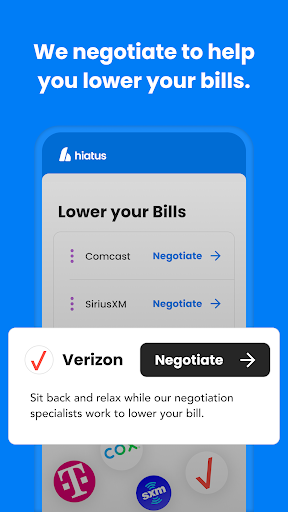
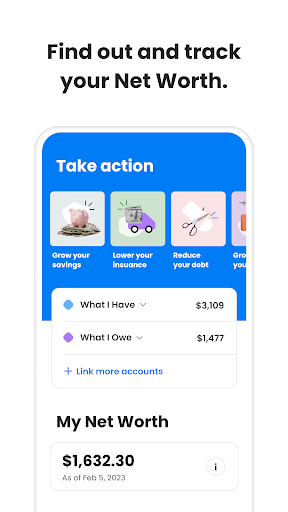
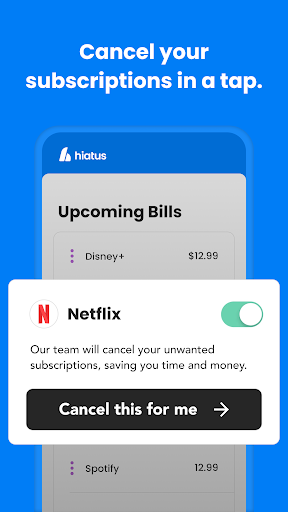
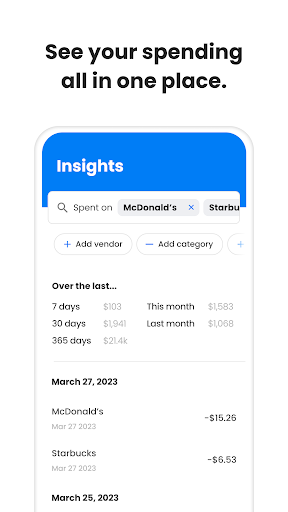
Hiatus: Bill and Money Manager is a very reliable mobile financial application. It mainly helps you manage money and collect bills. It is quite convenient. It is a pretty intuitive Android application that is easy to operate, and personal financial management has become simple and less difficult, so that almost everyone can use it. There are also some tools in this software that allow you to easily control your purse. It feels quite confident, just like having a reliable partner to help you keep an eye on your accounts.
Overview
Core Features
- This app has a super complete budgeting tool that easily helps you balance your income and expenditure and allows you to better manage your money.
- Sync between various devices in real time, keep the data up to date at all times, and use it smoothly.
- This Android app also allows you to customize your savings goals to help you plan easily and achieve small financial goals without worrying.
- Secure transaction encryption protects your sensitive information and builds more trust.
- The interface is super user-friendly and simple to operate. It can be used smoothly by both beginners and veterans.
- Supports multiple currencies and various expenditure categories, takes into account the needs of global users, and is particularly convenient to use.
- Offline mode can also be used. Bookkeeping can be done when not using the Internet, and it can be applied to various scenarios.
Who This App Is For
This mobile version is especially suitable for people aged 18 to 50 who want to do it themselves or organize their finances with less trouble. Ideal for busy professionals, students, or anyone who wants to make money easily with a simple gadget.
Whether you want to record daily expenses, plan savings, or monitor investments, this Android app can meet your needs and help you manage your money better. It is designed to be simple and powerful, making it especially suitable for people who like direct, practical financial management.
Why Choose This App
This Android app puts in all the necessary functions, is also designed to be clean and beautiful, and is particularly reliable to use. Its data security and personalization are done with great care, and the experience is smooth and uncompromised.
Rich in functions, easy to operate, and can be used offline. It is really a trustworthy personal financial artifact. Help you achieve your financial goals, achieve twice the result with half the effort, and be stable and good!
Top Recommended Alternative

Pros & Cons
Pros
- Super user friendly interface
- Comprehensive bill tracking
- Detailed financial analysis
- Customizable budget classifications
- Data security is guaranteed
Cons
- Multi-device synchronization is a bit limited
- The reporting function is quite basic
- No bill scanning function
- The customization of reminders is not rich enough
- Offline access is limited
Advertisement
Download Hiatus: Bill and Money Manager

FAQ
Is Hiatus: Bill and Money Manager safe to use on my Android device?+
Well, Hiatus: Billing and financial help are really reliable. They are the kind of apps you can find on the official Google Play store. They have been tested for security and adopt normal protective measures to protect your personal privacy.
Ofcourse, like any App, you must download it from regular channels to truly rest assured. This software provides a secure platform for you to manage your finances, manage bills, etc., and it is quite practical.
How do I install Hiatus: Bill and Money Manager on my device?+
It's actually quite simple to install this Android software. You just need to go to the Google Play Store to find it and follow the steps. Remember that your phone must have enough space and be compatible with that Android version.
Afterit is installed, the interface is very intuitive, and there is no pressure to set up accounts and start managing bills and money. In addition to financial management, this software can also be used as a quick entry point and is quite easy to use.
What features does Hiatus: Bill and Money Manager include?+
It has quite rich functions: it covers bookkeeping, budget planning, expenditure classification, reminders and more. Helping you keep an eye on expenses and future bills makes financial management easier and more organized.
Inorder to make it easier to use, Hiatus also supports synchronizing multiple devices, and the interface is designed very reasonably. These small functions make your daily financial management simple, which is really considerate.
Can I use Hiatus: Bill and Money Manager without an internet connection?+
Of course! As long as you complete data synchronization, you can disconnect the network. You can check bills, update expenditures, etc. without having the Internet, which is quite convenient.
However, you should note that to synchronize and backup, you must also be connected to the Internet to ensure that your data is safe and up to date. This point is quite reliable and feels quite stable.
Is Hiatus: Bill and Money Manager suitable for all age groups?+
Absolutely no problem! This software is designed to be simple, easy to understand and easy to use, and can be used by almost all ages. Whether you are a newly-started Xiaobai or an experienced financial driver, you can find the function that suits you.
Itsinterface is friendly, its tools are practical, and it takes into account the needs of different users. It is really a very inclusive financial management assistant.
Does Hiatus: Bill and Money Manager offer customer support?+
Yes, the developer will provide support services through the settings in the software and the official website, and you can ask for help at any time if you encounter problems. They attach great importance to user experience and want to help you solve various difficult problems so that you can use them with peace of mind.
Thesupport channels are quite convenient, and it also makes people feel that this software is reliable. With a backing, they will always be more confident.
Are there any subscription fees or in-app purchases in Hiatus: Bill and Money Manager?+
Basic functions are free. If you want to use more powerful functions, you can consider purchasing in-house upgrades. In this way, it's good to try it out, and you won't feel sorry to spend money if you need it, and you won't be fooled.
Thetransparent charging method makes people feel at ease. There is no hidden consumption, making it more comfortable for users to use it. If you want to manage your finances, you can upgrade it well!
How often are updates released for Hiatus: Bill and Money Manager?+
The development team is very diligent, often introducing some new functions and also tinkering to ensure the security and stability of the software. Every update can bring some surprises and make the experience smoother and more reliable.
Theseconstant improvements demonstrate their dedication to this financial software, ensure that it becomes more and more convenient for you to use, and make you feel that this App is worth relying on.
You Might Also Like
More apps you may want to try next.