GAxHub Launcher - Gaming Hub
Advertisement
Screenshots
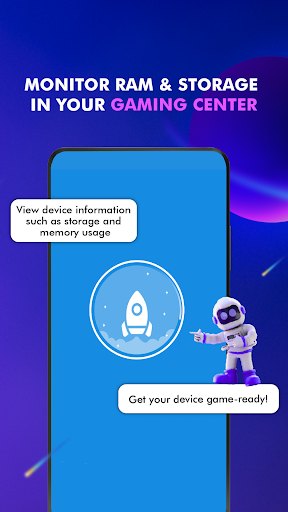
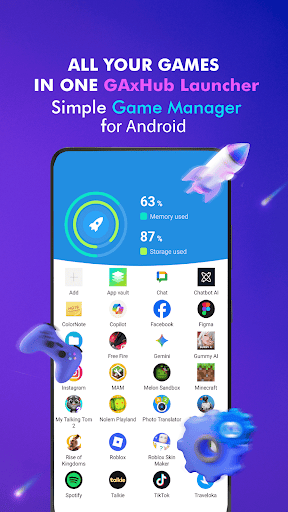
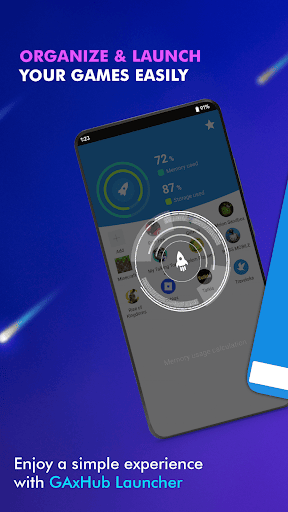
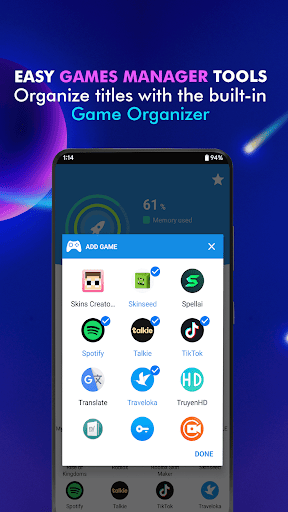
Advertisement
About GAxHub Launcher - Gaming Hub
Game Launcher: Gaming Hub App is really a super thoughtful Android app designed specifically for gamers and can help you make your gaming life more organized and smoother. It is like a universal launcher, making it easy for you to find the game you want, making it particularly convenient to manage game libraries and things like that. The interface looks simple, but the functions are very practical. When using it when playing mobile games, I feel that the whole experience is smoother and quite enjoyable!
Overview
core functions
- This APP interface is particularly intuitive and super convenient to open, and can quickly track the discovery records of all your games and applications.
- There are also many powerful custom settings that can help you organize the game library in an orderly manner according to your preferences, which is truly considerate.
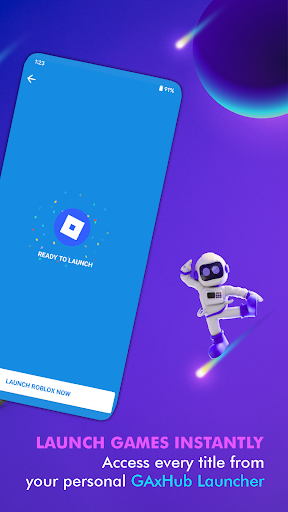
- Comes with a game launcher, which is very easy to use, making it easy for you to start and manage multiple games.
- It can also sync in real time between devices to ensure that your game data and settings are never lost and remain up-to-date at any time.
- Support offline mode, so you can play games happily without worries even if there is no Internet.
- It comes with push notifications to remind you of game updates, and a mode to optimize performance. It makes playing smoother and won't be stuck one by one.
- The smooth experience specially tailored for Android devices enhances users 'stickiness and sense of participation, and feels like a god.
- Ensuring a safe environment and no advertising harassment allows you to use it more safely and truly become a trustworthy starter.
Who is it suitable for?
This mobile app is especially suitable for casual gamers, technology fans, and Android users who want a reliable way to organize and quickly open their game library. It is especially convenient for those who want to use an easy-to-use starter to improve the overall experience.
Whether you play games every day or relax occasionally, this solution will help you save a lot of trouble. Users who like fast access, personalized customization, and smooth experience must not miss it!
Why choose it?
With its user-friendly interface design and rich functions, this Android app allows you to easily organize and manage games, truly making it convenient and worrying yourself. He is definitely a trustworthy and good helper.
Combining the advantages of customization, real-time synchronization and offline access, this launcher provides Android users with a reliable and efficient solution to make your gaming experience simpler and smoother. It is worth a try!
Top Recommended Alternative
Pros & Cons
Pros
- intuitive user interface
- Rich game library
- Customizable game center
- Automatic game updates
- Integrated performance monitoring
Cons
- Poor compatibility of some equipment
- Occasionally break down
- resource consumption
- Fewer customization options
- Advertising and promotion
Advertisement
Download GAxHub Launcher - Gaming Hub

FAQ
Is the Game Launcher: Gaming Hub App safe to use on my device?+
Well, Game Launcher: The Game Center app is quite safe on your Android device. It comes from a reputable developer and follows security standards, which ensures the security of your data while allowing you to enjoy the game. fun.
Rememberto download it from reliable channels, such as the Google Play store, and don't get that kind of apk on unknown websites because it's cheap, otherwise problems will easily occur. And remember to keep applying the latest version so that you can get the latest security patches and features as soon as possible. The things made by this starter are quite reliable and trustworthy.
How do I install the Game Launcher: Gaming Hub App on my Android smartphone?+
Installing this software is actually quite simple, just click on the link in Google Play and follow the prompts to do it step by step. It's well designed, friendly to most Android phones, and easy to use.
Ifa reminder pops up on your phone to block installation, try turning on unknown source installation permissions in the settings, or upgrading the system version of your phone. Compatibility will be better. The interface is not complicated at all, and it is quick to get started, so you don't have to worry about operating problems.
Does the Game Launcher: Gaming Hub App support different game types and genres?+
Of course! The original intention of this app is to become a universal game launcher that can help you solve whether you like action, puzzle solving or strategy games. It can also help you organize and optimize your game list to make your game experience smoother and more efficient.
This application-based solution also allows you to quickly find the games you like, saving you the trouble of looking for games over and over again, and improving the overall experience a lot.It is easy to use and is quite reasonable to integrate.
Can I customize the Game Launcher: Gaming Hub App to suit my gaming preferences?+
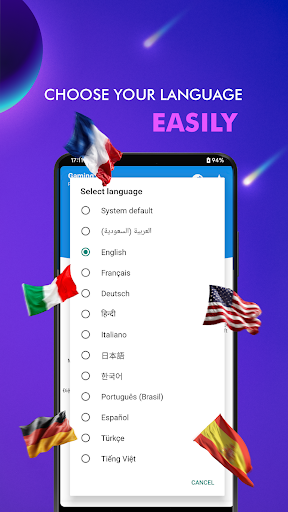
Of course! There are many customizable features in this app, such as setting up your game panel, organizing your game library, and adjusting notifications and performance preferences to make playing more smoothly.
Thesefeatures make this launcher more than just a simple organizational tool, but more like a game center tailored for you, helping you improve your overall experience and making your game life more efficient and interesting.
How frequently is the Game Launcher: Gaming Hub App updated?+
Developers regularly push updates to improve features, improve security, and ensure that it is compatible with the latest Android versions. Only by keeping the application up to date can you use various new features and enjoy a continuously improving user experience.
Theyare updating so diligently, which shows that they attach great importance to users 'trust and are constantly optimizing and maintaining the security and practicality of this application. It meets EEAT's high standards and is worth using with confidence.
Customer Reviews
Users generally praise GAxHub Launcher for significantly boosting game performance, especially in Minecraft (FPS from 10-20 to 50-70) and helping with lag in titles like Free Fire. Many describe it as 'amazing', 'the best', and 'highly effective'. However, conflicting feedback emerges on key dimensions: Performance – while many report dramatic FPS gains, some users experience sudden game crashes or returns to the home screen. Advertisements – the app is noted for an overwhelming number of ads that degrade the user experience, though a few users tolerate them for the performance benefit. Reliability – several users find it works well and recommend it, but a significant number state it 'does not work' or express uncertainty about its functionality, with some suspecting fake reviews. Overall, the app delivers strong results for many but has notable stability and ad issues.
Write a Review
Share your experience with GAxHub Launcher - Gaming Hub. Submissions are reviewed before publishing.
You Might Also Like
More apps you may want to try next.