

Filmora: AI Video Editor&Maker
Advertisement
Screenshots

Advertisement
About Filmora: AI Video Editor&Maker
Filmora: The AI video editor and maker is actually quite a good one. It is a multi-functional mobile app that helps you easily make high-quality videos. Whether you're editing on an Android device or want to dig deeper into all the app's features, the feel is friendly and suitable for both novices and experienced creators. Its interface is simple and easy to use, and its powerful editing functions. It is really a reliable choice, especially for those who want to make video on their mobile phones. It must not be missed.
Overview
core functions
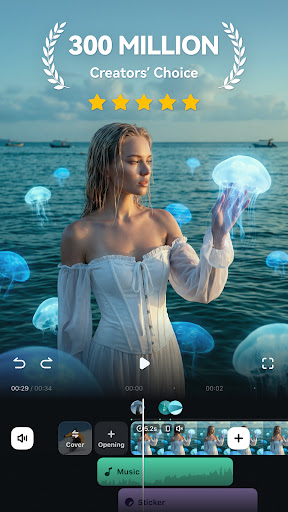
- This video editing interface is super intuitive and has drag-and-drop function, making the process particularly smooth, as if everything becomes simple and smooth.
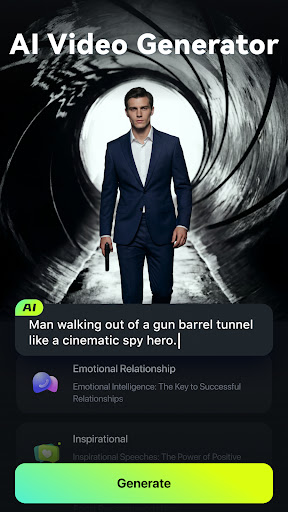
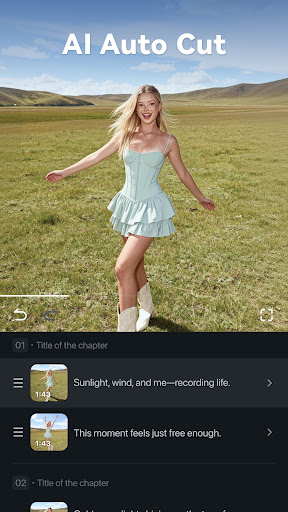
- There are also some advanced functions, such as AI recognition of scenes and automatic optimization, to help you quickly edit, saving time and effort.
- It supports multiple formats and resolutions, and is seamlessly compatible no matter which device you are on. It's really considerate.
- You can preview it in real time, share it instantly, and you can produce beautiful videos directly with this app without having to go anywhere else to get it.
- There is also an offline mode, where you can edit without the Internet, and you can handle those urgent small projects while you are away from home. It's really convenient.
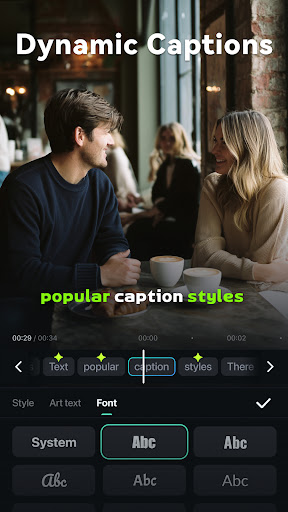
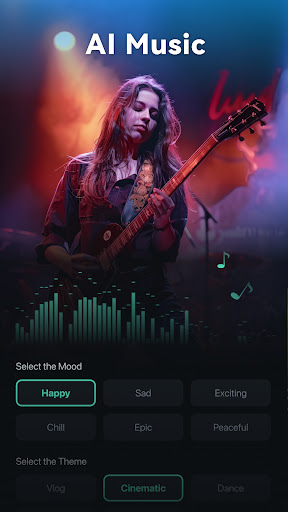
- Built-in music library and text tools to enhance your creative expression and make the story more moving and interesting.
- Exporting is also very simple. After the settings are optimized, you can easily share them on various social platforms or other places in seconds!
Who is this app suitable for?
This mobile app is especially suitable for everyday players, social media lovers, and small businesses that want to quickly produce high-quality videos. The design is very user-friendly and can be used by people who are willing to walk outside and edit anytime and anywhere, especially those who like the convenience of doing things on their mobile phones.
Whether you are a student, content creator, or an enthusiast, this Android app can help you get a variety of interesting videos, suitable for personal projects, and can also be used for some publicity. The operation is very friendly and can be used by both novices and veterans. It has rich and reliable functions, which can save a lot of time and improve efficiency.
Why choose this app?
This app combines powerful features and a simple interface, making video editing easy for everyone. Its application experience is very smooth and runs particularly smoothly on Android, saving time and improving work efficiency.
Different from others, it can also be optimized using AI technology, and offline editing is no problem, which solves common workflow problems well. Focusing on user experience and rich functions, it is definitely the first choice for mobile video editing!
Top Recommended Alternative

Pros & Cons
Pros
- Intuitive AI intelligent editing tool
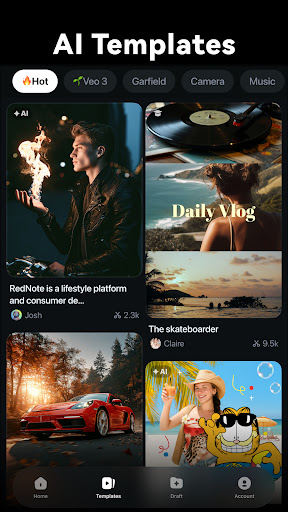
- Massive built-in templates and special effects
- Super friendly interface
- Support 4K video editing
- GPU acceleration makes rendering extremely fast
Cons
- AI recommends limited customization options
- Occasionally I get stuck when editing complex
- Watermarked export is only available to paying users
- Some advanced features still have to be updated officially to work normally
- The mobile version occasionally does not have some features of the desktop version
Advertisement
Download Filmora: AI Video Editor&Maker


FAQ
Is Filmora: AI Video Editor&Maker safe to use on my device?+
Don't worry, Filmora software is quite reliable, and its security and other aspects are not bad. It has been strictly reviewed by the official app store to ensure that it meets Android and iOS security standards. Remember to only download it from regular channels, and you will feel more at ease.
Asan application-based tool, it attaches great importance to user privacy and security. Upgrade patches are often pushed to patch some potential vulnerabilities, so it is still quite reliable to use. You can also feel more at ease by looking at the permission request before downloading.
How do I install Filmora on my Android device?+
To install Filmora on an Android phone is actually quite simple, search for it in the Google Play store, click the install button, and wait for it to download. The interface was very friendly. Even Xiaobai, who didn't know how to operate it, could learn it quickly.
Once installed, you can start exploring its various features.It works pretty smoothly, helps you easily edit videos, and feels like a pretty good experience.
What are the main features of the Filmora app?+
Filmora is quite functional, with various professional editing tools, filters, transition effects, and text superimposition. It also supports some intelligent AI functions, such as automatic optimization and scene recognition, making editing faster and more interesting.
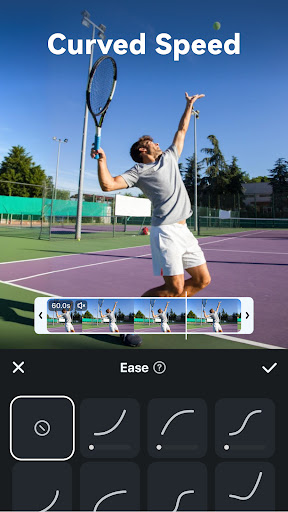
Itsdesign is quite intuitive, easy to operate, and can add music, adjust speed or export various formats. Whether you are hobbyists or content creators, you can find a place for it.
Does Filmora support video editing on both Android and Apple devices?+
Of course, Filmora not only has an Android version, but also has a corresponding APP on iOS. The cross-platform design allows you to create and edit videos anytime and anywhere on your mobile phone or tablet, with basically the same functions.
Whetheryou use it as a launcher or a separate editing tool, the experience is smooth and reliable. You can also sync projects between devices, which is quite convenient. It is really a good helper for making videos on your mobile phone.
Will I need an internet connection to use Filmora?+
Most functions, such as editing and adding special effects, can be used without the Internet as long as they are downloaded and installed in advance. However, some high-end functions or cloud storage still require a network connection.
Overall, it is quite convenient to use, and there is no major problem whether online or offline. As a pure application solution, it is quite suitable for editing videos anytime and anywhere, which is quite convenient.
Customer Reviews
Filmora is praised for its intuitive, pleasant interface and powerful editing features that enable smooth video creation. Users highlight its ease of use and excellent performance when editing. However, monetization is a major concern: many appreciate the functionality, but a significant number complain about hidden paywalls—free features like export or transitions are now locked behind subscriptions, and past one-time purchases have been revoked. Some report involuntary charges, difficulty canceling subscriptions, and unresponsive customer support. While some users find it reliable and recommend it over competitors, others experience frequent crashes and slow performance, leading to frustration. Overall, a capable editor marred by controversial pricing.
Write a Review
Share your experience with Filmora: AI Video Editor&Maker. Submissions are reviewed before publishing.
You Might Also Like
More apps you may want to try next.


