
Emoji Battery Widget
Advertisement
Screenshots
Advertisement
About Emoji Battery Widget
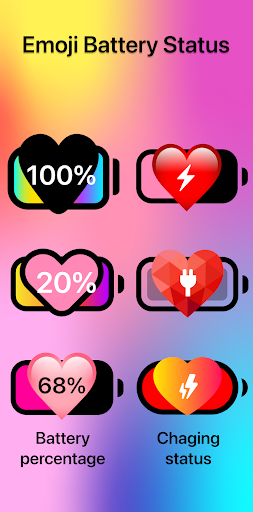
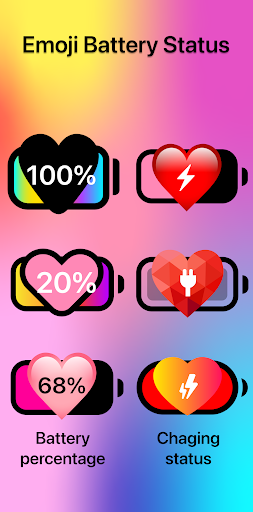
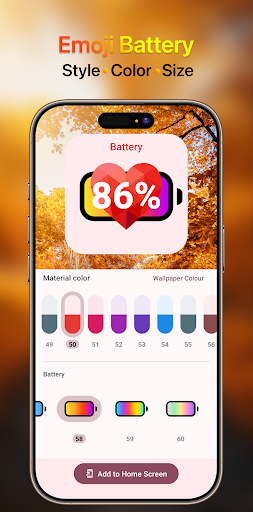
Emoji Battery Widget is a personalization mobile app that transforms your phone's battery indicator into playful, customizable emoji displays. Designed for users who want a fun and functional home screen, this Android app lets you track power levels at a glance while expressing your style. The app experience is simple, with a clean interface and a variety of emoji themes to match your mood, offering a straightforward app based solution for blending practicality with personality.
Overview
Core Features
- Live battery percentage in a fun emoji face that changes as your charge drops or rises.
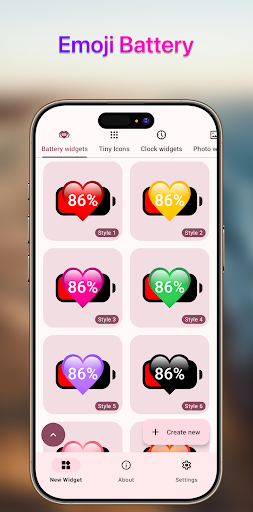
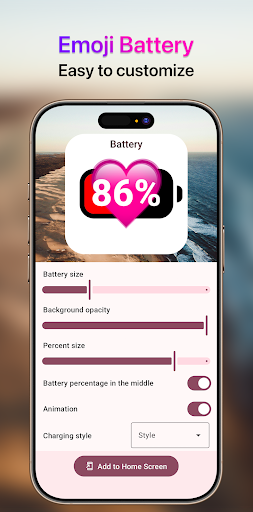
- Customizable widget styles, sizes, and emoji variations to match your home screen theme.
- One-tap access to full battery stats, including temperature and charging status.
- Low battery alerts with playful emoji notifications that keep you informed at a glance.
- Optimized for efficiency, this Android app uses minimal resources and runs smoothly in the background.
- Works seamlessly with most launcher apps, so you can place the widget wherever it fits best.
- Regular updates with fresh emoji packs and new app features based on user feedback.
Who This App Is For
This mobile app is perfect for teens and young adults who love customizing their phone's look and want a fun, visual way to track battery life without digging into settings. It's also great for anyone who enjoys playful, personality-driven widgets over plain, boring ones.
Use it as a quick glance on your home screen to manage your day, or set the emoji alerts to remind you to charge before a long commute. For parents, it's a simple, app-based solution to check kids' devices' status at a glance, making the whole app experience more fun and practical.
Why Choose This App
Unlike generic battery indicators, this Android app turns a necessary utility into a delightful daily interaction. You get clear, immediate feedback on charge levels while injecting a bit of joy into your home screen, all without sacrificing performance or battery life.
Its main strength is the blend of humor and function. The app features are straightforward to use, and the emoji expressions make checking your phone feel less like a chore and more like a small game, giving you a distinct and memorable upgrade compared to standard widgets.
Pros & Cons
Pros
- Real-time battery status glanceDisplays battery percentage directly in the status bar with a dynamic emoji icon, saving you a pull-down gesture.
- Fun and customizable emoji themesChoose from dozens of emoji styles (e.g., 🍔, 🚀, 🐱) to match your mood, making battery monitoring less boring.
- Low resource consumptionRuns in the background with minimal CPU and RAM usage, typically under 10MB, so it won't drain your battery while monitoring it.
- Quick charge/discharge alertsSends a playful emoji notification (e.g., ⚡️ when charging, 🪫 below 20%) that is both clear and non-intrusive, unlike verbose system alerts.
- Widget flexibility for home screensOffers multiple widget sizes (2x1, 4x1) and transparency options, allowing seamless integration with both stock and custom launchers.
Cons
- Occasional emoji rendering issues on some devicesOn Samsung or Xiaomi skins, certain emoji (like the battery gauge) may appear slightly off-center or pixelated, affecting visual polish.
- No built-in battery health historyTracks only real-time percentage and estimated time, but lacks long-term degradation charts that power users expect from apps like AccuBattery.
- Premium features are paywalledAdvanced themes and ad removal require a one-time in-app purchase (~$1.99); the free version shows occasional banner ads that may annoy during setup.
- Widget refresh lag after heavy usageAfter gaming or using GPS, the widget can take 10-15 seconds to update the percentage, which may mislead you briefly.
- No charging optimization suggestionsUnlike some rivals, it doesn't recommend optimal charging thresholds or provide slow-charge reminders, so it's purely informational.
Advertisement
Download Emoji Battery Widget


FAQ
Will Emoji Battery Widget drain my phone's battery?+
Is Emoji Battery Widget safe to use?+
Why isn't my widget updating in real-time?+
Can I customize the look of the Emoji Battery Widget?+
Does the app work on both Android and iPhone?+
Why is the widget showing an incorrect battery percentage?+
Is there a free version available?+
The widget disappeared from my home screen. How do I get it back?+
Customer Reviews
Users generally appreciate the playful heart-themed emoji designs and the easy-to-read battery percentage, with some praising the variety of colors and the fun, simple interface. However, many express frustration over functionality: the widget often fails to load, doesn't affect battery color or performance, and can be difficult to add or remove from the home screen. There are mixed opinions on the design—some find it adorable, while others criticize the excessive heart icons and lack of variety. Additionally, several users note that the app differs significantly from its advertisements, leading to disappointment. While some call it a delightful, simple tool, others label it as deceptive and ineffective, emphasizing that it doesn't improve battery life. Overall, the widget appeals to a niche audience but fails to meet general expectations.
Write a Review
Share your experience with Emoji Battery Widget. Submissions are reviewed before publishing.
You Might Also Like
More apps you may want to try next.


