

Conversations (Jabber / XMPP)
Advertisement
Screenshots
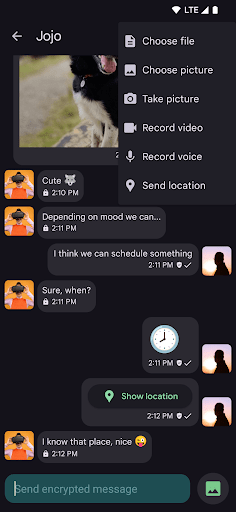
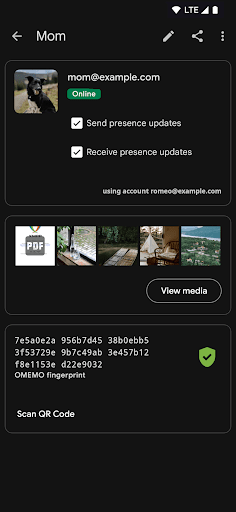
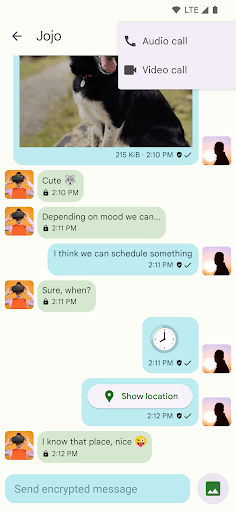
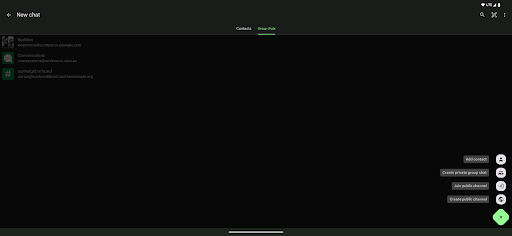

Advertisement
About Conversations (Jabber / XMPP)
Conversations is a chat software that is really a generalist. It is specially designed for safe and private chat and uses the XMPP protocol. It feels quite reliable. As an Android application, it runs smoothly, has an intuitive interface, and feels natural to use. Especially for those who want a secure chat tool that can seamlessly connect with their contacts. Whether it is personal or work, this APP can provide powerful features to ensure that conversations are private and efficient, and it is a very considerate choice.
Overview
core functions
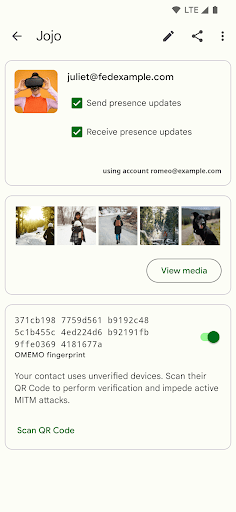
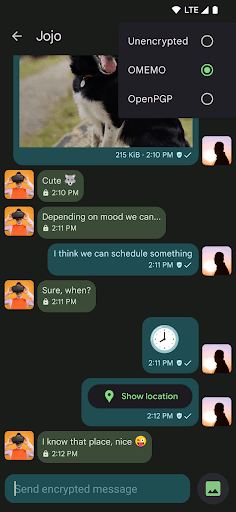
- This application uses end-to-end encryption to ensure the safe transmission of information and always protect users 'privacy. It feels quite reliable.
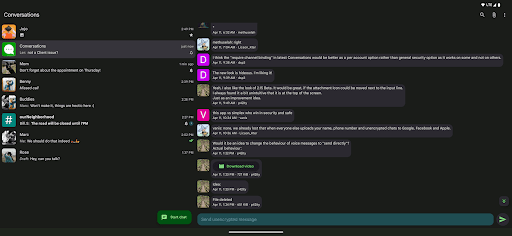
- The real-time synchronization feature allows you to seamlessly update chat content on multiple devices. The experience is quite smooth. Sometimes switching between multiple devices is really easy.
- Offline mode is supported. You can read and send messages at any time. It doesn't matter if you don't have to connect to the Internet. It's quite convenient to synchronize online.
- The lightweight design makes this Android software run fast and responsive, allowing it to be used smoothly even on lower-profile devices.
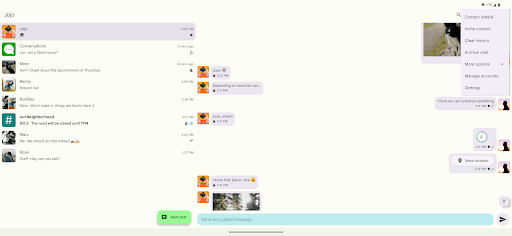
- Notifications and themes can be customized, and you can tune them any way you want. You don't have to worry about advertising at all, and the experience is very personalized.
- Support the standard XMPP protocol, which is quite reliable as a communication tool, especially for different groups. It feels quite secure.
- The search and filtering feature allows you to easily find important conversations or messages without having to flip through it for a long time. It's so convenient.
Who is this App suitable for?
This communications mobile phone application is especially suitable for professionals, technology enthusiasts, and those who need reliable information. It's really safe to use on Android. Ideal for friends who care about privacy and safe chatting.
People who want to use a competing App for secret chats, Group chats or real-time communication will find this Android software very useful and can handle both personal and work. It is very considerate.
Why choose this App?
This Android app features powerful features combined with security and user control as selling points, and feels stable and reliable. It is easy to use, has a strong sense of trust, and information transmission is smooth.
As if it is a communication artifact tailored for you, the issues of concern to users such as privacy, offline use, and customization are all taken into account. As one of the preferred communication applications, the chat experience is extremely smooth.
Top Recommended Alternative

Pros & Cons
Pros
- Secure and encrypted messaging
- decentralized architecture
- cross-platform support
- Rich multimedia support
- Customizable interfaces and extensions
Cons
- Limited user discovery capabilities
- Server stability varies
- Different client user experiences are not uniform
- Limited multimedia protocol support
- The security configuration is quite complicated
Advertisement
Download Conversations (Jabber / XMPP)

FAQ
How do I log into the Conversations app?+
Logging in to this Conversations chat software is actually quite simple. After installing the Android version, you just need to enter your username and password. If you are a novice, it is super easy to register an account in the app yourself, so you don't have to worry.
Thelogin experience of this app is particularly smooth and allows you to start chatting as soon as you open it. Whether it's on a mobile phone or a tablet, it's very intuitive to use. There's no trouble. It's really convenient to use.
Is the Conversations app safe to use?+
Don't worry, this Conversations itself is quite safe. It uses end-to-end encryption to ensure that every message you send is firmly protected and no matter how much you chat, you won't worry about leaks. Reliable and reliable, and the safety measures are in place.
Ifyou are particularly concerned about privacy, you will definitely like how it handles your data. As a time-tested communication tool, it is a security experience created specifically for global users and has a clear understanding of it.
Can I use this app as my default launcher app?+
No, Conversations is not a launcher application at all. It specializes in messaging and communication and is based on the XMPP protocol. If you want to use a launcher, you may have to find another app that specifically does this.
Butif you really want to chat safely and efficiently, this mobile app provides many powerful features that can help you optimize your messaging experience and is especially suitable for Android devices.
What are the key app features of Conversations?+
This app has many features, including real-time messaging, support for multiple chat rooms, and the ability to share multimedia content. Notifications can be customized and synchronized between devices. It is a comprehensive modern communication solution.
Theinterface is also quite friendly, allowing you to easily manage contacts and personalize your chat experience. It is open source, so it will be updated frequently and has community support, making it more secure and reliable to use.
How does the app experience enhance communication?+
Chatting with this app is smooth and quick, and it feels like communication becomes more natural. Its design is very simple and there is nothing messy, allowing you to concentrate on chatting without getting stuck and flowing.
Whetherit's a private conversation or a work exchange, Conversations ensure that information is transferred quickly and reliably. Mobile terminals are also very convenient to use, and you can stay connected anytime and anywhere. It's really convenient.
Is this app suitable for enterprise or business use?+
Absolutely. Conversations is quite suitable for corporate use. It has guaranteed security, flexible settings, helps team collaboration, supports multiple platforms and is easy to integrate.
Withthis tool, companies can establish private communication channels with peace of mind, maintain constant contact, be reliable and secure, and conduct business communication without worrying about information leakage.
Does this Android app support offline messaging?+
Of course I support it! This Conversations can send messages offline and read and write messages without having to connect to the Internet. After you are reconnected, messages will be automatically synchronized to the server.
Thisfunction allows you to not worry about the trouble caused by unstable network, and you can use it to chat anytime and anywhere. It's a very thoughtful design.
What versions of the app are available, and are updates reliable?+
This app is regularly pushed and updated to improve functionality and security to ensure that you use it smoothly. It also supports the latest Android system and runs particularly smoothly on the device. Updated in a timely manner to enjoy the latest new functions and security guarantees.
Asa mature communication tool, it has an active background and good community support. Everyone has been maintaining it all the time, so it is very reliable and safe to use. It is a trustworthy messaging tool.
Customer Reviews
Users widely praise Conversations as the best XMPP client for Android, highlighting its secure messaging (end-to-end encryption), lightweight open-source design, and minimal battery drain. It offers smooth multi-account support, seamless syncing across devices, and reliable file sharing. Some appreciate its clean text-focused experience without bloat or tracking. Key dimensions: - "Security & Privacy": Strong encryption praised, though removal of OTR in v2.x surprised some users; strict certificate controls in updates caused connectivity issues for self-signed certs but were seen as positive. - "Reliability & Performance": Most find it stable and fast, but occasional 'Bind Failure' errors and broken notifications (false alerts or missing real messages) frustrate some. - "Usability": Intuitive navigation and multi-device sync are valued. However, configuring non-standard ports/SSL is unclear, and multi-account conversations lack account indication. Some request PIN/fingerprint lock and backup chat logs. - "Support & Updates": Developer support is excellent (quick fix via email). Some paid users complain about a recurring monthly fee after six months. - "Cross-Platform": Works well on Android, PC, tablets; no Linux desktop package. While many call it flawless, others note specific bugs and missing features. Overall, a top-tier app with room for polish.
Write a Review
Share your experience with Conversations (Jabber / XMPP). Submissions are reviewed before publishing.
You Might Also Like
More apps you may want to try next.




