Control Panel Plus - Center
Advertisement
Screenshots
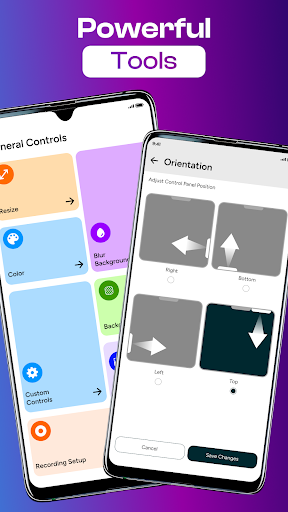
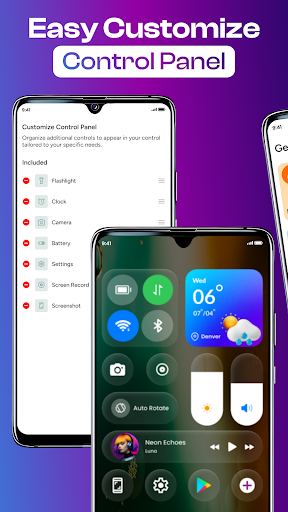
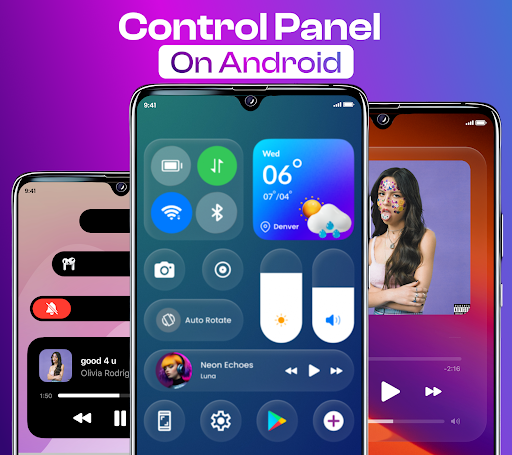
Advertisement
About Control Panel Plus - Center
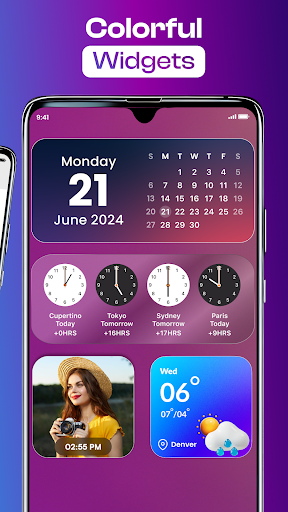
Control Center - Panel Plus is a super versatile personalized mobile app specifically designed to make your device interface more interesting and convenient. It provides a variety of smooth customization features that allow you to find and adjust commonly used settings faster, like magic. As a very intuitive launcher application, it really improves your overall application experience. Whether it is Android or iOS devices, it can be used smoothly and smoothly. It feels like having a considerate little assistant around you!
Overview
core features
- That intuitive customization option allows users to easily adjust the layout and appearance of the control center. It feels so considerate and convenient.
- The response speed is amazingly fast, the synchronization is surprisingly smooth no matter which device you use, and the ordinary daily experience becomes smoother.
- You can set shortcuts and find the functions you use most in seconds. It's super convenient!
- The environment is safe and clean, there are no advertisements, which makes people feel more at ease, and the interface is also very smooth without those annoying advertisements.
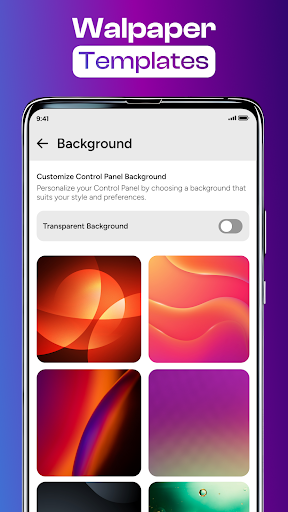
- Support a variety of personalized customizations, such as themes, shortcuts and notification controls, the personalized artifact of your dreams!
- Apps that are compatible with Android can also be combined with launchers to turn the device into your own customized space.
applicable population
This mobile app is especially suitable for users who want to easily customize the control center, especially those over the age of 18 who have a little understanding of technology, pursue efficiency and a personalized experience.
Whether you want to make your daily life smoother or customize your Android interface, this app can help you easily, making your daily life more convenient and your life more interesting!
Why choose this App
What makes this application special is that it provides rich personalized functions while ensuring a safe and reliable user experience. Smooth operation and the perfect combination of support and launcher are definitely the first choice for friends who like customized tools!
Different from other similar applications, it responds in real time and is highly secure, making you feel more secure. Focusing on personalization and easy integration, it is a clear stream in the launcher and customization market and is well worth a try.
Top Recommended Alternative

Pros & Cons
Pros
- The user interface is very friendly
- Various equipment support
- Powerful automation
- Panels can be customized
- Frequent updates and optimizations
Cons
- Occasionally, the connection will be disconnected
- Incomplete offline functions
- Advanced functions are a little difficult to learn
- power consumption problem
- Voice control is not comprehensive enough
Advertisement
Download Control Panel Plus - Center


FAQ
Is Control Center - Panel Plus easy to set up on my device?+
Well, the Control Center-Panel Plus is designed to be quite user-friendly, and it's quite easy to get it done on both Android and iOS devices. The interface is intuitive. After following the steps a few times, the installation seems to feel smooth and there are no complicated operations.
This app is quite smooth to use. Whether you use it as a starter or use personalized control functions, adjustments are quick and convenient, and it feels quite considerate.
Does this mobile app work well on both Android and iOS devices?+
Control Center-Panel Plus is quite compatible on Android and iPhone, and there will be no big difference. The experience of using it is similar makes people feel that no matter which device they use, the functions they enjoy are similar and great.
Its design is very careful and provides rich personalized functions. Device customization becomes more flexible and easier to handle, making it very suitable for you who want to trouble.
What kind of app features does Control Center - Panel Plus offer?+
The app has many features, such as the ability to customize the control panel, quick access to commonly used functions, and theme options. Using these functions will make your equipment more convenient to use and your daily operation will be smoother.
As a personalized launcher, it provides a unique experience that allows the device's functions and appearance to be adjusted according to your preferences. It is quite considerate.
Is my data safe when using this app?+
Of course, the Control Center- Panel Plus pays special attention to user safety and privacy. It complies with regular security standards to ensure that no problems occur during the use of your personal information, which is quite reassuring.
It can be said that this app-based solution can bring you a reliable and secure experience on both Android and iOS devices, the kind that is unbreakable.
Can I customize the app features to suit my style?+
Absolutely. One of the biggest advantages of Control Center-Panel Plus is that it is highly customizable. You can change the theme, shortcuts and layout yourself, and use it freely, making the entire interface unique and especially in line with your own style.
This kind of freedom makes you feel that it is specially tailored for you. Many users who like to trouble themselves like it very much. It's really good.
Does the app impact my device's performance?+
No, the optimization of Control Center-Panel Plus is okay. It runs smoothly and won't slow down your device. Its functions are cleverly designed, running in the background will not take up too many resources, and the overall performance is quite stable.
In this way, whether you use it on Android or iOS, as the main launcher or control panel, you can feel a fast and smooth experience, which is quite reliable.
What do users say about the app's reliability?+
Many users who have used it feel that the Control Center-Panel Plus is quite reliable, has a stable experience and is trustworthy. As a solution to adjust equipment, it has always performed quite well, and there is no problem of failure.
Whether it is on Android or iOS devices, you can see the development team's intentions, and the overall performance is also very stable. Many users think it is a good choice and ranks high among desktop launchers.
Is Control Center - Panel Plus frequently updated?+
Of course, developers are very diligent, often pushing updates, constantly improving functions and strengthening security. Keeping up to date ensures that the app is easier to use, safer, and that problems can be fixed in a timely manner.
This is also why it has always maintained a relatively high reputation and user trust, which proves that the team has been working hard to produce a better high-quality product, which is worth looking forward to!
Customer Reviews
Control Panel Plus - Center is widely praised as the best Android-to-iPhone imitator, successfully transforming icons and layout to resemble a real iPhone. Users commend its speed and reliability in delivering the desired look. However, opinions are divided on key aspects: Imitation effectiveness – many say it works perfectly, while some report it not functioning correctly or being a fake app. Performance – it is fast and stable for some, but others experience frequent freezes and crashes. Ads and permissions – a common complaint about excessive ads, misleading 'Plus' name, too many permissions, and large un-customizable size. This app delivers on its core promise for those wanting an iPhone-like experience but has significant drawbacks that deter others.
Write a Review
Share your experience with Control Panel Plus - Center. Submissions are reviewed before publishing.
You Might Also Like
More apps you may want to try next.