Color Call Theme, Call Screen
Advertisement
Screenshots
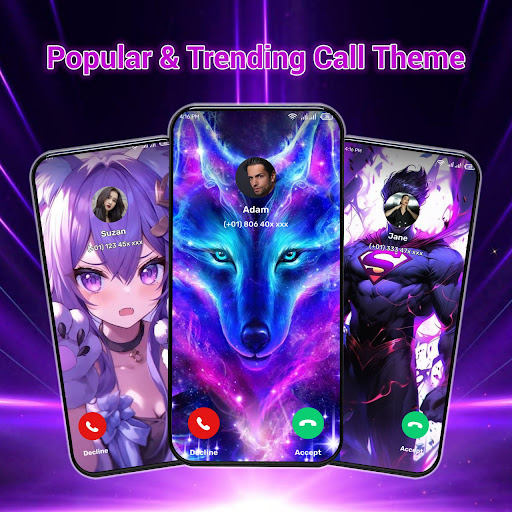
Advertisement
About Color Call Theme, Call Screen
Color Call theme, caller screen, is a popular personalized mobile phone application, mainly to make your calls more interesting. This app can be used on Android phones. Users can use a variety of colorful themes, animated backgrounds and special special effects to make your caller interface beautiful, making it different every time you answer a call. The interface is super simple and easy to use, and it also has various functions that can bring you a special experience, just to give your phone more personality and emotional color.
Overview
core functions
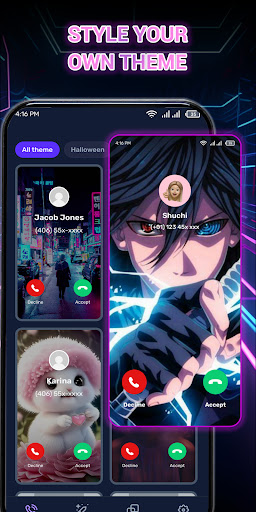
- This app has everything and can customize the theme of the incoming call interface at will. It simply allows you to create your own incoming call style at will, which is super convenient.
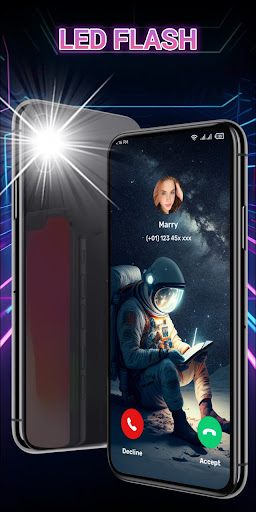
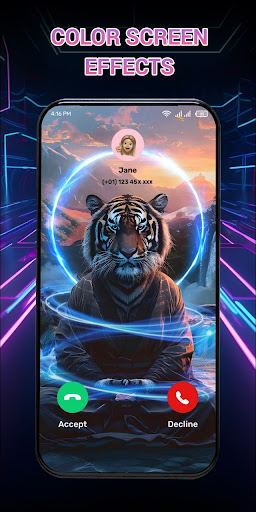
- There are also a variety of cool visual effects and animations inside, making every phone call more interesting, more sexy, and no sense of boredom.
- The interface design is quite intuitive, and it is very simple to change themes. You can change them as you want, and it is completely effortless.
- You can also preview the effect in real time. After replacing it, you can see how the effect is before deciding. If you are satisfied, use it officially, with peace of mind and worry.
- Support offline status, you can switch and customize themes at will without connecting to the Internet, and you don't have to worry about network problems at all.
- Compatible with multiple launchers, basically any Android device can be used, and the adaptability is quite good.
- Advanced features also include quick switching of themes and personalized call backgrounds to make you feel different and unique every time you answer a call.
Who is suitable for?
This app is especially suitable for people who like to toss and dress up their phones with personality, especially those aged between 15 and 40 who like to express themselves on their phones.
If you want a simpler way to make the caller ID more dazzling and interesting, and want to make every time you answer the phone a pleasure, it will definitely meet your needs and be great!
Why choose this model?
What makes this Android app stand out is that it combines rich features and a super friendly experience, making it especially suitable for users who like personalization.
It can quickly meet your customization needs, is compatible with multiple starters, and is simple to operate. It is not too easy to transform into a personalized caller interface. It is a reliable choice.
Top Recommended Alternative

Pros & Cons
Pros
- You can customize your own call screen theme
- Super friendly interface
- The picture quality is great.
- Changing themes quickly and very convenient
- The content is updated every day
Cons
- Not many free themes
- The application is large and occupies a bit of resources
- Advertisements sometimes appear
- Limited customization
- Compatibility issues occasionally
Advertisement
Download Color Call Theme, Call Screen

FAQ
Is Color Call Theme, Call Screen safe to use on my Android device?+
How do I install and set up the application Color Call Theme, Call Screen?+
Does Color Call Theme, Call Screen support different device types and versions?+
Can I customize the caller interface with my own pictures or themes?+
Is the app Color Call Theme, Call Screen free, or does it need to be paid?+
Customer Reviews
Users generally praise Color Call Theme, Call Screen for its smooth user experience, helpful features, and elegant visual design that enhances daily tasks and fits smartphones well. Key dimensions: "Functionality & Ease of Use" – Many find it practical, intuitive, and productivity-boosting, though a few struggle with setting up different contacts. "Ad Experience" – This is the most divisive aspect: while most enjoy the app without issue, some users report excessive ads (full-screen 2-minute ads, persistent banners) from installation onward, calling it 'horrible' and 'garbage.' "Visual Appeal" – The themes are described as lovely, simple yet elegant, and perfectly matched to devices. Overall, the app delivers solid personalization but suffers from ad overload for a minority of users.
Write a Review
Share your experience with Color Call Theme, Call Screen. Submissions are reviewed before publishing.
You Might Also Like
More apps you may want to try next.