
Clap2Find: Lost? Clap!
Advertisement
Screenshots

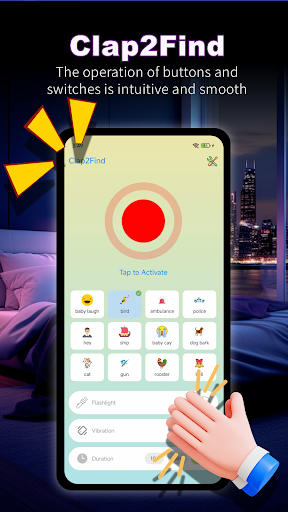
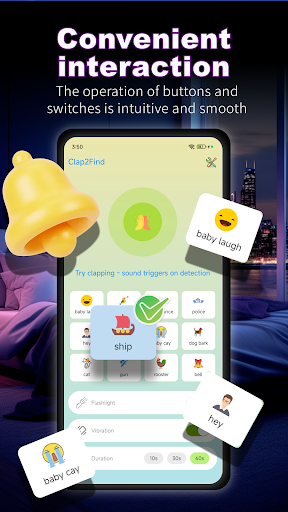
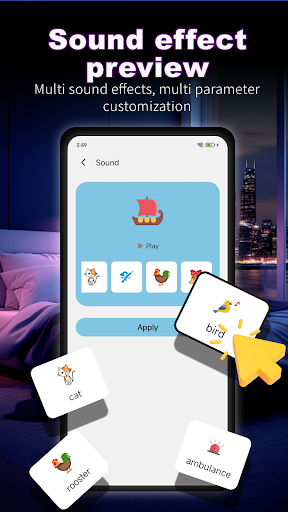
Advertisement
About Clap2Find: Lost? Clap!
Clap2Find: Lost? Clap! is a practical mobile app designed to help you locate your misplaced phone simply by clapping your hands. Instead of searching through cushions or bags, you trigger a distinctive sound and light response from your device. This Android app turns a frustrating situation into a quick, hands-free solution, making the app experience both efficient and stress-free.
Overview
Core Features
- Clap detection using your phone's microphone to trigger a loud ring even on silent mode.
- Adjustable sensitivity lets you tune how many claps or how loud they need to be.
- Flashlight and screen flash activate together with the ring so you can spot your phone in the dark.
- Works completely offline, no internet or Bluetooth needed, making this mobile app reliable anywhere.
- History log shows the last known location when the app was triggered, helping narrow down your search.
- Battery‑efficient background service won't drain power while waiting for your clap.
- Simple one‑time setup with a tutorial, no complicated settings, so anyone can use this Android app right away.
Who This App Is For
This mobile app is built for anyone who often misplaces their phone around the house, office, or car. It suits people of all ages, from busy parents and students to older adults who might find a hands‑free way to locate their device helpful.
Use it when your phone slips between couch cushions, gets buried under laundry, or goes missing in a noisy room. The app experience is designed for those moments when you are stressed and just need a quick, clap‑based solution to find your phone without digging through clutter.
Why Choose This App
Clap2Find eliminates the need for extra tags or smart speakers. Just clap and your phone rings loudly, even in silent mode. The app features are practical and focus on simplicity, so you don't need to fiddle with settings when you are in a hurry.
Unlike other finder apps that rely on Wi‑Fi or Bluetooth range, this Android app works in any room and doesn't require an internet connection. It stands out by giving you a hands‑free way to locate your phone using nothing but the sound of your own clap, making it a truly app‑based solution for everyday forgetfulness.
Pros & Cons
Pros
- Intuitive sound-triggered searchClapping triggers the app to pinpoint your lost item's location via audio triangulation, like finding keys under a couch within seconds.
- Works offline with no setupNo internet or Bluetooth pairing needed—just clap and the app uses your phone's mic to map nearby sounds in real time.
- Fast response under noisy conditionsThe algorithm filters out background chatter, so a single clap in a crowded café still reliably highlights your lost wallet.
- Minimal battery drain during operationThe app only activates the mic when you clap, preserving battery life while offering a quick, one-tap recording history.
- Clear visual feedback on screenA radar-like UI shows the direction and distance of the sound source, making it easy to follow even for first-time users.
Cons
- Inconsistent detection in open outdoor spacesWind and echoes reduce accuracy; a clap in a park might not register if the item is more than 15 feet away.
- No support for soft or muffled soundsIf the lost item is buried under fabric or in a drawer, a clap may not produce enough echo to be detected.
- Requires a clear line of sight to the lost objectThe app relies on direct sound reflection, so items inside a closed box or behind thick walls are often missed.
- Occasional false positives from other loud noisesA door slam or loud cough can trigger the search, causing the app to highlight a wrong location.
- No multi-room or multi-floor tracking yetIf the item is in a different room upstairs, the app can't distinguish floors; a temporary fix is to move closer before clapping.
Advertisement
Download Clap2Find: Lost? Clap!

FAQ
How does Clap2Find work on my Android phone?+
Is Clap2Find safe to install and use?+
Will Clap2Find drain my phone battery quickly?+
Do I need an internet connection to use Clap2Find?+
Can I adjust the clap sensitivity for different environments?+
Does Clap2Find work if my phone is on silent or vibrate mode?+
How do I uninstall or disable Clap2Find when I don't need it?+
Customer Reviews
Customers overwhelmingly report severe issues with Clap2Find. A few users acknowledge the clap-to-find feature works occasionally when the app is opened first, but the vast majority say it rarely functions, often failing entirely or working only once. The app is widely criticized for hijacking the device interface—scattering apps and altering settings—and for being extremely difficult to uninstall; some users managed to restore their layout by resetting the launcher, while others needed third-party tools. Many complain of intrusive pop-up ads on other apps, suspected malware behavior, and privacy risks. A single positive review exists ('I love the app'), but the overall sentiment is strongly negative, with warnings that the app is malicious, useless, or a scam.
Write a Review
Share your experience with Clap2Find: Lost? Clap!. Submissions are reviewed before publishing.
You Might Also Like
More apps you may want to try next.