CastPlay - Cast Screen
Advertisement
Screenshots
Advertisement
About CastPlay - Cast Screen
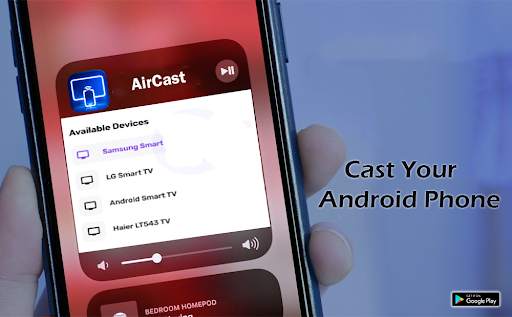
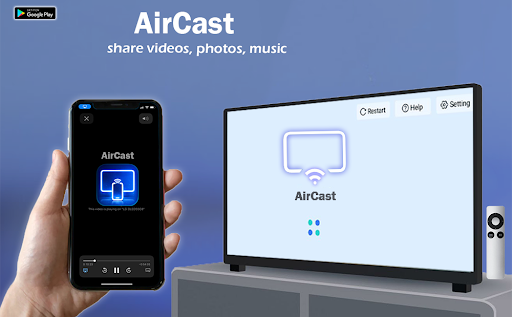
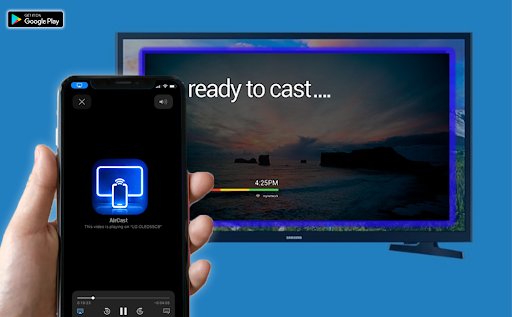
CastPlay - Cast Screen, this app is quite considerate, just to make it easier for you to share screens. It helps you seamlessly project the content of your phone onto the big screen, whether you're giving a presentation or just want to watch a video on a larger screen, it's quite convenient. As an Android application, it is easy to use, intuitive to operate, and basically not difficult at all. It is a good helper for screen projection. Its goal is to let you use it with peace of mind and have a smooth experience. People who want to easily screen can try this. The effect is really good.
Overview
core functions
- It allows you to easily project your phone's screen onto a Chromecast or smart TV seamlessly, making it smoother to use and a better experience.
- Supports real-time screen streaming with low latency, making it especially suitable for presentations, playing games, or sharing media content.
- The interface is quite intuitive, content delivery is fast and convenient, and first-time users can get started quickly and it is not that complicated.
- It can also connect multiple devices at the same time, which is especially suitable for group viewing or collaborative projects. It feels quite intimate.
- There is an offline mode where you can put local files and have fun without having to connect to the Internet. It's quite convenient.
- The quality of the transmitted video and sound is excellent, and it is smooth and compatible between various Android devices, and the experience is quite smooth.
Who is this app suitable for?
It is especially suitable for people like tech nerds, anchors or students who like to share content. Users who pursue simplicity and direct screen projection with their mobile phones will also find it good, and the operation is convenient and safe.
Whether it's making a report, watching videos at home, or playing games with friends, this app makes screencasting simple and reliable, making it easy to use every day.
Why choose this app
It provides a stable and easy-to-use screen projection platform, which is quite reliable among many launcher apps. It is rich in functions and has good stability.
It really makes screening easier. Whether it's solving delays or dropped calls, it does a good job. It's a smart choice for people who need an efficient screening experience.
Top Recommended Alternative
Pros & Cons
Pros
-
Smooth screen projection
-
Ultra-wide device compatibility
-
Setup is simple and intuitive
-
high-definition video transmission
-
Privacy control is very considerate
Cons
-
Free features are limited
-
Occasionally disconnected
-
High-resolution streaming can be a little delayed
-
Not very good support for smart TVs
-
There must be a stable network
Advertisement
Download CastPlay - Cast Screen
FAQ
How do I install CastPlay - Cast Screen on my device? +
Is CastPlay - Cast Screen safe to use? +
Can I use CastPlay - Cast Screen on any device? +
What features does CastPlay - Cast Screen offer? +
How do I troubleshoot connection issues with CastPlay - Cast Screen? +
Does CastPlay - Cast Screen support multiple device connections? +
Will I need technical knowledge to use CastPlay - Cast Screen? +
Is there a premium version of CastPlay - Cast Screen? +
Customer Reviews
CastPlay - Cast Screen receives mixed feedback. Users appreciate its user-friendly interface and smooth high-quality streaming for presentations, calling it excellent or great. However, critical issues overshadow these positives. Functionality is a major concern: some users find it works well, while others report it doesn't work, crashes, freezes, or fails to connect for hours, especially on WebOS TVs. Another contentious point is the rating system—users are forced to give a 5-star rating to unlock full features, yet even after rating, features remain restricted, leading to accusations of blackmail and dishonesty. Additionally, many complain about excessive lengthy ads and mandatory payment. The experience is thus polarized: some find it brilliant, while others label it a scam. Potential users should carefully weigh these pros and cons.
Write a Review
Share your experience with CastPlay - Cast Screen. Submissions are reviewed before publishing.
You Might Also Like
More apps you may want to try next.