Canopy - AI Online Safety App
Advertisement
Screenshots




Advertisement
About Canopy - AI Online Safety App
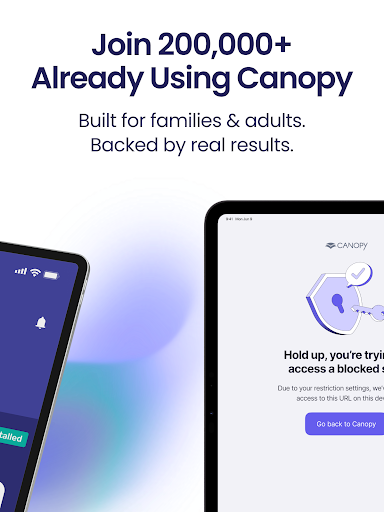
Canopy -Parental Control App is a trusted mobile app designed for parents who want to supervise and manage their children's online behavior. It is available on both Android and iOS platforms, has quite comprehensive features and can help create a more secure digital space. The interface is simple and intuitive, and it is very easy to use. Parents can easily set restrictions, view change reports, and adjust various control options according to the specific needs of their families. It feels quite considerate.
Overview
core functions
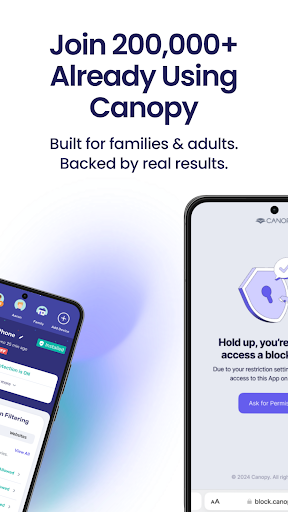
- This APP has powerful parental control functions, which can easily block inappropriate content and reasonably set the screen usage time. It feels particularly considerate.
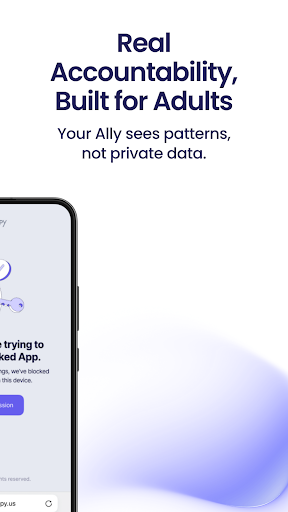
- The real-time synchronization feature gives me peace of mind. Parents can keep track of their children's usage on all connected devices and keep track of their movements at any time.
- There is also a very intuitive launcher app that helps you customize the homepage, making control and monitoring more convenient, making everything simple and convenient.
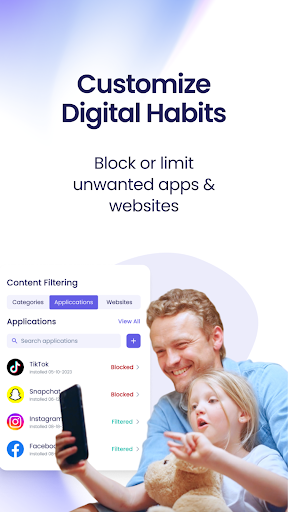
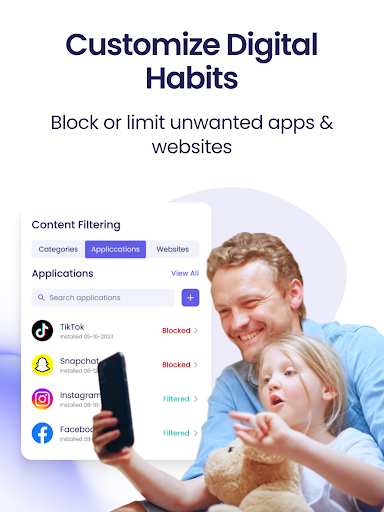
- It is quite practical to provide some application restriction solutions that can limit the use of specific software and help children develop healthier device habits.
- It also includes some feature enhancements, such as scheduling and usage reports, which can better understand children's activities and manage them better.
- These functions can run seamlessly on both Android and iOS platforms, and the cross-device compatibility is quite good and the design is quite considerate.
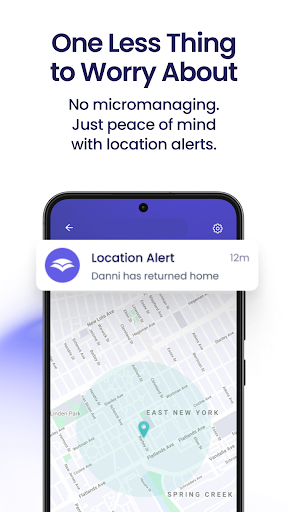
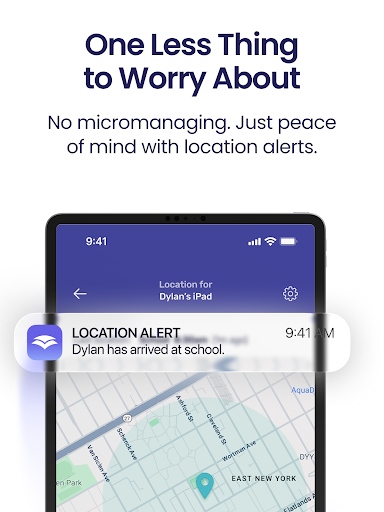
- It can also track locations and monitor activities, so that parents can have a clearer understanding of their children's movements and feel a lot more secure.
Who is this App suitable for?
This mobile app is especially suitable for parents who want to effectively manage the use of their children and teenagers 'devices. I really hope to have a reliable tool to help control it. It is especially helpful for people who value online security and home device management.
In general, this APP solution is particularly suitable for busy parents. Whether at home or away from home, it can easily monitor and control their children's application usage, making you feel more at ease and peace of mind.
Why choose this App
This Android app is the product of accumulated experience and provides parents with a reliable control platform. Its functional design is both easy to operate and security-oriented, giving parents more confidence in regulation in the digital age.
The most special thing is that it combines the two major features of real-time monitoring and custom restrictions. It can respond to the various needs of modern parents and manage it more comprehensively and efficiently. It is a very thoughtful tool.
Top Recommended Alternative

Pros & Cons
Pros
- Content filtering is quite comprehensive
- The operating interface is very friendly
- Can monitor children's online behavior in real time
- You can also set usage time limits
- Permissions can also be personalized
Cons
- Filtering local content is not flexible enough
- Occasionally it will be stuck or delayed
- You have to keep the Internet connected at all times
- The temptation of in-house shopping is a bit difficult to prevent
- The scope of equipment support is not wide
Advertisement
Download Canopy - AI Online Safety App


FAQ
How do I install Canopy - Parental Control App on my device?+
Installing Canopy on your device is actually quite simple. Just go to the Google Play Store or Apple's App Store and search for this parent-controlled app. The functions of this app are designed to be very user-friendly, and the settings are smooth, and it is done in a few steps.
Afterit is installed, you can adjust the settings according to the actual situation at home and Customize some functions. As a mature application solution, Canopy is very easy to use. It can help you better monitor and manage your child's device activities, and you feel a lot more at ease.
Is Canopy safe to use for parental control?+
Of course, Canopy, a parent-controlled app, is quite reliable. It has always put user safety and information privacy first. Strict security measures and transparent policies are adopted to ensure that your information will not be leaked, giving you a sense of security and you can safely use it to monitor your children's online behavior.
Asa regular software that can be used on both Android and iOS, Canopy provides parents with a safe and reliable solution to manage their children's Internet usage.
What are the main app features of Canopy?+
Canopy's functions include real-time monitoring of devices, web filtering, time control, and activity reporting. In this way, parents can help their children create a safer online environment and develop healthy digital habits.
Theinterface is quite user-friendly and very convenient to operate. It is especially suitable for busy parents. Everything can be done without too many cumbersome steps. It feels very useful.
Does Canopy support multiple devices and platforms?+
Of course, Canopy supports multiple devices on the Android and iOS platforms, and families with different devices at home don't have to worry about it, basically they can be covered. In this way, no matter how you use a mobile phone, tablet or other device, you can maintain consistent control and there will be no window period.
Asa mature app solution, it can achieve seamless synchronization between devices and make it smooth. From a user's perspective, it is really a one-stop experience and quite intimate.
Can I control or customize app features in Canopy?+
Yes, Canopy allows parents to adjust functions according to their needs. You can set screen time, block unwanted content, and view activity reports at any time. It's like everything's under control.
Inthis way, the function can be freely adjusted according to the child's age and needs, and it can also ensure that the app is always a safe and practical digital goalkeeper. It is a very thoughtful design.
Customer Reviews
Canopy is generally praised for its effective content filtering, ease of use, and peace of mind, especially for monitoring children's online activity. Users appreciate its customizable categories and remote approval features. However, opinions are sharply divided on reliability: many find it consistent and trustworthy, while others report severe technical issues such as crashes, extreme slowdowns, battery drain, and conflicts with antivirus software. The customer support is criticized as unresponsive, and some users encounter persistent bugs like missing logout buttons and auto-login risks. Although the app blocks inappropriate content well for some, it also sometimes blocks legitimate functions (e.g., 'circle to search') and fails to filter within apps like YouTube. Overall, it's a powerful tool when it works, but its instability and support gaps frustrate many.
Write a Review
Share your experience with Canopy - AI Online Safety App. Submissions are reviewed before publishing.
You Might Also Like
More apps you may want to try next.