All-In-One Offline Maps
Advertisement
Screenshots
Advertisement
About All-In-One Offline Maps
Overview
core functions
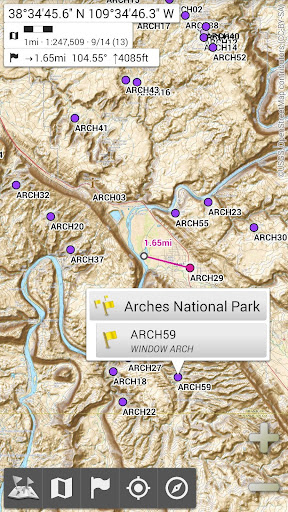
- Supports all-round offline maps, so you don't have to worry about not having the Internet when you go out. It is especially suitable for use in remote areas.
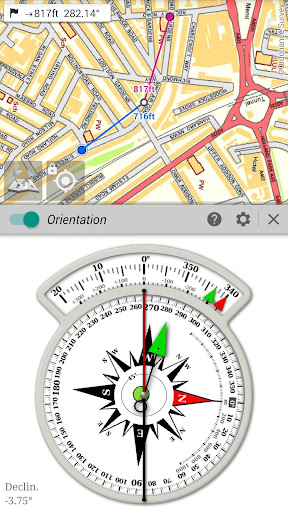
- It is also equipped with real-time GPS tracking and voice navigation to make your journey smoother and more convenient.
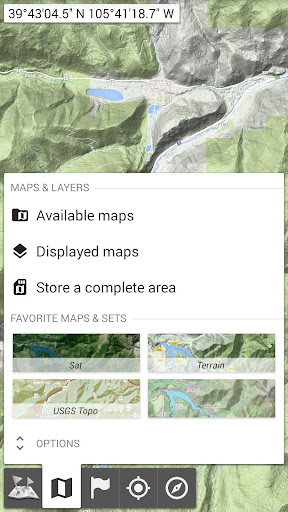
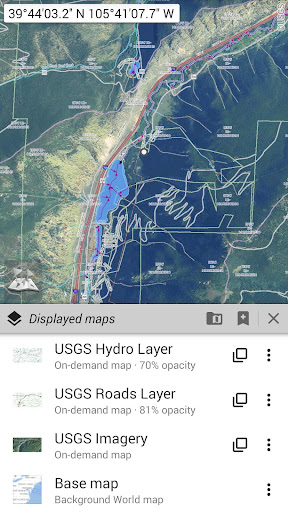
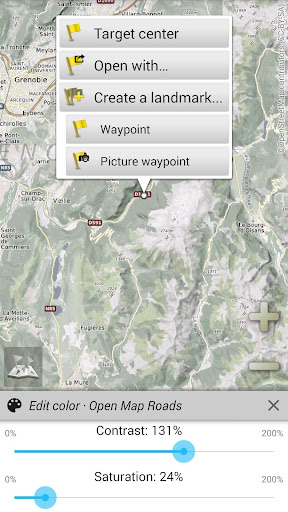
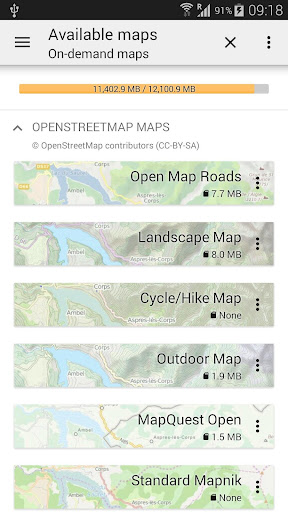
- The interface is super friendly, and it can also customize map layers and multi-source maps, making the functions particularly diverse.
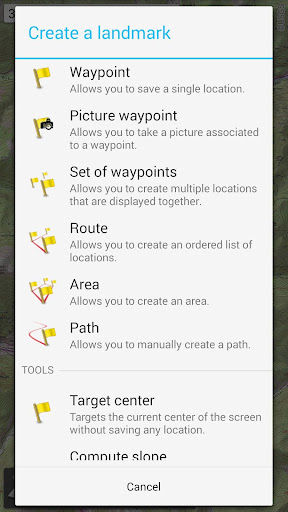
- You can collect your favorite locations and plan your own routes, making it easier to find your way.
- The built-in search function is smart and can quickly find cities, landmarks and addresses, making it easy and efficient.
- The launcher design is very intuitive, making opening maps as fast as lightning and without a troublesome operating experience.
- Ensure data security and privacy so that you don't have to worry about personal information disclosure. It is a trustworthy navigation helper.
- It can also seamlessly switch between different map styles to meet the preferences of different users and improve the user experience to a higher level.
Who is suitable for using this App?
This mobile app is especially suitable for friends who like to travel, hike, sports cars, or those who like outdoor adventure. It is especially suitable for users who frequently visit places with less developed networks or prefer offline maps to help you explore new worlds without worry.
Whether you're planning to travel by car, go on an outdoor adventure, or find your way in the city, this app can help you get it done and make your travel more worry-free. Its design is simple and straightforward, making it ideal for Android users who want an easy-to-use and powerful navigation tool.
Why choose this App?
This Android app stands out for its powerful offline features and comprehensive features, ensuring that you can navigate smoothly without the Internet. The user experience is particularly intimate and has become the best among similar starters and map solutions.
Focus on safety, easy operation, and rich functions, allowing you to easily cope with various navigation problems and provide a trustworthy and powerful map solution to meet all your travel needs.
Top Recommended Alternative

Pros & Cons
Pros
- Detailed offline map
- Super friendly interface
- multilayer map model
- Loading maps is amazingly fast
- The software is lightweight
Cons
- Insufficient real-time traffic information
- Map data is occasionally inaccurate
- No navigation guidance
- Few customization features
- Free version has ads
Advertisement
Download All-In-One Offline Maps

FAQ
Is All-In-One Offline Maps safe to use on my device?+
Well, yes, this All-In-One Offline Maps envisages safety first. It is quite reliable mobile phone software. Many people use it and think its offline navigation function is quite reliable. As long as you download it from official channels, you don't have to worry about it and there will be no trouble.
This software won't collect your extra personal information at will. Coupled with its offline function, you don't have to be connected all the time, and it's quite safe. In short, whether it is true or false, we can use it with confidence and be extremely reliable!
How can I install All-In-One Offline Maps on my Android phone?+
Actually, it's quite simple. Find a platform, go to the Google Play store to search for this name, and it will be just what you see. Just click in and follow the usual steps to install it all the way. Don't make it difficult for yourself.
After installation, there are still many functions that can be used, such as offline maps, route planning, navigation, etc., which will make you use easily. It is quite friendly to most Android devices and has become a good helper for travel and adventure. It's really good!
Does All-In-One Offline Maps support offline navigation?+
Of course! Offline navigation is one of its hard-core features. With it, you can download a map of a certain area in advance and navigate there without using the Internet. It is especially suitable for traveling or places where the Internet is unstable.
This offline map function provides a smooth experience and saves traffic. You can go whenever you want. It is very reliable. It's so thoughtful to walk and drive without the Internet!
Can I use All-In-One Offline Maps on both Android and iOS devices?+
Currently, this software is mainly available on Android, and a full version is available on Google Play. As for Apple users, they may have to check whether there are similar versions or updates on the official website or other app stores.
If you want navigation software that can be used on different platforms, although there are other options on the market, this one is really easy to use on Android, especially its offline function, which is so considerate!
What are the main functions of All-In-One Offline Maps?+
It has rich functions, including offline maps, route planning, and real-time navigation. You can download the map in advance so you don't have to worry about network problems when you go out. It's especially convenient for traveling or commuting to work every day.
The design is very user-friendly, easy to operate, clear navigation, and can be easily handled no matter who uses it. It combines convenience and efficiency in place to bring everyone a reliable navigation experience.
Will it be too difficult for beginners to use All-In-One Offline Maps?+
Not at all. Very friendly. The interface is quite intuitive and helps you guide you step by step on how to download and set the route. You can get started smoothly at the beginning.
Learning these basic operations is easy, and you don't have to worry about not understanding them. Whether you are a tourist who occasionally uses it or an enthusiast who likes to study navigation, you can start easily. I sincerely recommend it!
How does All-In-One Offline Maps make it easier for me to use?+
It provides handy solutions, such as offline access, detailed routes, and real-time navigation, all of which are well done. In remote places or with poor signal, this software can also help you get through the end smoothly.
Focus on core functions so that you can use them with peace of mind. Whether it is control of the route or reliability of navigation, it is in place. All in all, he is a trustworthy and good helper!
Before using Before, what should I pay attention to before using All-In-One Offline Maps?+
First of all, we need to leave some storage space. If there is no problem downloading maps, the device needs to have some capacity. Also remember to update the software in a timely manner to keep the functions complete. The right equipment and familiar interfaces will make your experience smoother.
As a reliable application, don't ignore permissions and privacy settings to ensure security. Install this app on the latest version of Android device and enjoy all its functions, with peace of mind and satisfaction!
Customer Reviews
All-In-One Offline Maps is widely praised for its intuitive interface, versatile features, and excellent performance without mobile data, making it ideal for navigation, surveying, and maritime use. Users highlight its small memory footprint, satellite terrain support, and usefulness in offline scenarios. However, some users report that the app still requires an internet connection and lacks true offline map support, especially when zooming in. While many consider it the best in its category, others express disappointment over the absence of an iOS version and infrequent updates. Overall, it earns strong approval for its utility but has room for improvement in offline functionality and cross-platform availability.
Write a Review
Share your experience with All-In-One Offline Maps. Submissions are reviewed before publishing.
You Might Also Like
More apps you may want to try next.