WordPad - Easy To Learn
Advertisement
Screenshots
Advertisement
About WordPad - Easy To Learn
WordPad-Easy To Learn is a super intimate mobile app designed specifically for writing, drawing, editing and editing on your Android device. This multi-functional application experience is quite smooth, and the basic functions are quite complete, helping you easily create, save and manage text files. Whether it's taking personal notes or doing formal text work, it can be done. It is simple and efficient, and it is a good helper for your daily document processing.
Overview
core functions
- The interface is simple and intuitive, suitable for novices to get started quickly, and it's easy to learn to write documents while playing.
- Support rich formatting, such as bold, italic, dotted lists, and numbered, so you don't have to worry about making professional documents.
- It's done in offline mode, and you can open and edit documents offline. It's really convenient to use in emergencies.
- The automatic save function greatly reduces the fear of losing data. It is a thoughtful design.
- There are many ways to share, quickly export to other applications or the cloud, and the workflow is super smooth.
- Lightweight design is especially suitable for devices with limited storage space and small memory. To be honest, it is quite easy to use.
- You can adjust the text style and theme yourself, making it very comfortable to use the personalized experience.
- The built-in search function allows you to easily find the content in long documents with thick covers, saving time and effort.
Who is suitable for?
This mobile app is particularly suitable for students, professionals, or anyone who needs a simple word processor. Want to find an app that is easy to use, easy to write, and organize information? It's definitely a good choice!
Whether you're writing a quick note, diary or small project report, this app is reliable. The design is very friendly and you can use it smoothly whether you are a novice or a veteran. Especially for friends who like lightweight management, it really helps a lot.
Why choose this model
This Android app has a smooth and efficient experience, combining basic functions with ease of use. Offline features and auto-save ensure that you don't stop working. They are a trustworthy choice and are quite reliable compared to other similar software.
It places special emphasis on ease of use and basic functions, catering to those who want a place to write and edit anytime, anywhere without cumbersome steps. As a practical application, it is a great assistant in document management and writing.
Top Recommended Alternative

Pros & Cons
Pros
- Friendly interface and easy operation
- Basic typesetting functions
- lightweight application
- Support common file formats
- offline access
Cons
- Insufficient advanced features
- Limited export options
- No cloud synchronization
- Limited customization
- Few help resources
Advertisement
Download WordPad - Easy To Learn

FAQ
Is WordPad - Easy To Learn free to use, and how do I install it on my device?+
Yes, the WordPad - Easy To Learn APP is completely free and suitable for Android phones. It provides a simple and crude way to write and edit articles without paying any money at all. You just need to go to the Google Play store to search and click on the installation, which is super convenient.
Aftersearching for the app, click the install button and wait for it to be downloaded. The whole process will be over. But remember, this Android app is designed for those who like to be concise and direct and only do basic document processing. There is nothing complicated or fancy.
Does WordPad - Easy To Learn support different file formats and syncing options?+
Of course! WordPad - Easy To Learn supports commonly used text file formats, such as DOC, DOCX and TXT. It is easy to open and save, and there is no problem in cross-device operations. This APP-based solution helps you easily manage files and no longer have to worry about incompatible file formats.
Althoughthere is no cloud synchronization feature yet, you can save files locally or share them via email. In this way, it becomes a useful helper for quickly editing and managing documents, especially on Android devices.
Is WordPad - Easy To Learn safe and trustworthy for everyday use?+
Rest assured, as a trusted Android application, WordPad - Easy To Learn strictly abides by security regulations to protect your data from being leaked. Developers are all experienced teams and pay special attention to user privacy and security issues.
Itis designed to give you a reliable experience and ensure that your documents and personal information are securely protected. Keep in mind that downloading apps still has to be from reliable channels, such as Google Play, to be more secure.
Can I customize the app features or interface in WordPad - Easy To Learn?+
Of course you can! This APP supports a variety of personalized settings, such as adjusting font styles, font sizes, background colors, etc., to help you adjust the interface to your liking. This way, it will be easier for you to use and the user experience will be more friendly.
Itis designed very succinctly, mainly to provide an intuitive operating interface for novices to easily get started. It is really a good choice for people who like to adjust settings by hand and want to find a writing tool that is easy to learn.
How does WordPad - Easy To Learn compare to other launcher apps for text editing?+
Compared with other launcher applications, the biggest advantage of WordPad - Easy To Learn is that its interface is very simple, focusing on core functions. It is especially suitable for users who don't want to mess with too many fancy things as long as they can write and edit quickly.
Unlikecomplex, multi-functional editors, this APP emphasizes being light and easy to use. Its lightweight design makes many casual users or people who are new to mobile writing feel very friendly. It can be regarded as a convenient and practical mobile text editing tool.
Customer Reviews
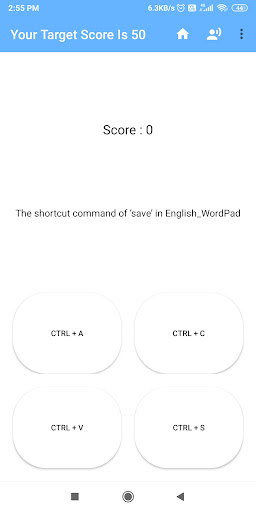
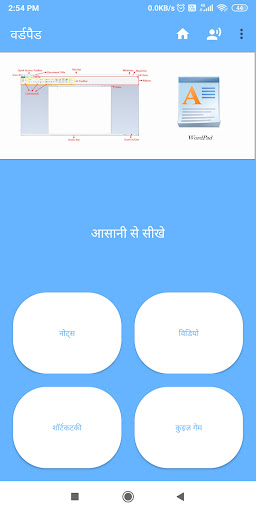
Users generally find this app misleading, as it is a tutorial rather than a functional word processor like the original WordPad. Key concerns include: "Functionality" – most users report it cannot open or create documents, causing frustration. "Ad overload" – numerous ads interrupt the experience, rendering it almost unusable. "Performance" – frequent crashes, slow response, and file access issues are common. "Language support" – some users criticize English-only content, requesting multilingual options. Although a few users describe it as a '5-star app' or 'very good,' the overwhelming majority consider it a waste of time, with some even suspecting it to be malware. The app fails to meet basic expectations for document editing.
Write a Review
Share your experience with WordPad - Easy To Learn. Submissions are reviewed before publishing.
You Might Also Like
More apps you may want to try next.