Advertisement
Screenshots
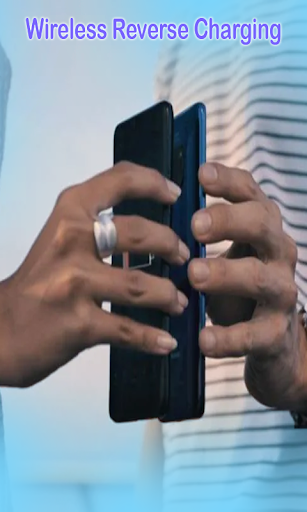
Advertisement
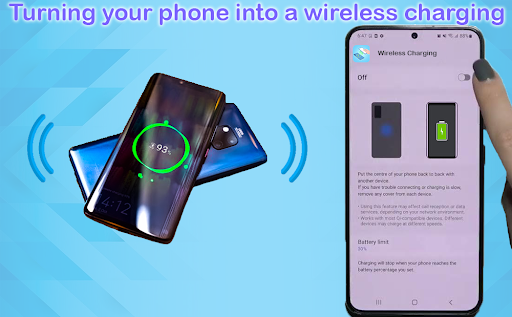
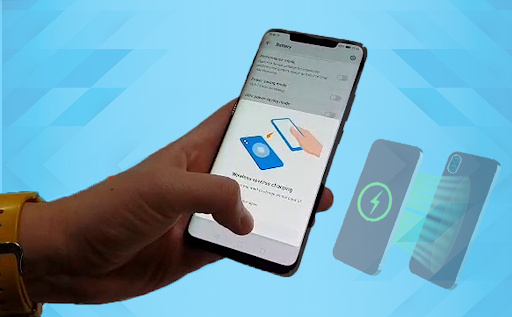
About Wireless charge Phone to Phone
Charging mobile phone to mobile phone wirelessly is a really novel Android app designed specifically for people who want to wirelessly charge and transfer data between devices. The interface is super simple and intuitive, and it is very easy to use, making people feel smooth. It is especially suitable for those who want to easily share electricity between mobile phones. Its main function still revolves around making the user experience better. Providing fast, safe and reliable wireless charging functions depends entirely on your mobile phone!
Overview
core functions
- This app can achieve seamless point-to-point wireless charging. It is extremely simple. Users can directly charge their mobile phones by putting two devices close to each other, which is super convenient!
- Real-time status reminders and notifications, so that you don't have to frantically open a bunch of windows to monitor while charging. You can know the progress directly at a glance. Isn't it super considerate?
- Supporting multiple device compatibility, regardless of whether it is a variety of Android models, it is really broad and takes into account the needs of most people.
- The interface design is very intuitive, the startup interface can be understood at a glance, and the operation is easy and convenient. It is not difficult to start wireless charging and is suitable for everyone.
- The battery optimization mechanism can especially save power, saving more power during charging and extending the use time of the mobile phone. It is really considerate!
- The security protocol is strict to ensure the security of data transmission during the wireless charging process, enhance users 'sense of trust, and have no worries.
- Once offline mode is turned on, you can use it even without the Internet. Any environment is quite reliable, and you don't have to worry about network problems when traveling.
- The detailed charging log allows you to easily know the charging status and history of each time, allowing you to have a clear picture of the changes in power consumption.
Who is suitable for?
This app is especially suitable for young people who like to mess with technology. It can be used by anyone over the age of 16, especially those who often need fast wireless charging. Whether you are students, office workers or traveling travelers, you can find convenience from it, which is so thoughtful!
Especially for those who pursue simplicity and convenience and hate the trouble of traditional cables, imagine how refreshing it would be to charge without bringing a cord! Friends who like to use Android phones and pursue a smooth experience must not miss this app!
Why do you prefer this model
The reason why this Android app stands out is that it brings a smooth and safe wireless charging experience, as well as a super friendly interface design that is not complicated to operate and is particularly easy to use.
The most important thing is that it is compatible with various devices, supports offline use, and has special security measures in place. It solves everyone's concerns about wireless charging and can become your reliable mobile phone charging partner. I sincerely recommend it!
Top Recommended Alternative
Pros & Cons
Pros
- The operating interface is very friendly
- Compatible with various devices
- Display charging status in real time
- Less power consumption and stable operation
- Notifications can be customized
Cons
- Device support information is not detailed enough
- Occasionally, there will be unstable connections.
- Lack of detailed troubleshooting guidelines
- There will be minor UI issues on some Android versions
- Long-term use will consume electricity
Advertisement
Download Wireless charge Phone to Phone

FAQ
Is wireless charging mobile phones safe for mobile phones to use?+
How can I install the wireless charging mobile phone to mobile phone app on my device?+
Is wireless charging mobile phones suitable for all mobile phones?+
Can I keep my phone safe with a wireless charging phone on a public network or a shared network?+
What special features do wireless charging mobile phones have on mobile phones that make them stand out?+
Is there a paid version or in-store purchase for wireless charging mobile phones?+
How to solve common problems with wireless charging mobile phones?+
Do wireless charging mobile phones have the opportunity to update them regularly to ensure safety and performance?+
Customer Reviews
Users generally appreciate the app's smooth functionality and user-friendly interface, with many praising its seamless wireless charging experience and compatibility across devices. Key dimensions include functional effectiveness and user experience. While some users report excellent performance—describing it as 'fantastic,' 'amazing,' and 'highly recommended'—others express strong dissatisfaction, noting the app 'does not work properly,' feels 'fake,' or seems 'manipulated.' Regarding the rating requirement, some users find it frustrating that full functionality is only available after submitting a review, while others overlook this once they experience the app. Additionally, complaints about excessive ads are common among dissatisfied users. Overall, opinions are polarized between those who find it reliable and those who deem it untrustworthy.
Write a Review
Share your experience with Wireless charge Phone to Phone. Submissions are reviewed before publishing.
You Might Also Like
More apps you may want to try next.