Tattoo Maker: Design & Art
Advertisement
Screenshots
Advertisement
About Tattoo Maker: Design & Art
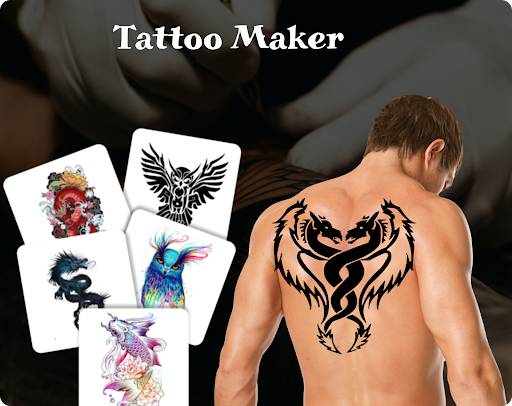
Tattoo Maker: Design and Art is a fun mobile app that makes it easy to explore and create unique tattoo patterns on Android devices. The interface is quite friendly and has rich functions. Many of them can be adjusted by yourself. It is really a friendly application for both novices and veterans. It is convenient and interesting to design tattoos with it, and it feels quite novel. It satisfies all kinds of whimsy of friends who like tattoos!
Overview
core functions
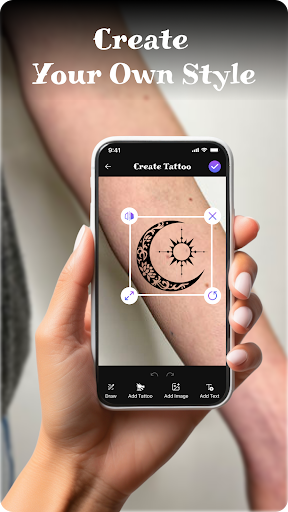
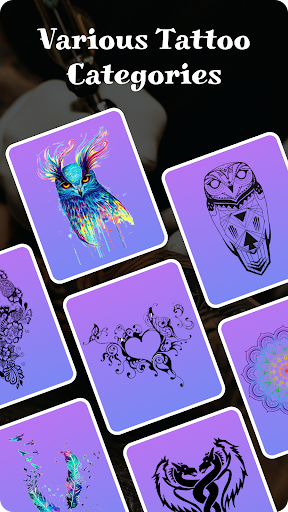
- This app has a lot of tattoo templates and customizable designs, basically meeting the needs of various styles, really rich.
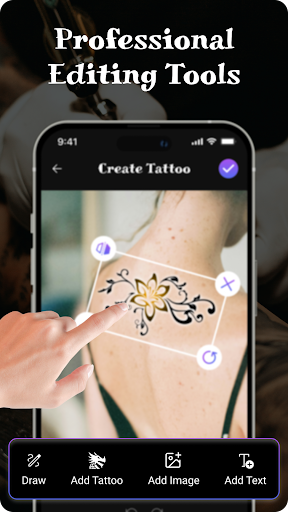
- It also comes with a super friendly drawing tool that allows you to accurately edit and design your own personalized tattoos, which feels quite convenient.
- Real-time preview function helps you see in advance how the design looks on different body parts. It's very considerate to have a bottom in mind before deciding.
- It collects a lot of high-quality pictures and various artistic styles, which is full of inspiration and can find the source of ideas.
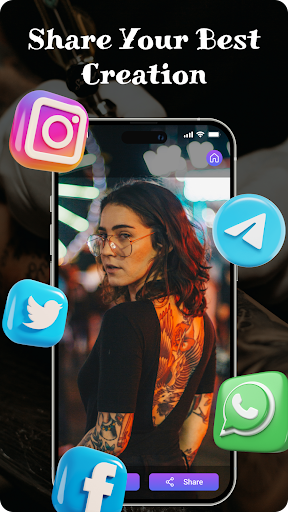
- Support exporting multiple formats, making it easy to share or print, and easy to operate.
- There is also offline mode, so you can design even if you don't have a network, and you don't have to worry about the embarrassment of being disconnected.
- This Android app also provides an intuitive launcher experience that allows you to quickly access all functions by opening it, which is super fast.
- Navigation is smooth, control is responsive, and the operating experience specially designed for mobile phones is smooth.
Who is this app suitable for?
This mobile app is great for friends who like tattoos, artists, or anyone interested in body art. Especially for those over the age of 15 who want some creative or professional tools but want simple operation, it is absolutely suitable.
Whether you're planning on getting a custom tattoo or simply exploring artistic ideas, this app-based solution allows you to turn your ideas into reality anytime, anywhere on your Android device. It's so convenient!
Why choose this app
This Android app stands out mainly because it combines a variety of functions and a smooth user experience, making it easy for both novices and professionals to get started. The interface is intuitive and the design tools are complete. It is really a good helper to stimulate creativity.
Compared to other easy-to-use apps, this provides a trustworthy experience, ensures your design privacy, doesn't have to worry about sharing difficulties, and solves some common worries, such as limited editing options or poor image quality. It's very thoughtful!
Top Recommended Alternative

Pros & Cons
Pros
-
Intuitive design tools
-
Massive art library
-
highly customized
-
Realistic preview function
-
friendly interface
Cons
-
Limited export formats
-
Occasionally stuck during complex editing
-
The color selection is a bit simple
-
No arm rings or full-back templates
-
High learning threshold for advanced functions
Advertisement
Download Tattoo Maker: Design & Art
FAQ
Is Tattoo Maker: Design & Art safe to use on my device? +
Well, this Tattoo Maker: Design & Art is quite reliable. It can be found on the Google Play store. It is a mobile application that takes user safety into account. After safety testing, I basically feel quite safe to use it.
However, like any application, it is recommended that you download it from reliable channels and regularly update your device's system.This app is quite stable, safe and reliable when creating tattoo designs.
Can I use Tattoo Maker: Design & Art without an account? +
Of course! You can start exploring the features of this app without registering. This is particularly friendly for newbies, so try it without worrying about whether there are any restrictions on the account.
However, if you register, you may be able to unlock some additional features, such as saving your designs or making it easier to share. Overall, you can use this app smoothly whether you are logged in or not.
What are the main app features of Tattoo Maker: Design & Art? +
This Android app has many interesting features, such as customizable tattoo templates, painting tools, and options for photo editing. The interface is quite intuitive, making tattoo painting simple and interesting.
Itcan also help you save high-resolution works and share them directly on social media. These features are quite comprehensive and developed specifically for people who like tattoo design.
Is Tattoo Maker: Design & Art suitable for beginners? +
Yes, this app is specifically designed for novices and is particularly friendly to use. The interface is simple and it is quick to learn, which is especially suitable for friends who are just getting started.
Moreover, the entire experience is step-by-step, which can help you learn how to design step by step without worrying about lack of experience. This is a great choice, whether you have tattooing as a hobby or a career.
Does Tattoo Maker: Design & Art support the latest Android versions? +
Of course, this app will be updated regularly to ensure compatibility with the latest Android systems and make it easier for you to use. The development team is also very careful to ensure that the software runs stably on the new device.
Thiskind of persistence enhances its credibility, makes people feel at ease, and can meet various creative needs without worrying about making mistakes.
Are there any in-app purchases or ads in Tattoo Maker: Design & Art? +
This app has both free features and paid content. You may see some advertisements during the process, but they are all quite non-disturbing.
Buy some extra tools or materials to make your tattoo design richer and more personalized.Overall, the combination of free and paid functions is quite good, and the experience is quite balanced.
Can I use Tattoo Maker: Design & Art on my tablet or only on phones? +
This Android app is well optimized for both mobile phones and tablets, and can be used easily regardless of the size of the device. There is no pressure to design tattoos on the big screen.
Theinterface will automatically adjust according to different screens. It is quite flexible and suitable for creating with various devices. It is a very all-round tattoo design tool.
How can I ensure my designs are original when using this app? +
If you want to make an original tattoo design, you can try out more of the various functions in this app, such as different brushes and templates, use your imagination, change the elements, and work together to create a unique work.
Italso provides many tools to help you polish and personalize your work, making your design more distinctive and showing your personal style. In this way, the works created using this application will be more unique, reliable and interesting.
Customer Reviews
Users generally praise the app's design and creative potential, with some describing it as effective, enjoyable, and even enabling them to become a tattoo artist. However, the overwhelming majority of feedback highlights severe issues with excessive, intrusive advertisements that hinder basic functionality. While a few find the app user-friendly and satisfying, many others report constant pop-up ads, inability to use features without paying, app crashes, and overall poor experience. Some users note the app is not as advertised and requires credit card details to try. The app has potential, but ad bombardment and reliability problems make it nearly unusable for many.
Write a Review
Share your experience with Tattoo Maker: Design & Art. Submissions are reviewed before publishing.
You Might Also Like
More apps you may want to try next.