Sony | Music Center

Sony | Music Center

Sony Music Center, the official app for managing Sony audio devices. Enjoy seamless control, Hi-Res audio, multi-room setup. Free on Android & iOS!

Advertisement

Screenshots

4 images
Sony | Music Center screenshot 1Sony | Music Center screenshot 2Sony | Music Center screenshot 3Sony | Music Center screenshot 4

Advertisement

About Sony | Music Center

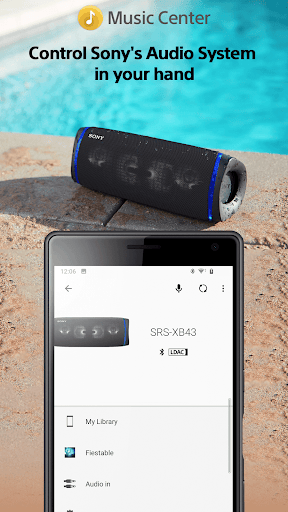
Sony |Music Center is a thoughtful mobile app designed for people who want to make listening to music more convenient. This Android software allows you to easily control and adjust Sony's audio devices. The interface is simple and intuitive, and it is easy to use. With its rich functions, you can basically do all music playback and settings with just your mobile phone without cumbersome operations. It is simple, efficient, and saves trouble.

Overview

core functions

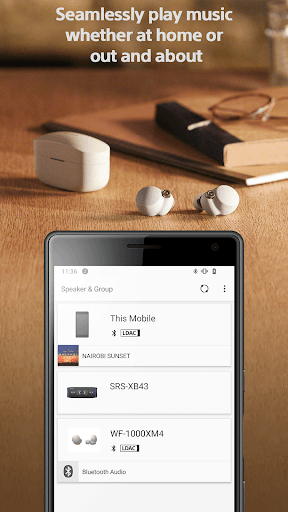
  • This app has a super simple interface and is particularly easy to use, allowing you to easily control music on multiple Sony devices without any effort.
  • It supports real-time synchronization of your song lists and settings. Don't worry, the music experience will never fall off the hook and always remain consistent.
  • It also comes with an offline mode, so you can listen to your favorite song lists without the Internet. It's so convenient that you don't want to.
  • There is a super comprehensive media management system that helps you organize and discover music, and easily handle everything.
  • Compatible with a variety of Sony speakers and headphones, enhance your overall experience and make use more enjoyable!
  • You can also do firmware upgrades through the app to ensure that the device remains up-to-date and runs smoothly!
  • The interface can be customized by yourself and can also be used as a starter, which perfectly matches your personal music preferences and is particularly considerate.

Who is this app suitable for?

This mobile app is mainly aimed at friends who love music and use Sony devices. It is absolutely suitable for them to get their music and audio experience on Android.

Whether you want to get all Sony audio equipment done in one sentence, or want to optimize your personal music enjoyment, this app can help you get it done, making listening to music every day richer and more interesting!

Why choose this app

This app is particularly intuitive to operate and can greatly enhance your listening experience while giving full control of all your Sony devices. Not only is the interface friendly and the functions efficient, it also allows you to get rid of control troubles. It's a really smart choice!

It makes up for the annoying issues of connecting Sony's audio devices, ensuring your experience is smooth, and whether you're an audiophile or a regular listener, the app can be your perfect companion.

Top Recommended Alternative

Pros & Cons

Pros

  • intuitive user interface
  • Seamless music management
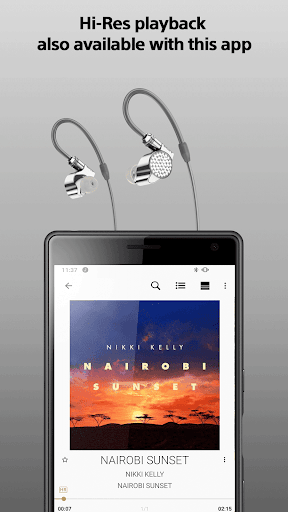
  • High-quality audio streaming
  • remote device control
  • Customizable playlists and settings

Cons

  • Limited device compatibility
  • Occasionally break down
  • Loading large libraries is slow
  • Too few offline functions
  • Custom options are too basic

Advertisement

Download Sony | Music Center

You are going to be redirected to the official website to finish the download when you click these buttons above.

FAQ

Is Sony Music Center safe to install on my device?+
Don't worry, Sony Music Center is a reliable mobile phone application officially developed by Sony, with a high security level. It is only available in regular app stores, such as Google Play or Apple's App Store, where the review is very strict and can help you avoid many security risks. Remember to download it from official channels, such as the official app store, otherwise you may encounter some security issues. This app will also push updates regularly, which not only improves security, but also makes performance more stable and plays with more confidence.
How to set up Sony Music Center on my Android phone?+
Using Sony Music Center on Android is actually quite simple. After you download the app, just open it and pair it with your Sony audio device, and everything will go smoothly. Its interface is very user-friendly and intuitive to operate. In addition to playing music, this app can also control the device and adjust settings, which is very convenient. It is actually a starter for Sony audio equipment. It is very convenient to use. After configuring it well, you can enjoy music immediately!
Can Sony Music Center work with all Sony audio devices?+
Well, Sony Music Center supports many Sony audio products, such as Bluetooth slightly, headphones, and audio strips. Compatibility is quite good, but the details depend on your device model. It's best to check the list of supported devices in advance. It provides comprehensive functions, including pairing, music control, firmware upgrades, etc., which can make Sony fans use it smoothly and easily. This app is like a central hub that helps you easily manage all audio equipment. It is quite practical.
Can I use Sony Music Center on my iPhone?+
Of course you can! Sony Music Center is also available on the Apple app store and is designed specifically for Apple users. It's no problem to use at all, it's easy to use, and you can control and adjust your Sony audio equipment as you please. After using this app, the experience will be even better, especially if you have a lot of Sony devices, which makes it particularly convenient to control. The interface is friendly and easy to operate. It is not difficult to connect to and manage from the iPhone.
Are there any known issues with this app and how to upgrade it?+
Most users report that Sony Music Center is quite stable and has basically no major problems, but occasionally they encounter some bugs or connection jams. At this time, going to the app store in time to update to the latest version can solve many problems. In addition, official updates can bring new features, improve the experience, and ensure the compatibility of your device. It is recommended that you check for updates frequently so that you can feel at ease and the experience will become smoother and smoother.
Can Sony Music Center be used as a starter for Sony devices?+
It's okay! It works well as a starter, especially if you want to quickly switch and control your audio equipment. The process is smooth to use, and it is convenient to manage settings, play music, and upgrade firmware. This application is designed to improve operating convenience and control experience, save many cumbersome steps, and pursue efficiency. So, if you like one-stop management, Sony Music Center is definitely a good choice.
What are the main features of this app that I need to know about?+
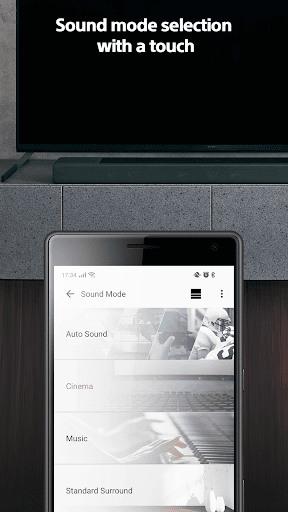
The main functions, including music playback control, device connection management, and firmware upgrades, are all quite practical. The interface is designed to be intuitive, easy to operate, and you can quickly find the required functions. In addition, it also supports custom sound effects and preset adjustments to help you create a personalized listening experience. Overall, it is an artifact that helps you maximize the potential of Sony's audio equipment. It is easy to use and considerate.
Is this App suitable for people of all ages and technology levels?+
Absolutely! Sony Music Center takes into account the needs of different users, has a clear interface and simple control, so there is no need to worry about difficulty in operation. Whether you are old or young, you can have fun. Whether a novice or a veteran, you can feel it when using it. The app is also equipped with some tips and guidance to ensure that you can successfully use Sony's various audio devices. No matter how calm you are, you will feel that there is no pressure to use it and you will be happier to enjoy music time.

You Might Also Like

More apps you may want to try next.